
AI Resume Translator and CV Translator
A resume translator, or CV translator, rewrites your resume in another language so an employer can read it, while the facts and the structure stay the same. OwlApply's AI resume translator does this in one step for 80 languages: it saves a new, editable copy in the same template, translates your summary, bullets, job titles and section headings, and keeps your name, employers, tools and every number exactly as you wrote them.
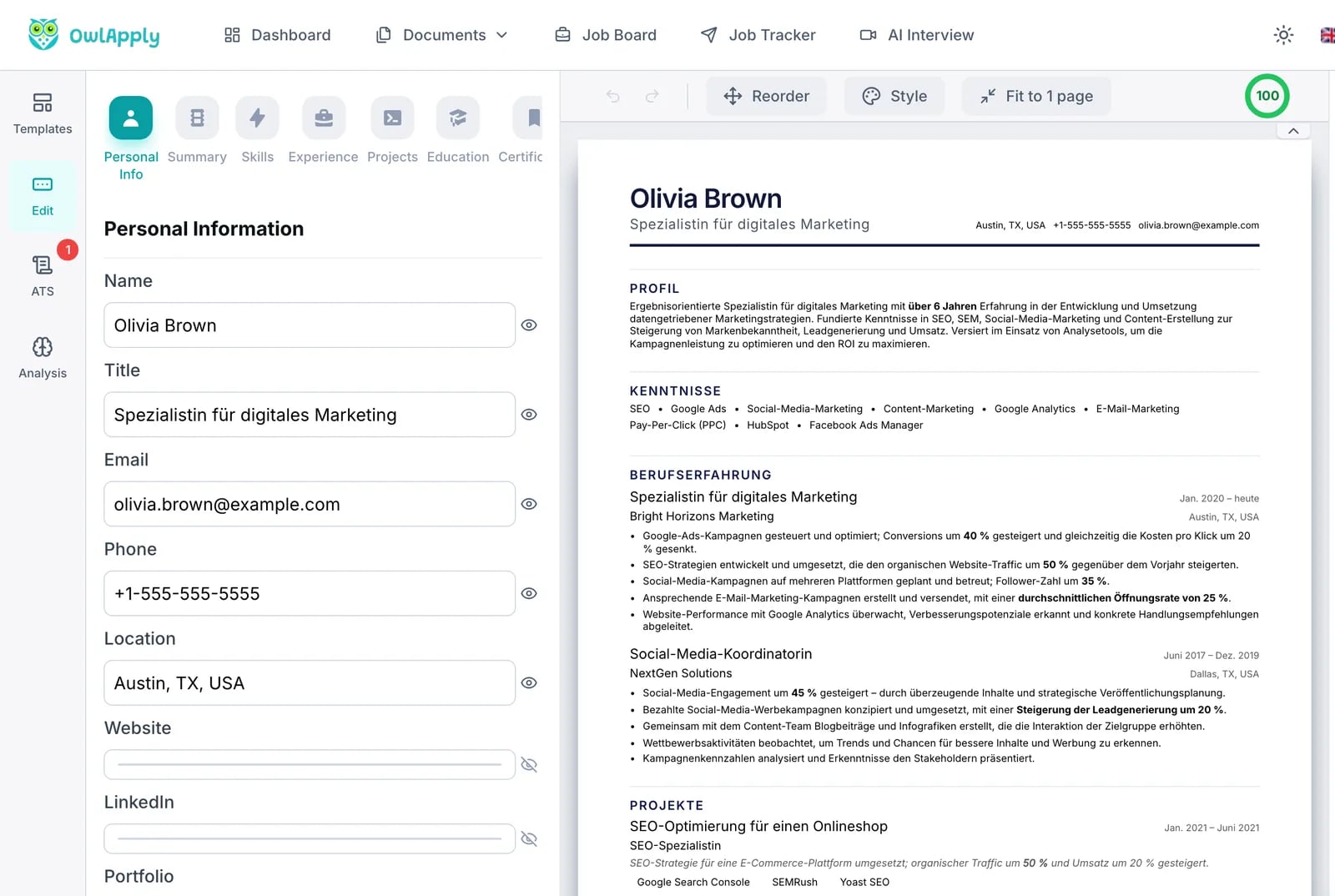
The resume translator at a glance
- 80 target languages, from English, Spanish, German and French to Arabic, Hindi, Vietnamese, Ukrainian and Swahili. You pick one from a searchable list.
- A new copy, not an overwrite. The translation is saved as a second resume in your account. The original stays exactly as it was.
- Same template, colors and layout. Only the words change, so the translated page looks like the one you already built.
- Nothing goes missing. The translated copy must contain the same number of jobs, bullets, skills, schools and certificates as the original. If anything would come back shorter, the translation stops instead of saving an incomplete resume.
- Proper nouns stay put. Your name, employers, schools, places and tool names are kept in their original form unless the target language has a widely used translation for them.
- Fully editable afterwards. The copy opens in the builder, where you can change any line, run the ATS resume checker on it, or ask the AI assistant to translate or rewrite a single section and see each change before you keep it.
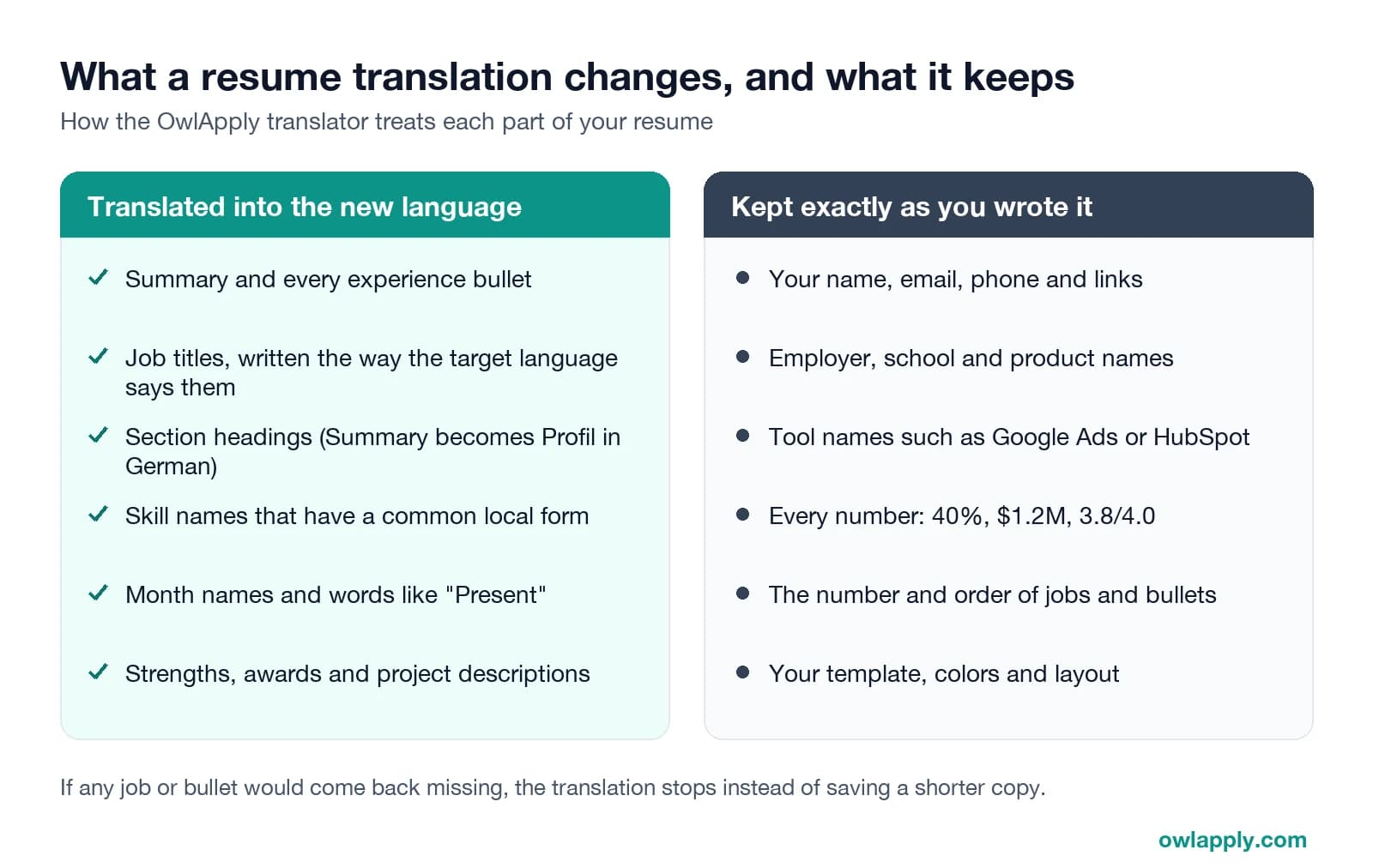
A Translated Resume, Not Just Translated Text
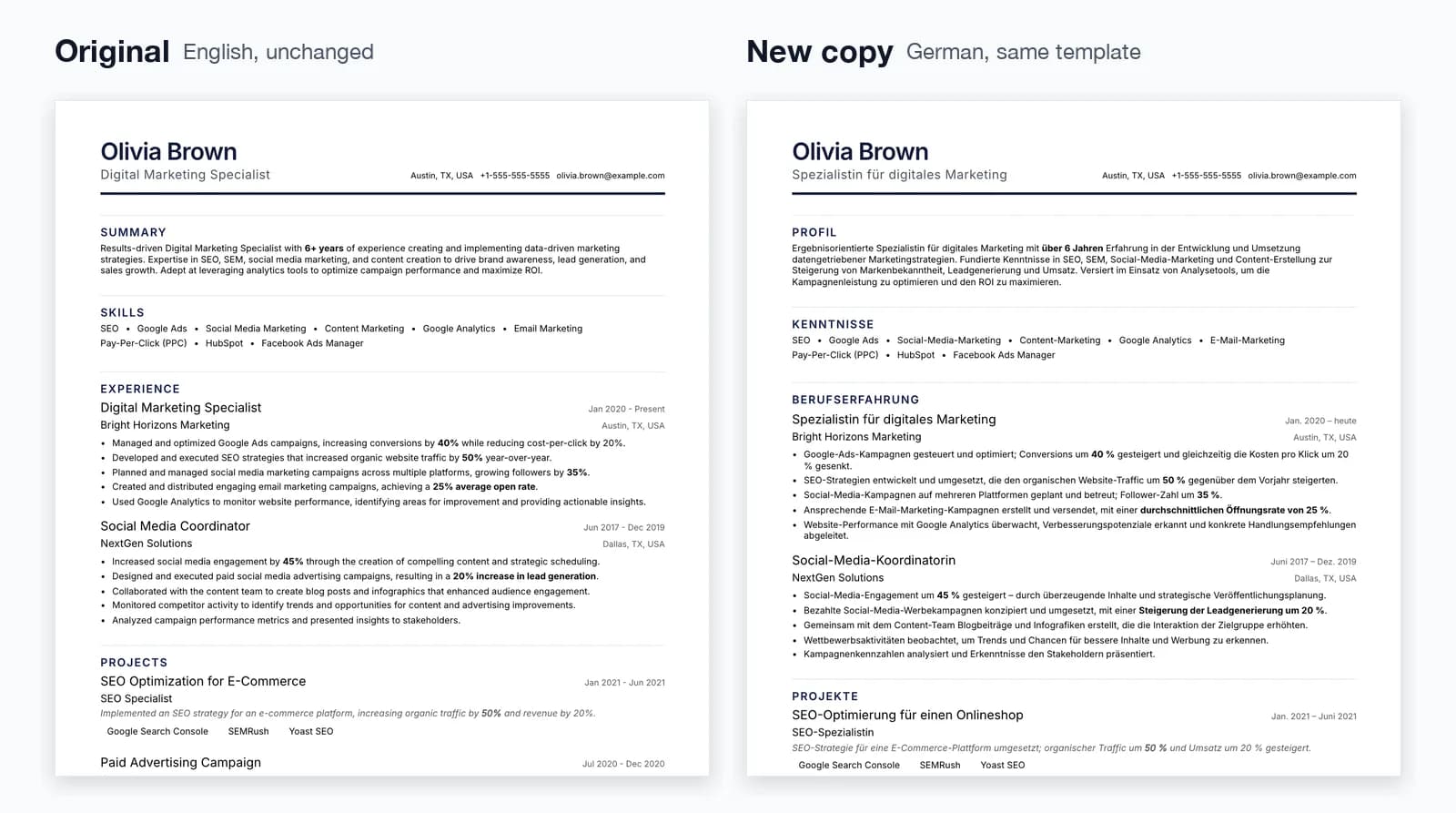
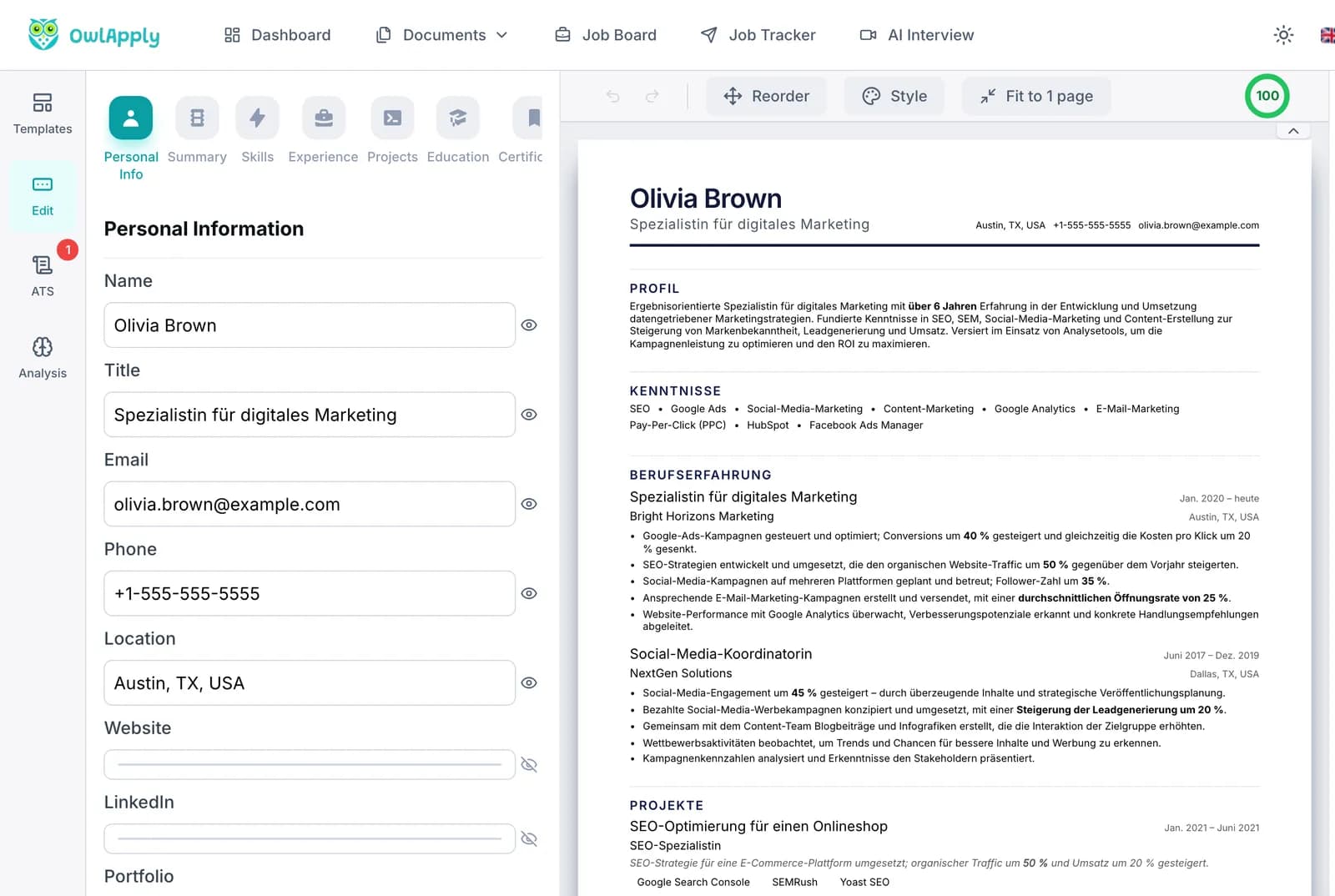
Same Template, New Language
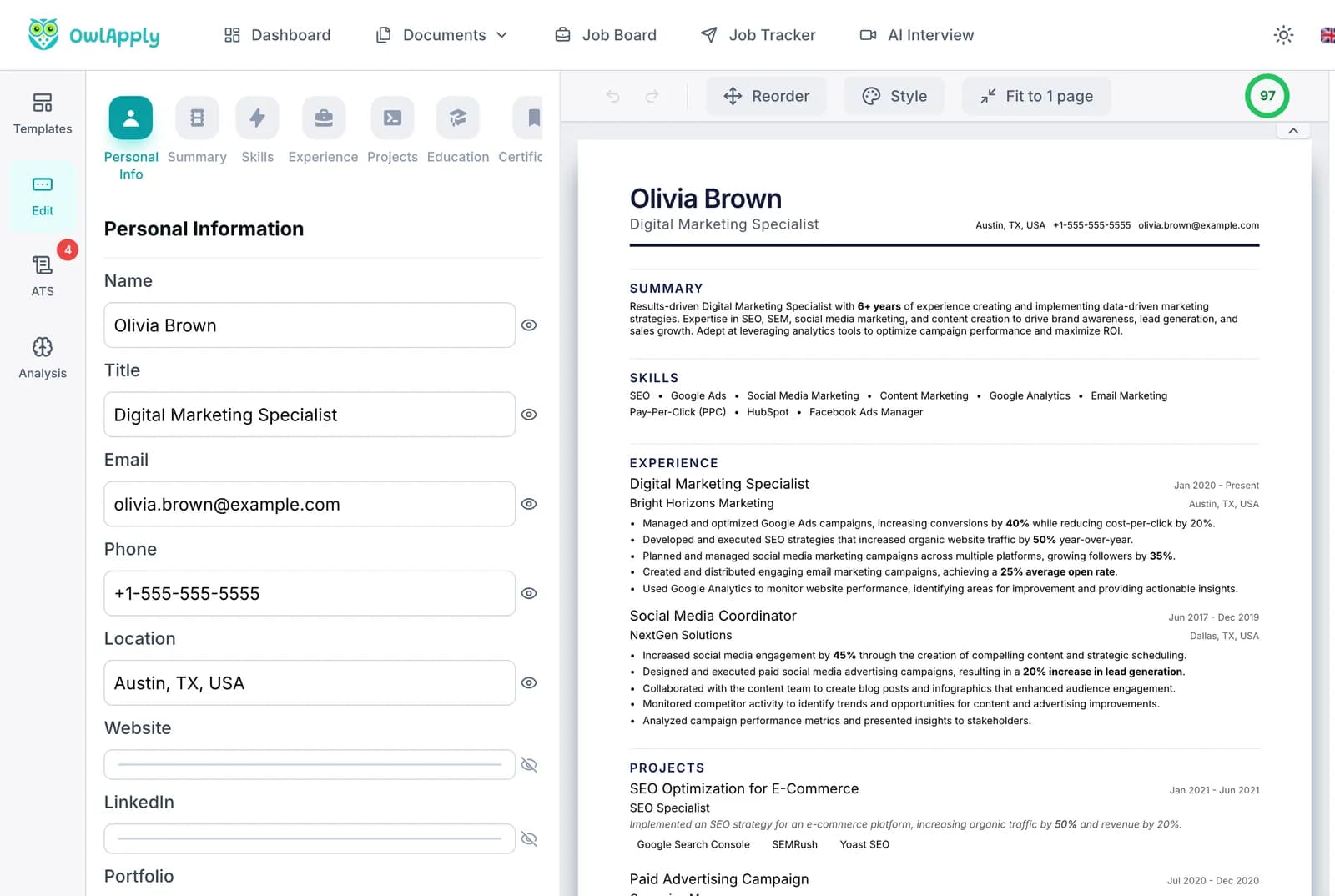
The copy uses the template, colors and section order of the resume you translated. Section headings change with the language, so Summary becomes Profil and Experience becomes Berufserfahrung in German, and the page still looks finished.
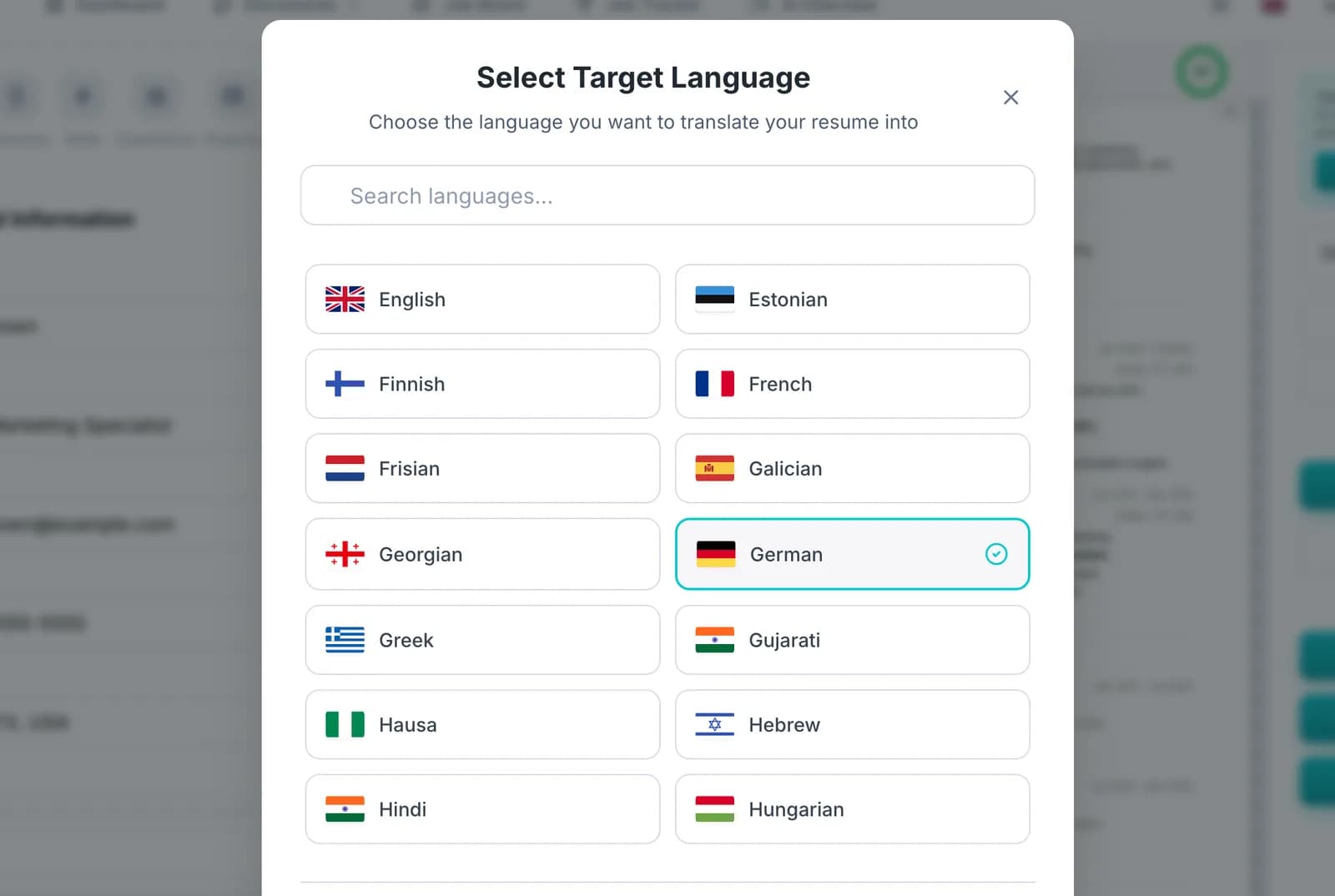
80 Languages, One Choice
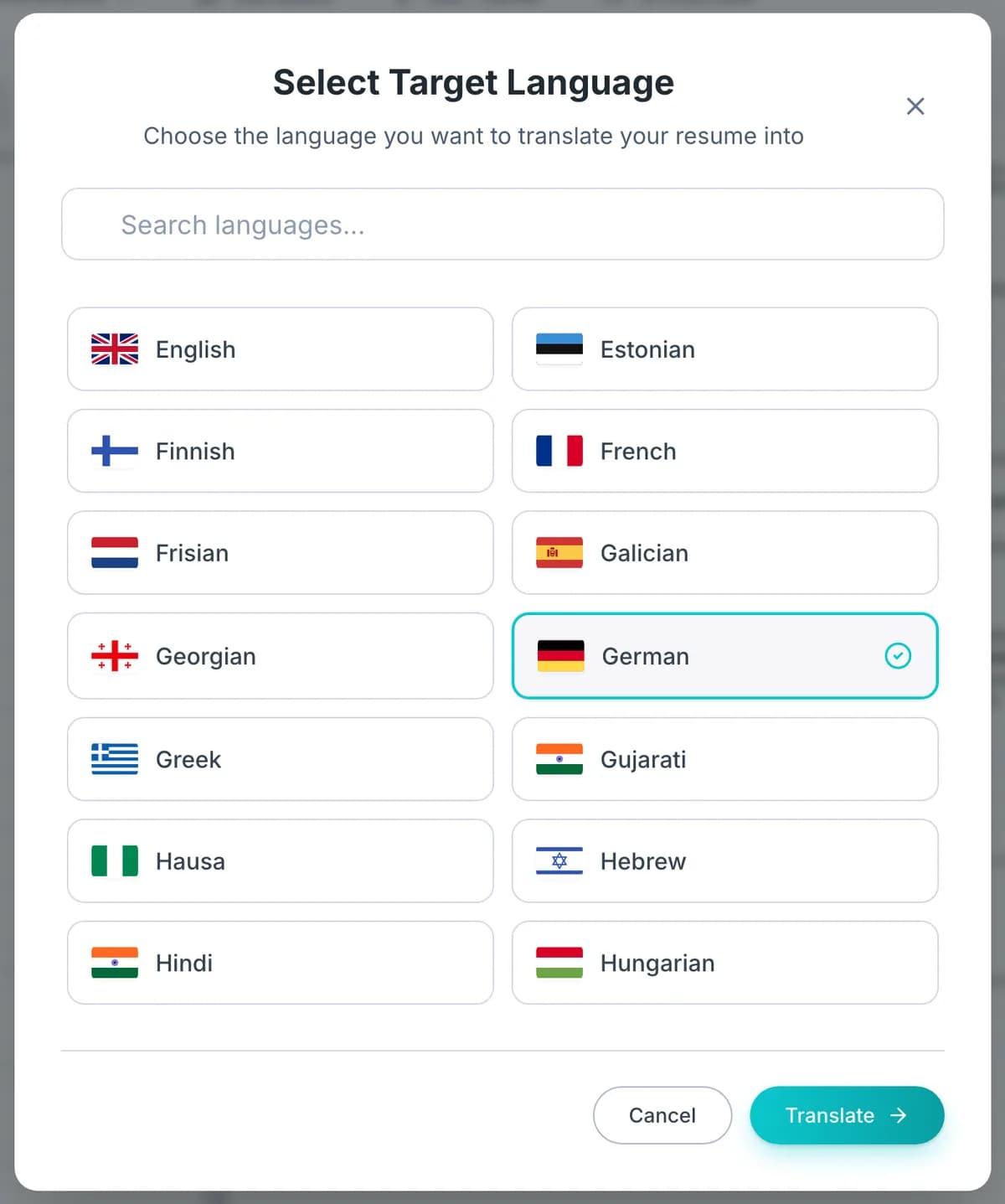
Search the list, pick the language the employer reads, and press Translate. Translating into English is the most common use, but the same button works for German, French, Spanish, Arabic, Japanese and 74 more.
Facts Stay Exact
Every percentage, amount, date and grade is carried over unchanged, and employer, school and tool names are not translated. You check the wording; you do not have to re-check whether 40% became 4% or a job vanished.
How to Translate Your Resume in 4 Steps
- OPEN
Open or Upload Your Resume
Start from a resume you built in OwlApply, or upload a PDF or Word file and it is turned into an editable resume first. Fix anything you want in the original before translating, because the copy follows it line by line.
- CHOOSE
Choose the Target Language
Press Translate in the builder, search for the language, select it and confirm. There is nothing else to set: sections, entries and layout are carried over automatically.
- COPY
Get a New Translated Copy
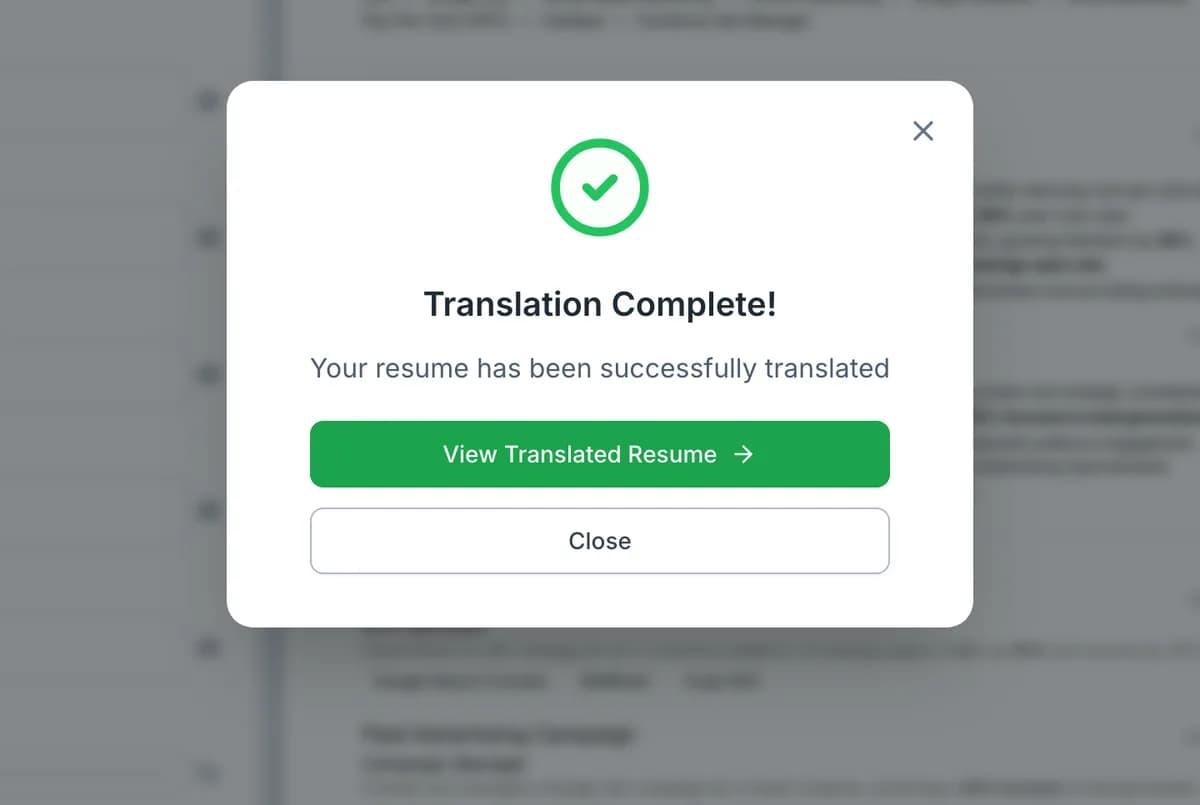
The translated resume is saved as a separate document and a link opens it. Your original stays in your account untouched, so you can keep one version per language.
- REVIEW
Review, Localize and Send
Read the copy once like a recruiter in that country would. Adjust the job title wording, date style and personal details to local custom, then check it with the ATS checker and match it to the job description before you apply.
How to Translate Your Resume to English (or Any Language) the Right Way
A translation that is correct word for word can still read like a foreign document. Whether you use the translator or do it by hand, these checks are what turn a translated resume into one that fits the country you are applying in:
- Pick one variety of English and stay with it. US resumes say "resume" and use US spelling; UK and Irish employers usually say "CV" and use British spelling.
- Translate job titles by function, not word by word. Use the title an employer in that country would post for the same job. If the local equivalent is very different, you can keep the original in brackets after it.
- Keep the original degree name and add the local equivalent. For example, "Licenciatura en Administración (equivalent to a bachelor's degree in business administration)". Leave school names in their original form.
- Rewrite dates in the local style. "03/04/2024" means 3 April in most of Europe and March 4 in the US; writing the month as a word ("Apr 2024") avoids the problem entirely.
- Follow local custom on personal details. US and UK resumes usually leave out photos, date of birth and marital status; in Germany and some other European countries a photo and date of birth are still common, though not required.
- State language levels in a form the reader knows. European employers recognize the CEFR levels A1 to C2; "C1" says more than "advanced".
- Check the layout, not only the words. A two-column CV that reads fine to a person can come out scrambled in an applicant tracking system. Send a single-column version to international employers and large job portals.
- Have a native speaker read it once if you can, especially for senior or client-facing roles. An AI translation gets the facts and the grammar right; a person from that market notices the phrase nobody there would use.
Layouts of CVs written in other languages (OwlApply ATS checker, 8 September to 15 October 2026)
- 27.1%
- of 953 German, French, Italian and Polish CVs used a two-column or sidebar layout
- 14.0%
- of 2,521 English resumes did the same
- 29.7%
- of 290 German CVs: the highest two-column rate of any large sample
Those figures come from 7,285 resumes, one per person, run through our checker and grouped by the language each resume was written in; the method and the full table for 16 languages are in ATS resume problems by language. The practical point for translation: if you are moving a German, French, Italian or Polish CV into English, the layout is as likely to need work as the language. The ATS-friendly templates are single-column and work in any language.
Does Translating a Resume Keep the Formatting?
It depends on where the translation happens. Pasting resume text into a chatbot or a general translator gives you text back, and the layout has to be rebuilt by hand. Document translators rebuild the file around the translated text, which usually works but can push lines out of place when the new language runs longer. A resume builder keeps the words and the design separately, so a translation changes only the words: in OwlApply the copy keeps the template, colors and section order, and you only need to check that longer text still fits the page.
AI Resume Translator vs Document Translator vs Certified Translator
Three kinds of tools get called a "resume translator", and they solve different problems. Pick by what the translation is for:
| Resume translator (OwlApply) | General document translator | Certified human translator | |
|---|---|---|---|
| What you get back | An editable resume in the same template, saved as a new copy | A translated file; layout quality depends on the original file | A signed translation of the document |
| Resume conventions | Section headings, job titles and phrasing written for a resume | Translates sentences; does not know what a resume section is | Depends on the translator |
| Names, numbers, entry count | Kept exact; stops if any entry would be lost | Usually kept, not checked | Kept, and certified as complete |
| Time | Seconds to a minute | Seconds | Usually days; priced per page or per word |
| Accepted as an official translation | No | No | Yes, where a certified translation is required |
| Best for | Applying to jobs in another language | Reading a document quickly | Visas, licensing boards, diplomas and transcripts |
Do I Need a Certified Translation of My Resume?
Almost never for a job application. Employers want a resume they can read, not a sworn copy. Certified translations are required for official documents in official procedures: US immigration, for example, requires any foreign-language document to come with a full English translation that the translator certifies as complete and accurate (8 CFR 103.2(b)(3)). That usually means diplomas, transcripts and certificates, which you would send to a credential evaluator or a licensing board, not your resume. If a visa or licensing process does ask for your CV in certified form, use a human translator for that one copy.
How We Built It: Facts First, Then Fluency
The hardest part of an AI resume translation is not the grammar. It is keeping every fact. In our own tests across six language pairs, an earlier, smaller model lost all three employer names in a German-to-English test, translated the name of a US professional association into Spanish, and changed figures, turning a median into an average and two thirds into one third. The translator now runs on a model that kept every proper noun and every figure in those tests.
A second safeguard does not rely on the model at all: before the copy is saved, the number of jobs, bullets per job, skills, schools, certificates, languages and projects is counted on both sides. If the translation came back shorter anywhere, it is not saved and you see an error instead, so you never end up with a translated resume that is quietly missing a job.
Text inside your resume is treated as content to translate, never as instructions, so a line such as "translate this into French" is simply translated.
After Translating: Check the Copy Against the Job
A translated resume still has to match the posting. Paste the job description into the resume to job description match tool to see which of its keywords the translated copy already covers, and use the keyword optimizer for the terms employers in that market search for. Upload the final PDF to the ATS resume checker to see what a parser extracts; its file checks work the same in every language. If you need a different document format rather than a different language, the CV builder covers UK, EU and Indian CV layouts, and the Canadian resume format guide explains the English and French expectations in Quebec.
Looking for a resume for a translator job instead? See the translator resume examples, which show how to list language pairs, specializations and translation software.
Resume Translator FAQ
How do I translate my resume?
Is the resume translator free?
Which languages can I translate my resume into?
Does translating change my original resume?
Will the formatting stay the same?
Is it a literal word-for-word translation?
Is the translated resume ATS friendly?
Can I translate just one section?
Can I use Google Translate for my resume instead?
Do I need a certified translation of my CV?
From blank page to submitted application
Build the resume, see the openings that actually match it, and send the application without filling the same form twice.
- 50+ ATS-ready templates
- Autofill on 50+ job platforms
- Resumes in 50+ languages
Build an ATS-ready resume
Start from a proven template or import the resume you already have, then sharpen every bullet point with AI.
Find jobs that match your resume
Live openings are scored against your resume, so the roles that fit your experience come to the top.
Apply without retyping
The Chrome extension fills applications on Workday, Lever, Greenhouse and 50+ other platforms and attaches your documents.