Home
  • Resumes & CVs
    Resume TemplatesView all
    SimpleMinimal layouts that keep every recruiter focused on your content.ProfessionalBoardroom-ready templates that spotlight experience and leadership.ModernFresh, contemporary designs for innovative roles and companies.CreativeBold visuals and unique layouts crafted for design-forward careers.ATS FriendlyStructured so applicant tracking systems read every section correctly.
    Resume BuilderDrag, drop, and export a job-ready resume with instant AI suggestions.
    Resume ExamplesBrowse our ready-to-use resume examples and create your professional resume in minutes
  • AI Career Tools
    AI Career ToolsView all AI tools
    Resume CheckerAudit structure, keywords, and impact with instant AI feedback.Resume Job MatchScore your resume against any job posting and see what is missing.AI Resume BuilderGenerate a polished resume with AI-written bullets and proven layouts.AI Mock InterviewPractice a live voice interview and get scored feedback.Resume TranslatorTranslate your resume into any language without losing nuance.Job Application AutofillAuto-complete repetitive application fields on any job site.Cover Letter GeneratorCreate pitch-perfect letters that mirror every job posting.Keyword OptimizerInject recruiter-approved keywords and rise to the top of ATS results.Resume SummaryCraft attention-grabbing summaries tailored to each role.Resume Bullet Point GeneratorTurn achievements into punchy bullet points in seconds.
    Resume BuilderDrag, drop, and export a job-ready resume with instant AI suggestions.
    Install OwlApply ExtensionAutofill job forms, create tailored resumes, and score postings directly from Chrome.
  • Cover Letters
    Cover Letter TemplatesView all
    SimpleClean layouts ideal for traditional teams and entry-level roles.ProfessionalClassic business styling that reinforces authority and credibility.ModernSleek designs that feel right at home in tech and high-growth companies.CreativeA unique canvas to showcase personality without sacrificing polish.
    Cover Letter BuilderPair your resume with a tailored letter in minutes using guided prompts.
    Install OwlApply ExtensionAutofill job forms, create tailored resumes, and score postings directly from Chrome.
  • Resources
    ResourcesView all
    OwlApply ExtensionAutofill applications, generate cover letters, and track every job from your browser.Job InterviewScripts, frameworks, and confidence boosters for every interview format.Cover LetterStory-driven templates and tactics for memorable cover letters.CareerNavigate negotiations, promotions, and pivots with practical advice.ResumeStep-by-step guidance to craft a standout resume in any industry.Career pay & requirementsPay, skills and experience from US job postingsJob market researchReports and methodology behind our data
    Resume BuilderDrag, drop, and export a job-ready resume with instant AI suggestions.
    Install OwlApply ExtensionAutofill job forms, create tailored resumes, and score postings directly from Chrome.
  • Pricing
EnglishBahasa IndonesiaBahasa MelayuČeštinaDanskDeutschEestiEspañolFilipinoFrançaisHrvatskiItalianoKiswahiliLatviešuLietuviųMagyarNederlandsNorskPolskiPortuguês (Brasil)Português (Portugal)RomânăSlovenčinaSlovenščinaSrpskiSuomiSvenskaTiếng ViệtTürkçeΕλληνικάБългарскиРусскийУкраїнськаעבריתالعربيةفارسیไทย日本語繁體中文한국어
My AccountBuild Resume
EnglishBahasa IndonesiaBahasa MelayuČeštinaDanskDeutschEestiEspañolFilipinoFrançaisHrvatskiItalianoKiswahiliLatviešuLietuviųMagyarNederlandsNorskPolskiPortuguês (Brasil)Português (Portugal)RomânăSlovenčinaSlovenščinaSrpskiSuomiSvenskaTiếng ViệtTürkçeΕλληνικάБългарскиРусскийУкраїнськаעבריתالعربيةفارسیไทย日本語繁體中文한국어
  • Resumes & CVs
    SimpleMinimal layouts that keep every recruiter focused on your content.ProfessionalBoardroom-ready templates that spotlight experience and leadership.ModernFresh, contemporary designs for innovative roles and companies.CreativeBold visuals and unique layouts crafted for design-forward careers.ATS FriendlyStructured so applicant tracking systems read every section correctly.View all
  • AI Career Tools
    Resume CheckerAudit structure, keywords, and impact with instant AI feedback.Resume Job MatchScore your resume against any job posting and see what is missing.AI Resume BuilderGenerate a polished resume with AI-written bullets and proven layouts.AI Mock InterviewPractice a live voice interview and get scored feedback.Resume TranslatorTranslate your resume into any language without losing nuance.Job Application AutofillAuto-complete repetitive application fields on any job site.Cover Letter GeneratorCreate pitch-perfect letters that mirror every job posting.Keyword OptimizerInject recruiter-approved keywords and rise to the top of ATS results.Resume SummaryCraft attention-grabbing summaries tailored to each role.Resume Bullet Point GeneratorTurn achievements into punchy bullet points in seconds.View all AI tools
  • Cover Letters
    SimpleClean layouts ideal for traditional teams and entry-level roles.ProfessionalClassic business styling that reinforces authority and credibility.ModernSleek designs that feel right at home in tech and high-growth companies.CreativeA unique canvas to showcase personality without sacrificing polish.View all
  • Resources
    OwlApply ExtensionAutofill applications, generate cover letters, and track every job from your browser.Job InterviewScripts, frameworks, and confidence boosters for every interview format.Cover LetterStory-driven templates and tactics for memorable cover letters.CareerNavigate negotiations, promotions, and pivots with practical advice.ResumeStep-by-step guidance to craft a standout resume in any industry.Career pay & requirementsPay, skills and experience from US job postingsJob market researchReports and methodology behind our dataView all
  • Pricing
My AccountBuild Resume
  1. Home
  2. Resume Templates
  3. Free Creative Resume Templates

Free Creative Resume Templates

A creative resume template uses color, a distinctive header or a photo to show visual judgment, which suits design, marketing and media roles. Use it for portfolios, email and referrals, and keep a one-column copy of the same content for application portals.

Upload your resumeInstall Chrome Extension
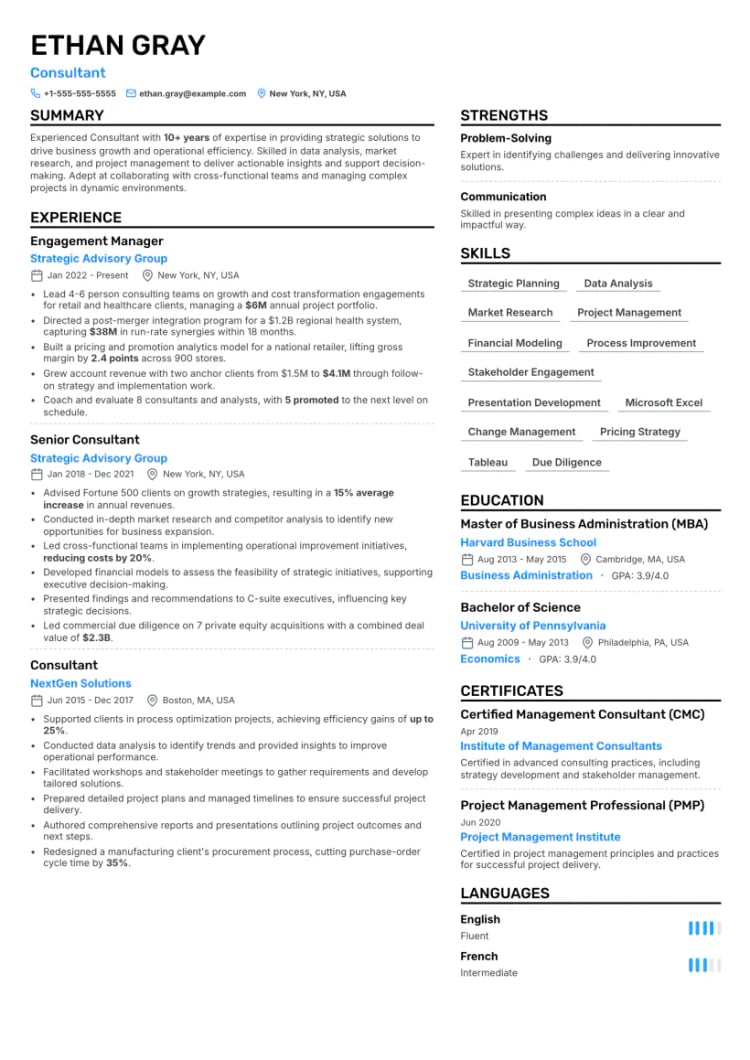
Zenith
Crimson
Heritage
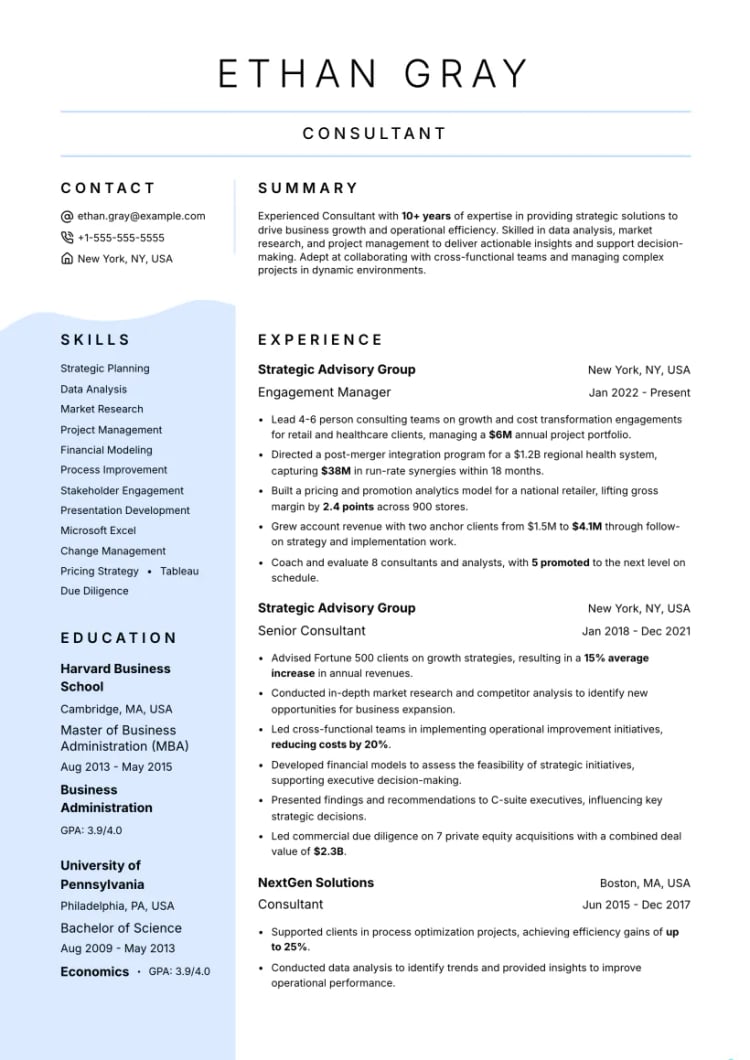
Brightline
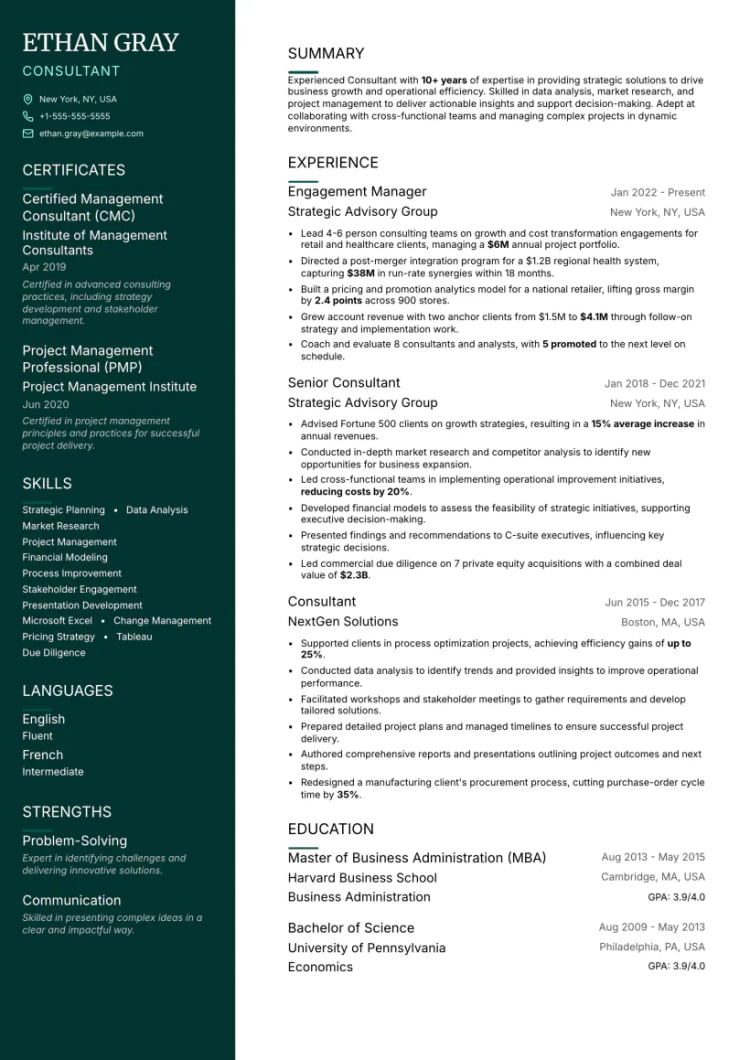
Evergreen
Harbor
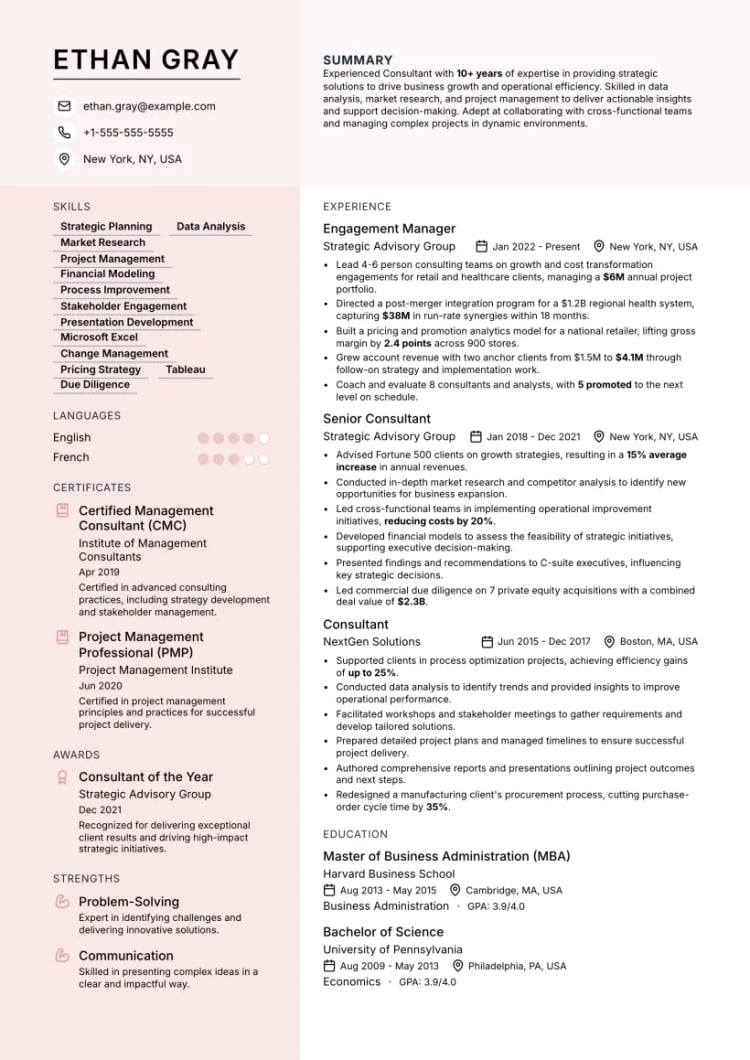
Petal
Amethyst
Zenith
ZenithCrimsonHeritageBrightlineEvergreenHarborPetalAmethyst
All Resume Templates60Simple12ATS Friendly22Modern44Creative10Professional52
  • Onyx Preview
    Use This Template

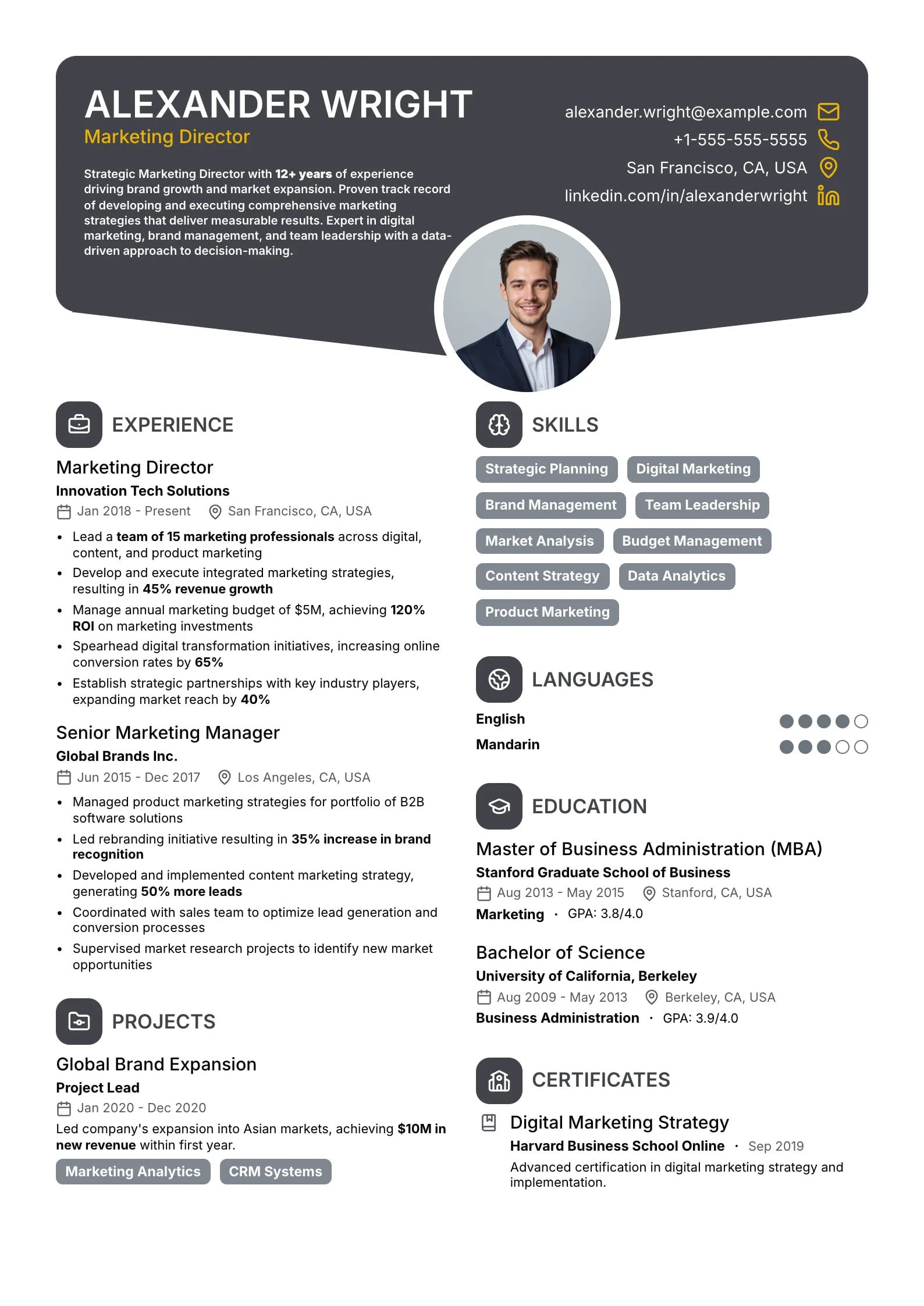
    Onyx

    A bold executive resume with a rounded charcoal header card, gold accent title, and overlapping circular photo, made for marketing, brand, and senior leadership roles wanting standout impact.

    Use This Template
  • Palette Preview
    Use This Template

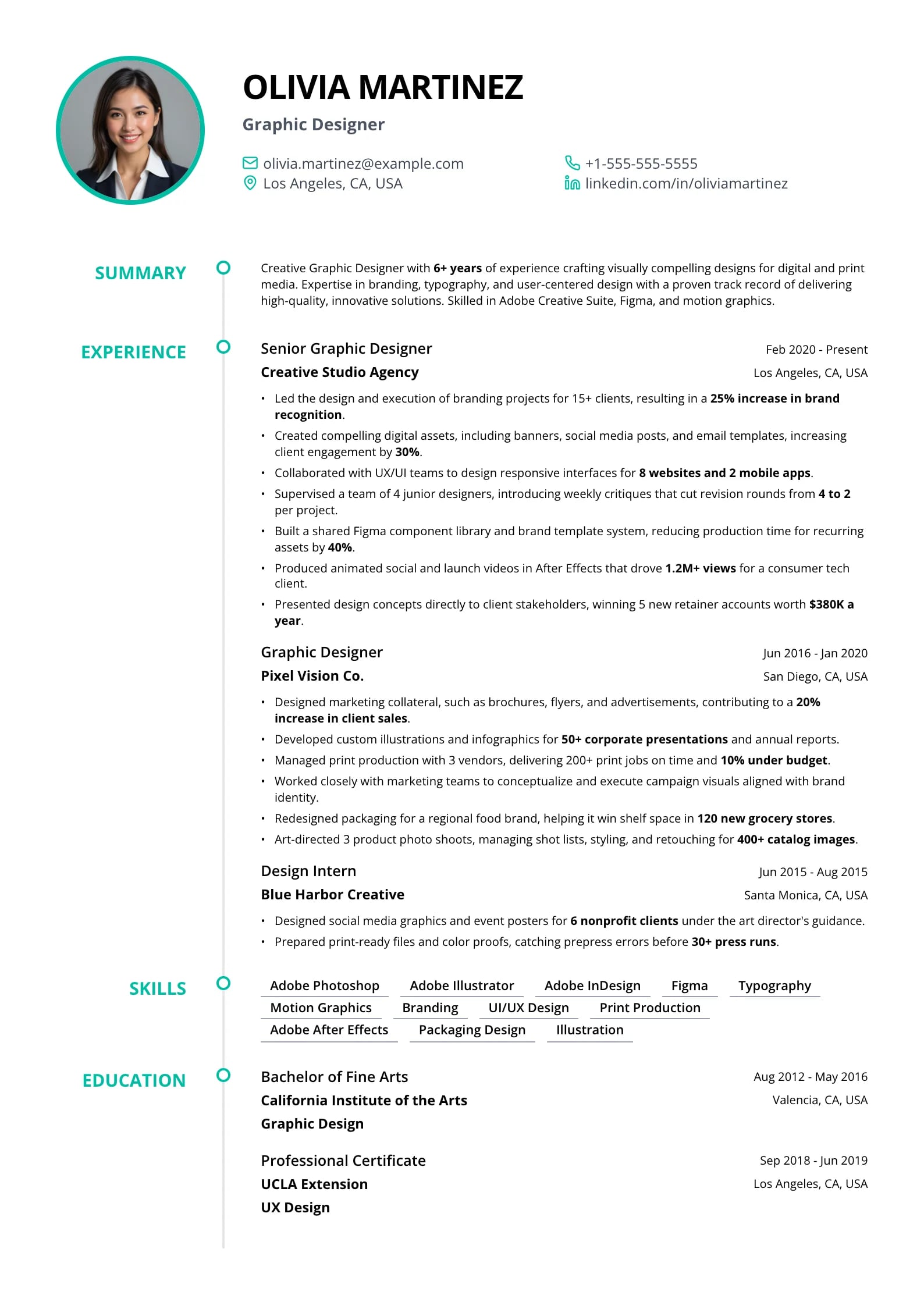
    Palette

    An expressive single-column resume with a circular profile photo and a teal vertical timeline, tailored to graphic designers, artists, and creative professionals building a visual identity.
    Use This Template
  • Crimson Preview
    Use This Template

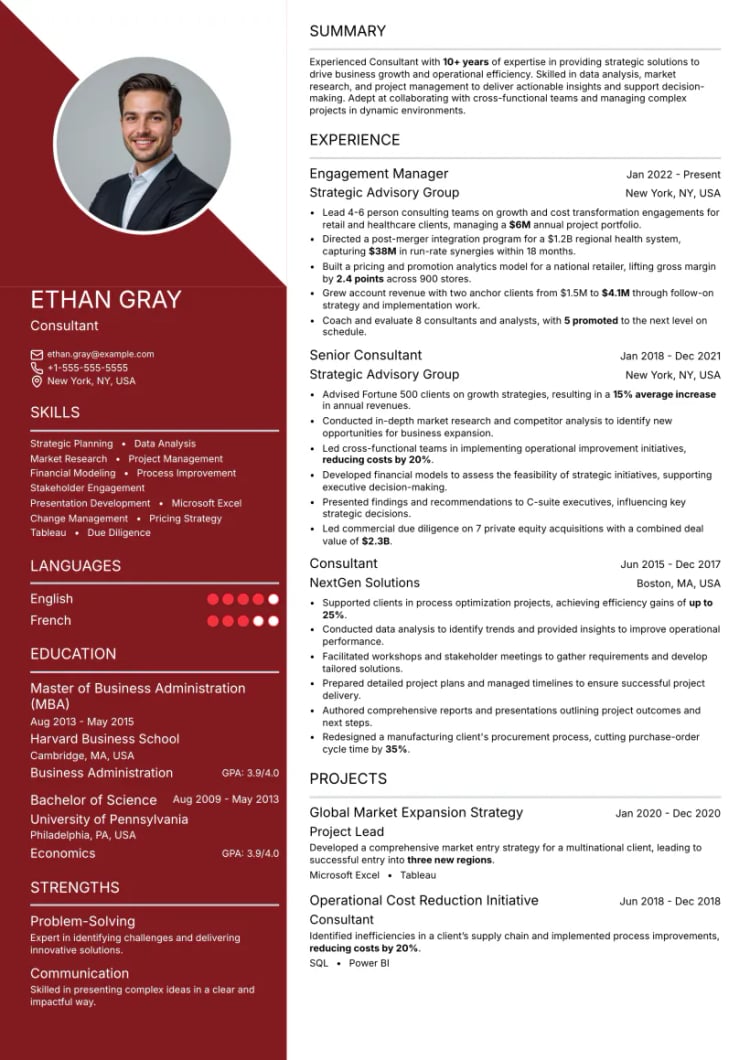
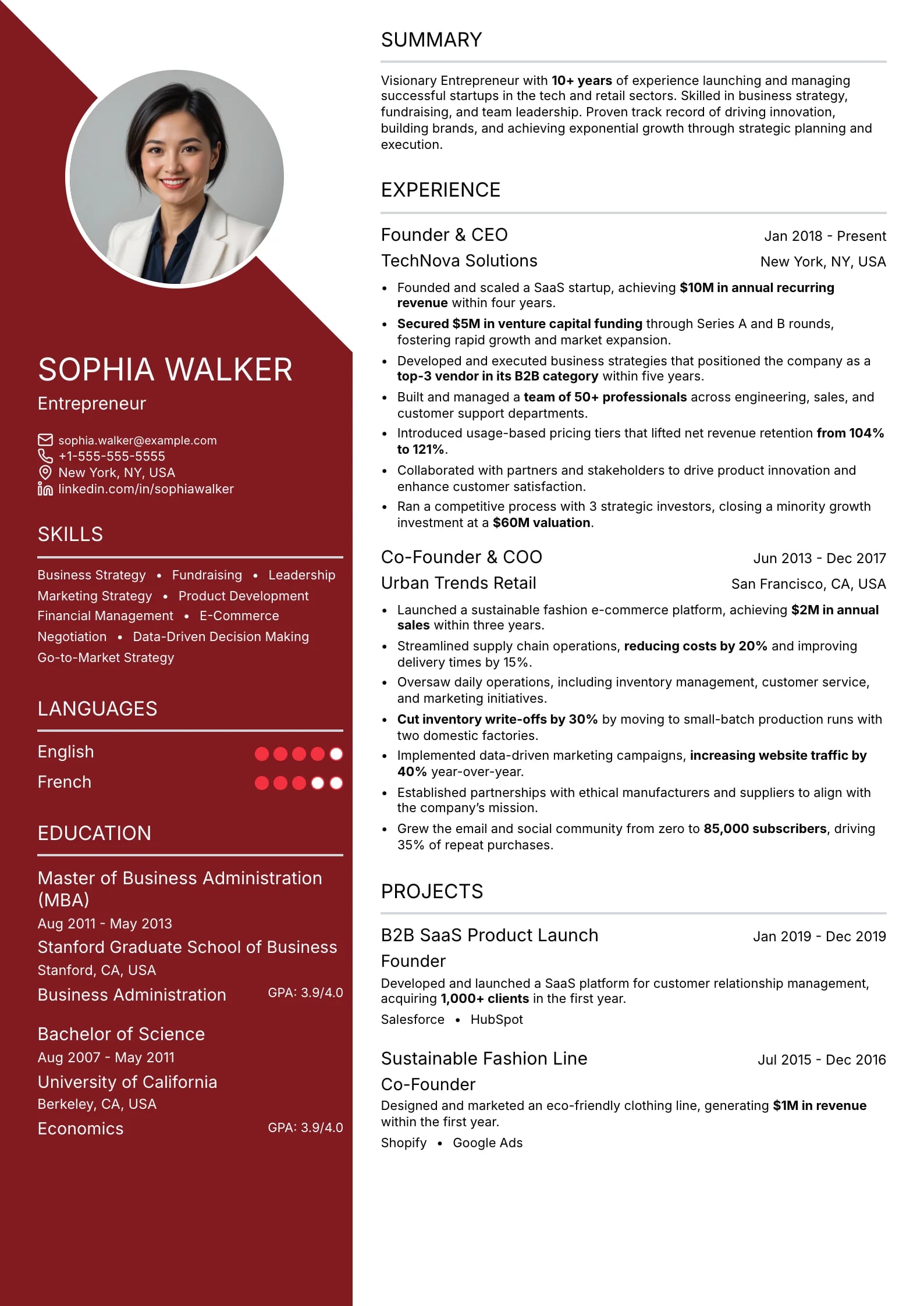
    Crimson

    A bold two-column executive resume with a deep crimson photo sidebar and white main column, suited to entrepreneurs, founders, and senior leaders who want a striking branded look.
    Use This Template
  • Axis Preview
    Use This Template

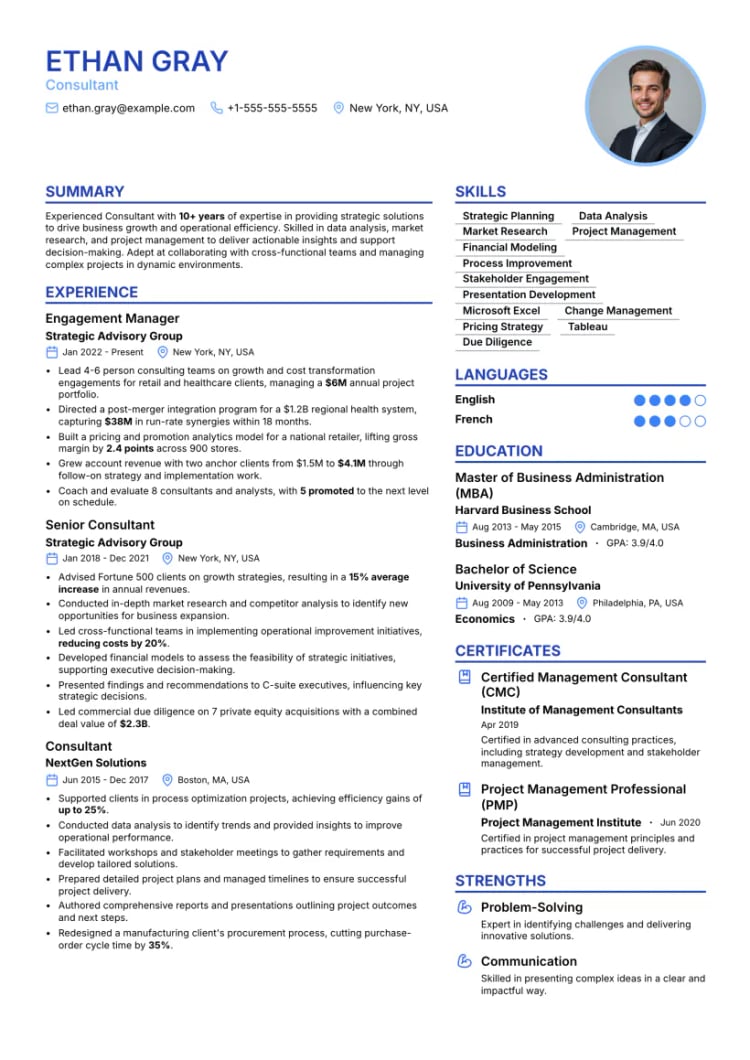
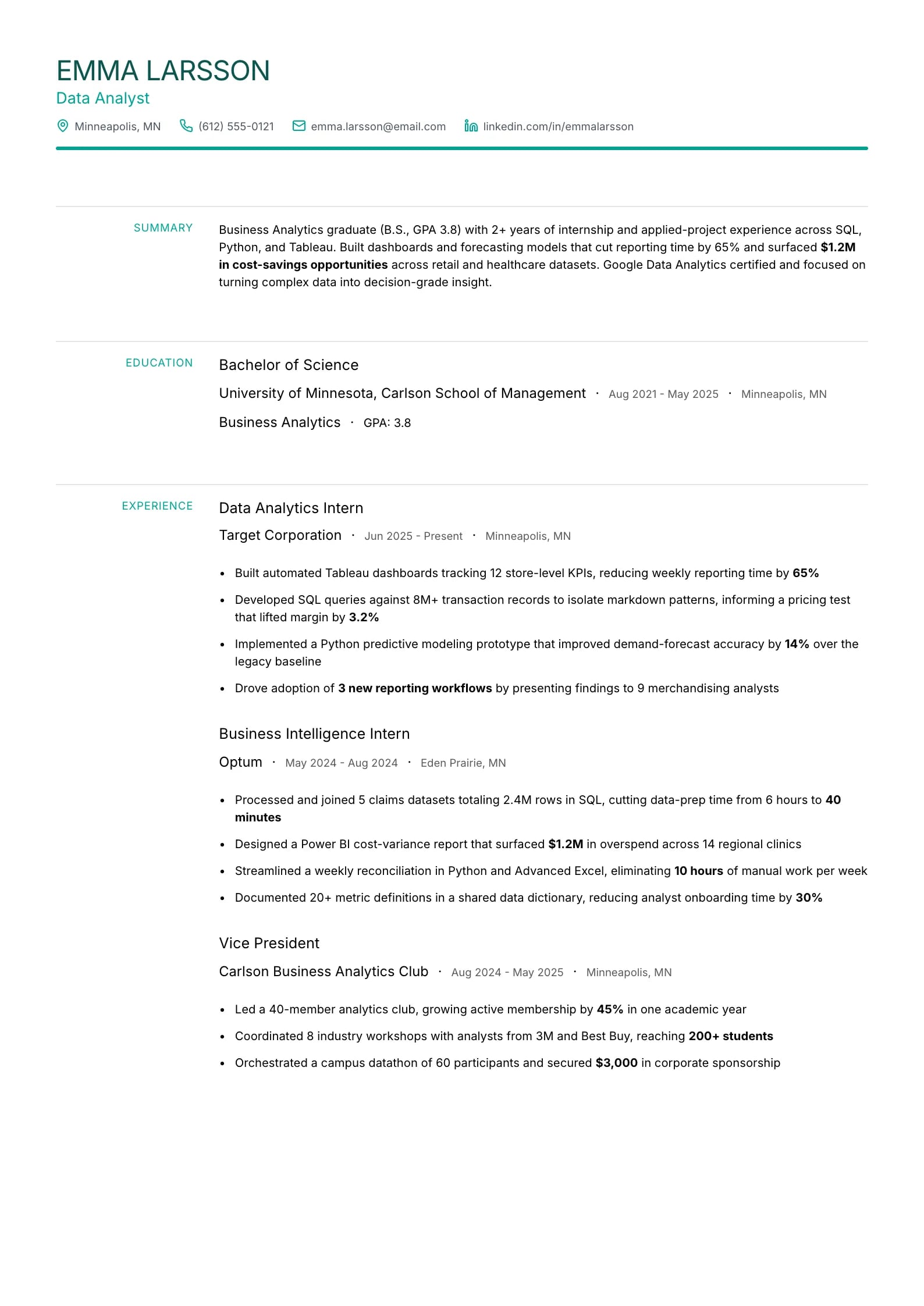
    Axis

    A two-tier resume with left-margin teal section labels and small contact icons, ideal for recent graduates and early-career analysts wanting a fresh, organized layout.
    Use This Template
  • Evergreen Preview
    Use This Template

    Evergreen

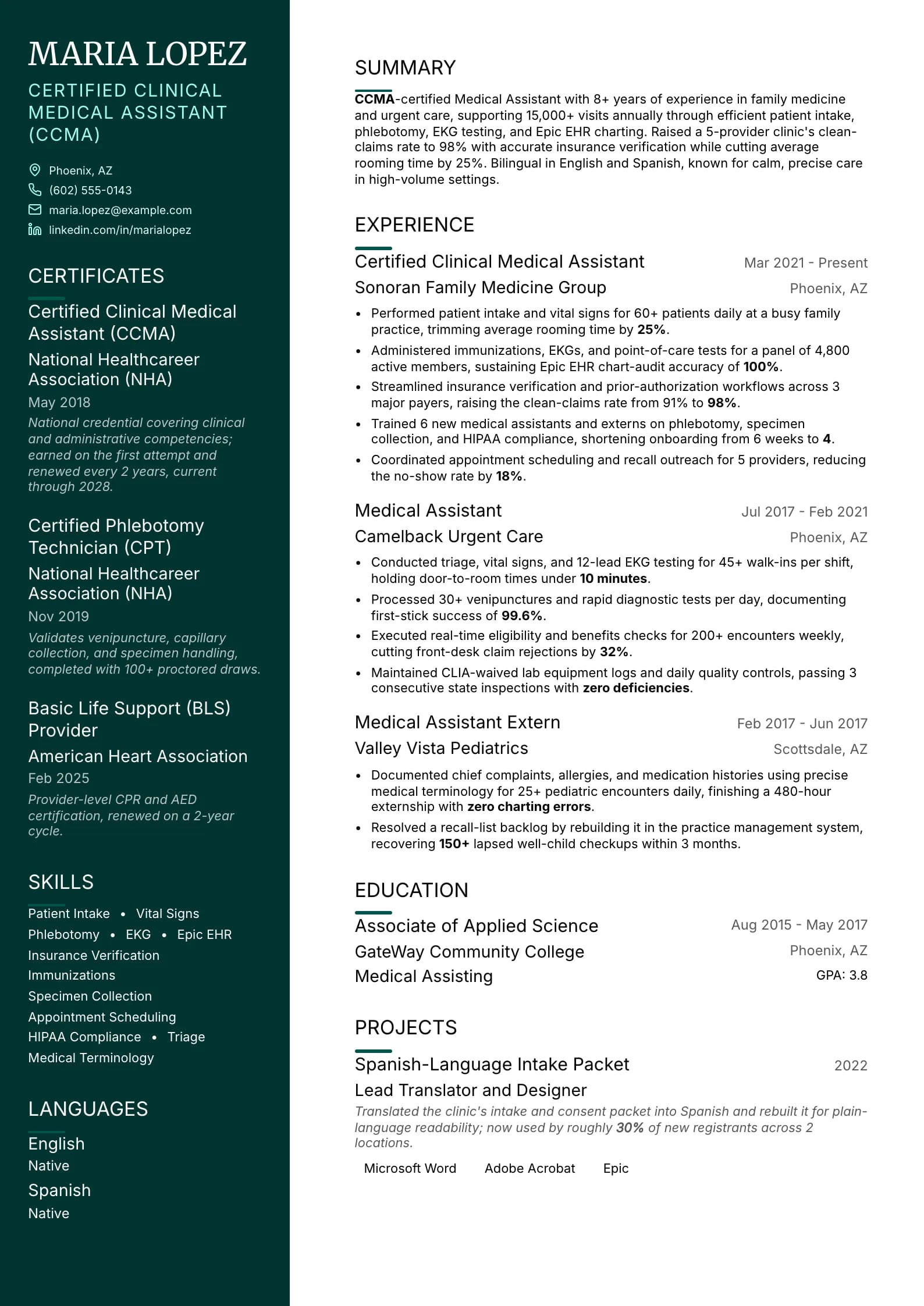
    A two-column resume with a full-height deep-green sidebar and refined serif headings, suited to healthcare, hospitality, and executive candidates who want an elegant, upscale look.
    Use This Template
  • Amethyst Preview
    Use This Template

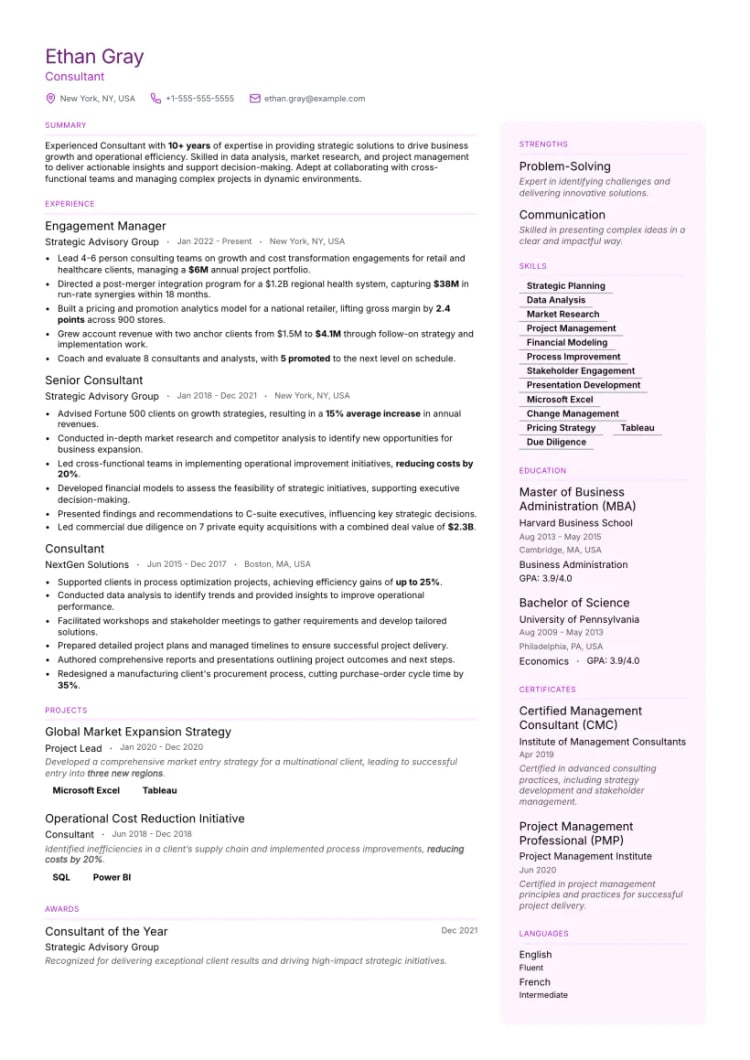
    Amethyst

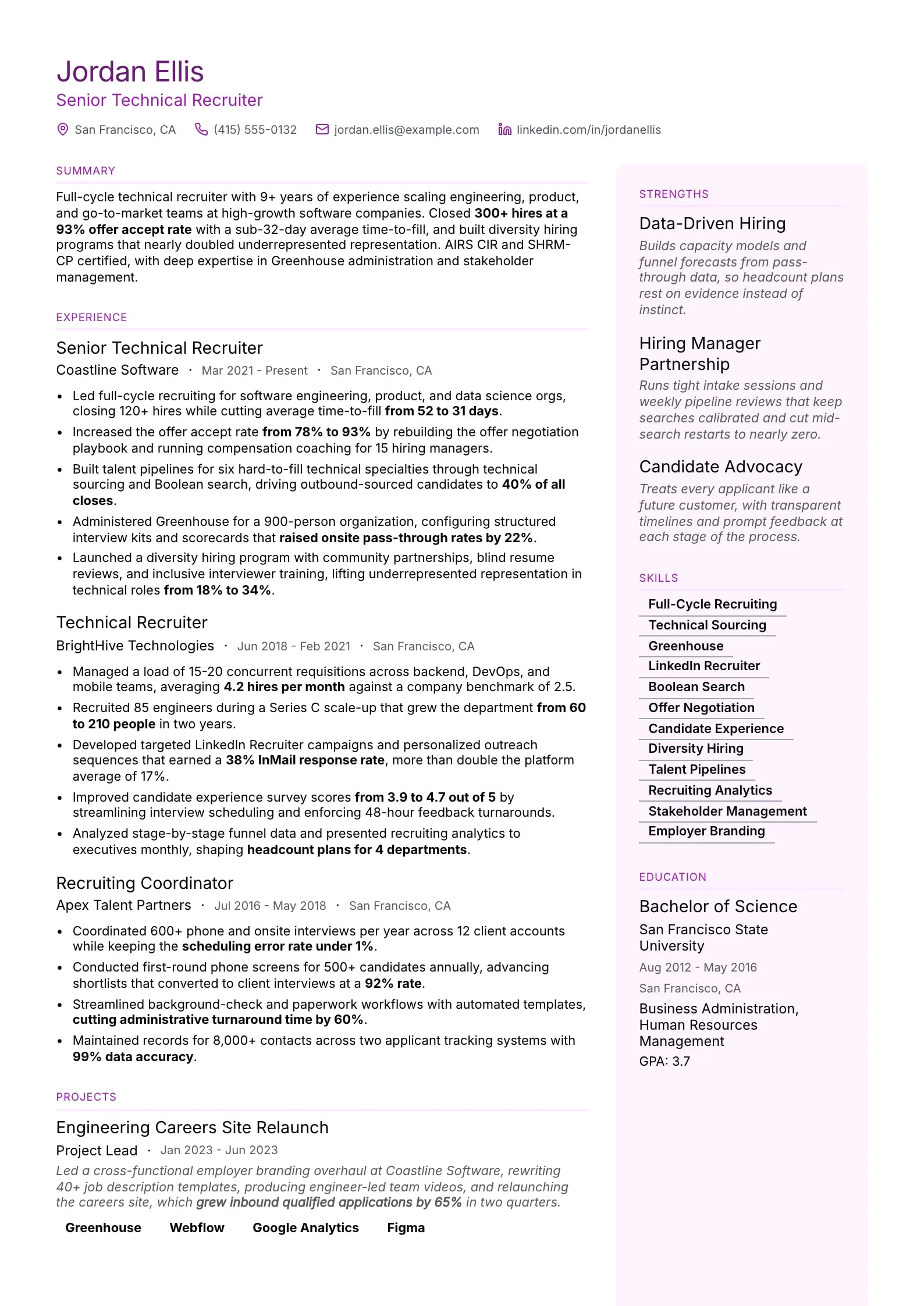
    A contemporary two-column resume with a bold purple accent and a light-lavender strengths sidebar, great for recruiters, HR, and marketing professionals who want energy without clutter.
    Use This Template
  • Terminal Preview
    Use This Template

    Terminal

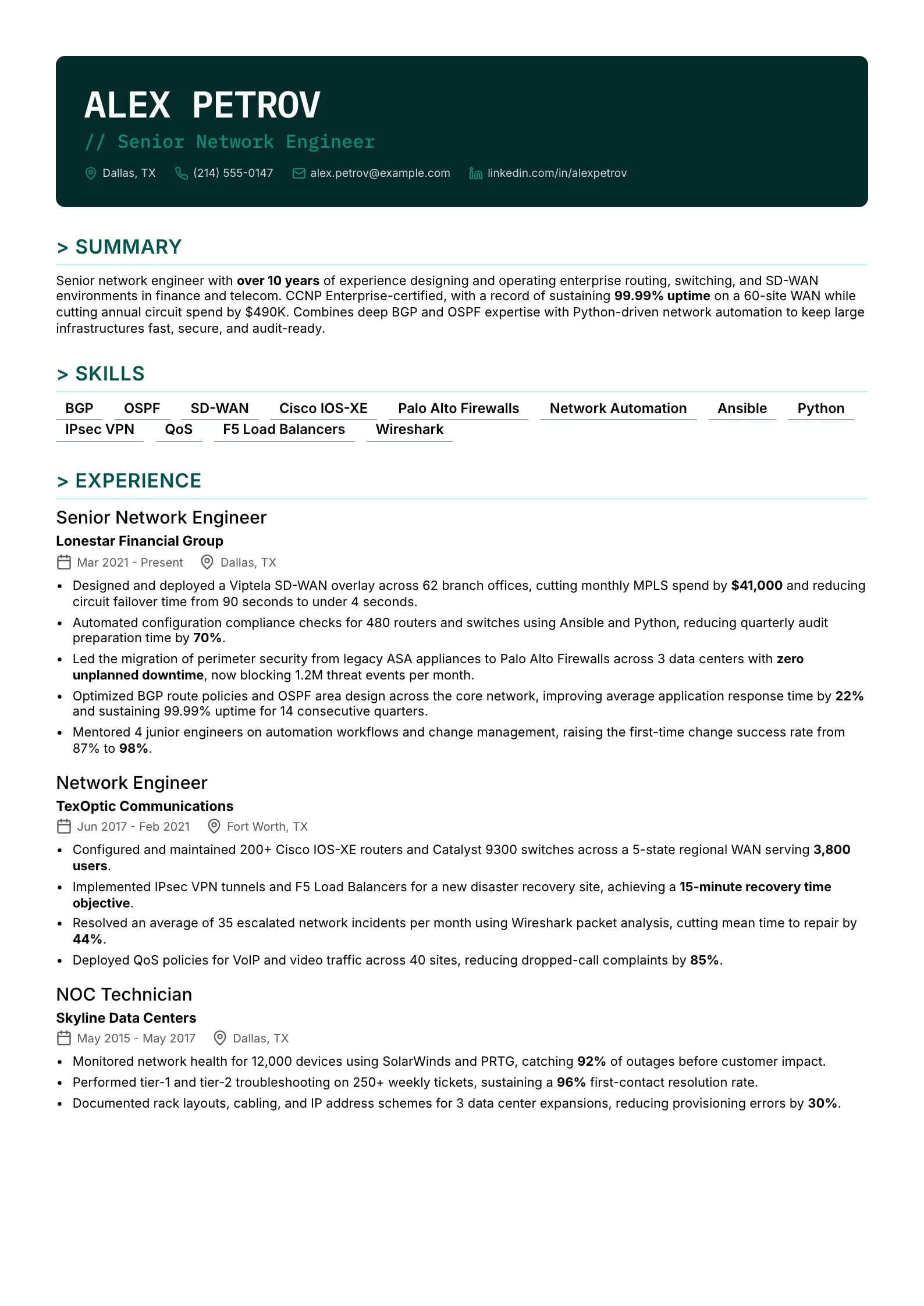
    A developer-themed resume with a monospace, code-comment aesthetic and a dark rounded header block, tailor-made for network, DevOps, and software engineers.
    Use This Template
  • Sapphire Preview
    Use This Template

    Sapphire

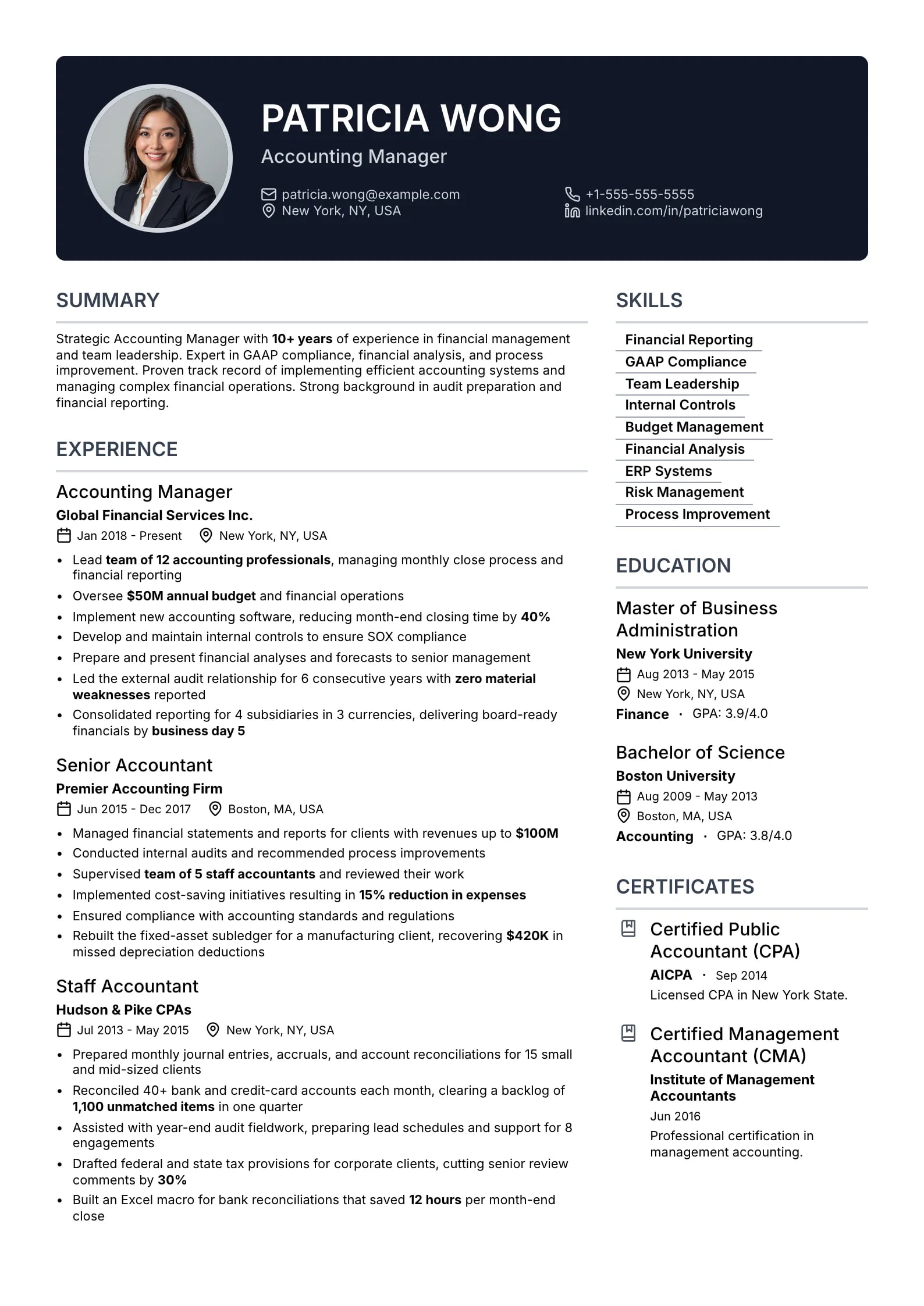
    A bold executive resume with a dark navy header banner and profile photo over a clean two-column body, suited to accounting, finance, and management leaders wanting real presence.
    Use This Template
  • Lagoon Preview
    Use This Template

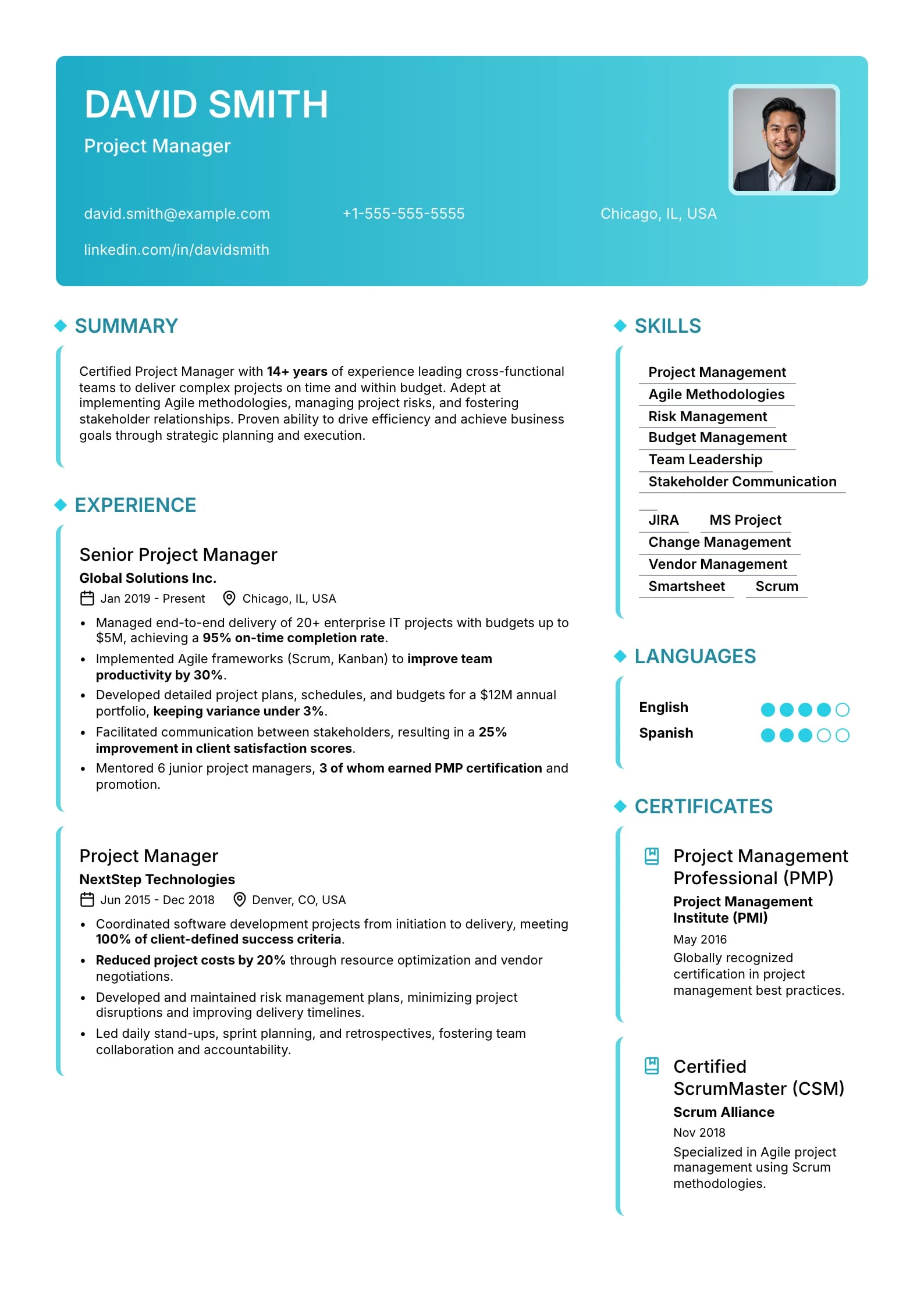
    Lagoon

    A vibrant two-column resume with a teal gradient header banner and framed photo, fitting project managers and client-facing pros who want energetic corporate polish.
    Use This Template
  • Sentinel Preview
    Use This Template

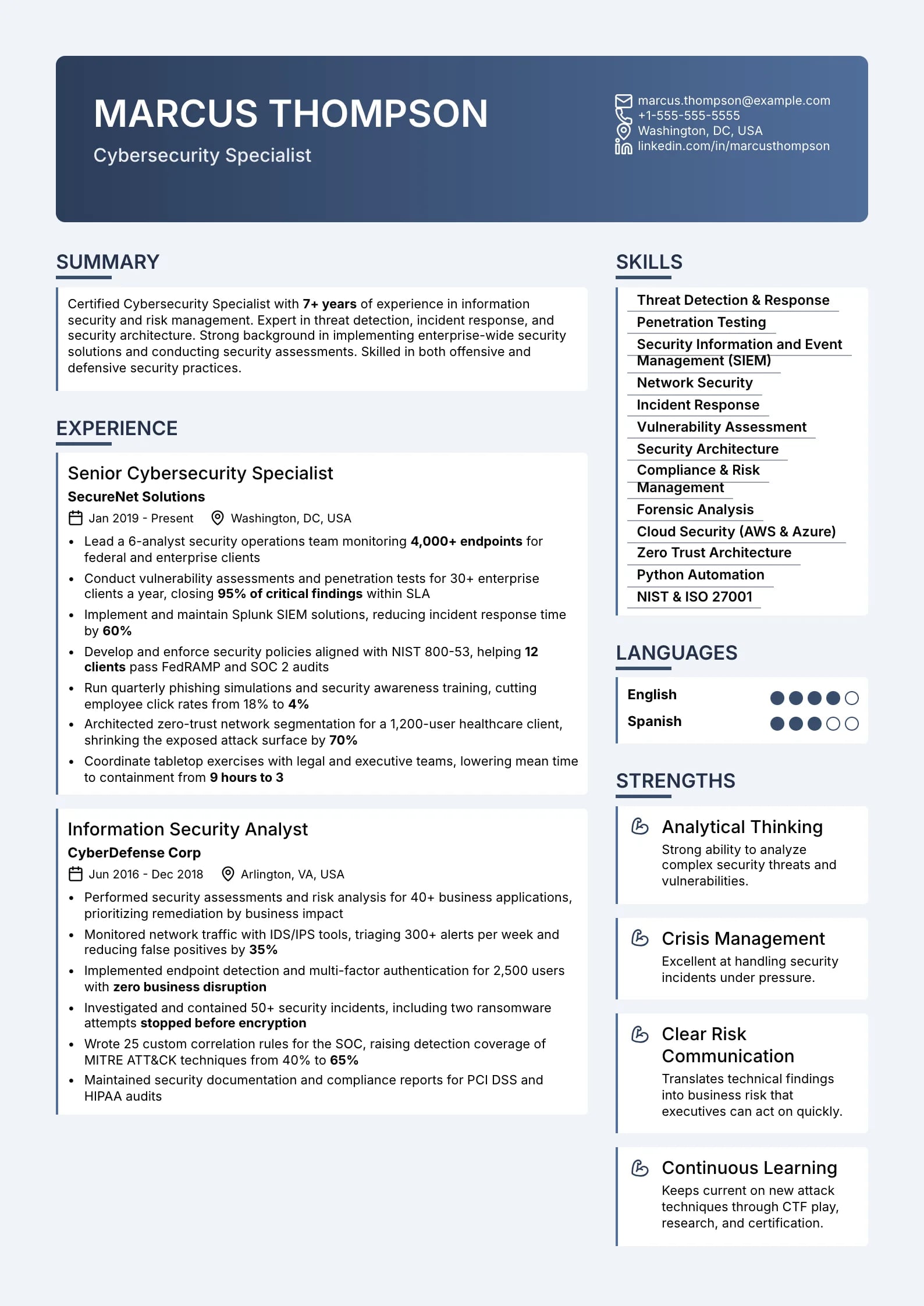
    Sentinel

    A striking resume led by a dark navy gradient header banner over thin-bordered content cards, fitting cybersecurity, IT, and technical professionals who want bold yet corporate polish.

    Use This Template
  • When should you use a creative resume template?
  • Are creative resumes ATS-friendly?
  • The two-version method: one creative resume, one for portals
  • The ten creative resume templates, compared
  • How to design a creative resume that still gets read
  • Creative resume examples to start from
  • Graphic Designer
  • Photographer
  • Social Media Manager
  • Creative resume templates: FAQ
  • Are creative resumes ATS-friendly?
  • Are the resume templates free?
  • Should a graphic designer have a creative resume?
  • Can I use a creative resume for a non-creative job?
  • Should I put a photo on a creative resume?
  • How much color is too much?
  • Should I put work samples inside the resume?
  • Can I switch a creative resume to a simple layout?

Creative resume templates show visual judgment on the page itself, which suits design, marketing and media roles. Here are ten creative templates, when to use one, and the two-version method that keeps a designed resume out of ATS trouble.

7 minute readSeptember 16, 2025

A creative resume template uses visual design, such as a colored header, a photo, a timeline or unusual type, to show judgment and personality on the page itself. It suits roles where the resume is read as a work sample: graphic and UX design, brand and content marketing, media, advertising and agencies. Because most creative layouts use two columns or graphics, the reliable approach is two versions of the same content: a creative one for people and a one-column one for application portals.

All ten creative templates on this page open in the same editor as our one-column templates, so the second version is one click away, not a rewrite. Check whichever file you upload with the free ATS resume checker.
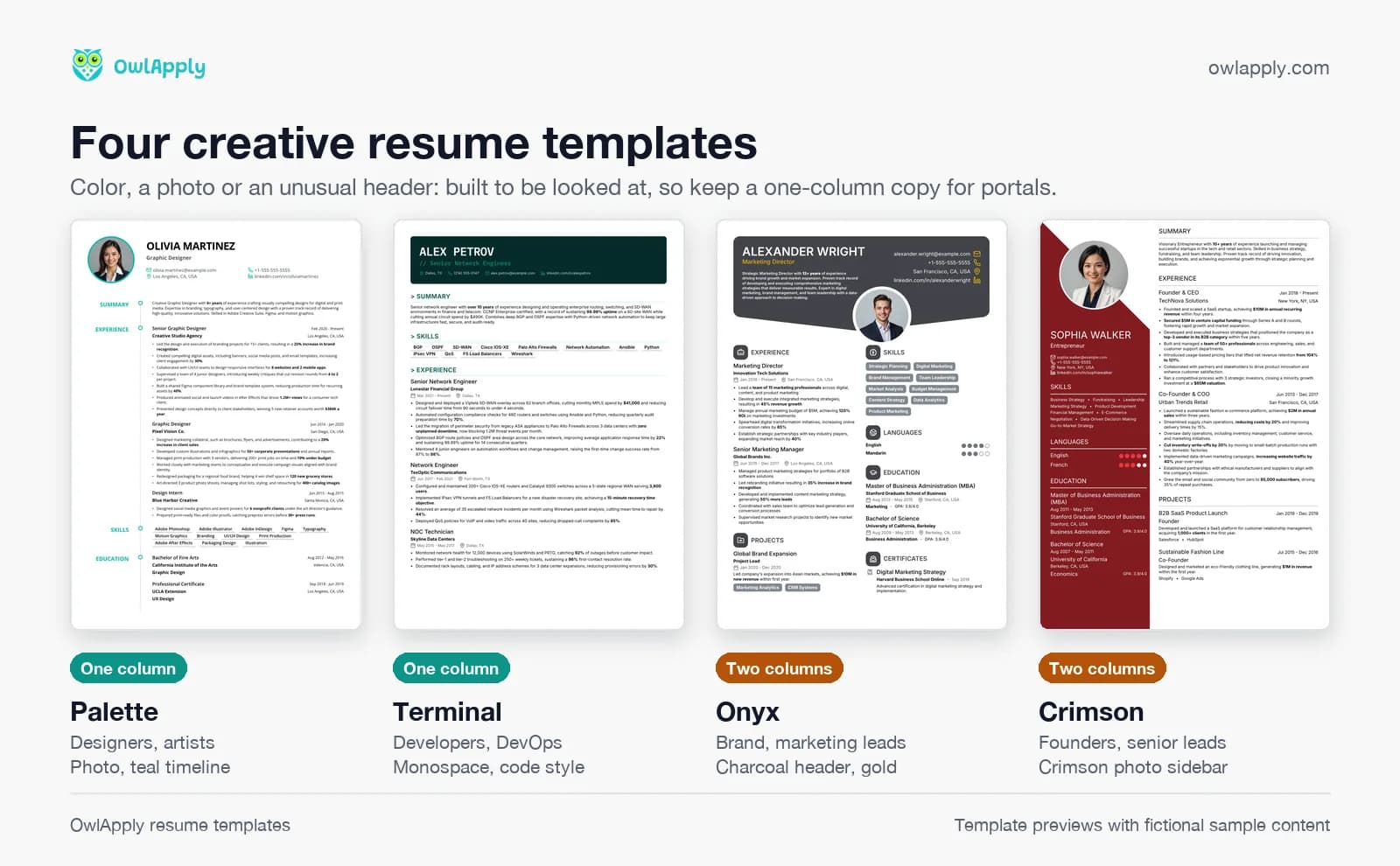
Four creative resume templates side by side: Palette with a photo and teal timeline, Terminal with a code-style monospace header, Onyx with a charcoal header card and gold title, Crimson with a deep red photo sidebar
Four of the ten creative templates. Palette and Terminal are one column; Onyx and Crimson use two.

When should you use a creative resume template?

Use one when the person reading your resume is judging how you design, and when you can deliver it to that person directly. Skip it when the first reader is an applicant tracking system at a large employer.

Where a creative resume helps and where it hurts
Use a creative templateUse a simple or professional one
Graphic, UX/UI, motion or product designFinance, law, government, healthcare administration
Brand, content and social media rolesAny large-company portal (Workday, Taleo, iCIMS)
Agencies, studios and startups that ask for a portfolioRoles where you apply in volume
Emailing a hiring manager or a referralRecruiter screens for compliance or seniority
Printing for a portfolio review or interviewUploading through an online form

Even designers apply through portals: larger studios, in-house design teams and agencies owned by holding companies use the same tracking systems as everyone else. That is why the two-version method below matters.

Are creative resumes ATS-friendly?

Often not, and the reasons are specific. Applicant tracking systems store your resume as text fields, so anything that only makes sense visually is at risk: sidebars read across instead of down, skills drawn as bars or icons have no text to extract, and contact details placed in a header band can be skipped. A creative template that keeps real text in one column (like Palette or Terminal) parses well; one built around a sidebar does not, in our checker or in many employer parsers.

What the data says: 3,313 resume PDFs checked on OwlApply, September 2026

17.2%
used two columns or a sidebar, about 15 points lower in our checker than files with no layout finding
10.6%
used icons, emoji or decorative bullets that extract as unknown characters
0.5%
drew skills as bars or charts: rare, but about 19 points lower

Design tools are the most common source of these files. Many downloadable templates from design apps use text boxes and two columns, and some export text inside an image. Whatever tool you use, paste the PDF's text into a plain-text editor or the free ATS resume checker before you upload it anywhere. Full data: ATS resume statistics report.

The two-version method: one creative resume, one for portals

  1. Write the content once in a creative template: summary, experience with numbers, skills as words, education, and a portfolio link printed in full (portfolio.example.com/yourname).
  2. Export the creative PDF for email, referrals, portfolio reviews and interviews.
  3. Switch to a one-column template in the Templates panel, for example Indigo or Orchid. Every word carries over; only the layout changes.
  4. Export the one-column PDF and upload that one to every application portal.
  5. Name the files clearly, for example Jane-Doe-Resume.pdf for the portal version and Jane-Doe-Resume-Design.pdf for the creative one.
Expert tip
Your portfolio does the creative work; the resume only has to get you to it. Put the portfolio link in the contact line of both versions, printed as a full address so it survives plain-text extraction and printing.
OwlApply Team
Career Development PlatformOwlApply

The ten creative resume templates, compared

Creative resume templates in OwlApply
TemplateLookColumnsPhotoFits
PaletteTeal vertical timeline, circular photoOneYesGraphic designers, artists
TerminalMonospace, code-comment style, dark header blockOneNoDevelopers, DevOps, network engineers
AxisTeal left-margin section labels, small contact iconsOneNoGraduates, early-career analysts
OnyxCharcoal header card, gold title, overlapping photoTwoYesBrand, marketing, senior leaders
CrimsonDeep red photo sidebarTwoYesFounders, entrepreneurs
SapphireNavy header banner with photoTwoYesFinance and management leaders
LagoonTeal gradient header, framed photoTwoYesProject managers, client-facing roles
SentinelNavy gradient banner, bordered content cardsTwoNoCybersecurity, IT
AmethystPurple accent, lavender strengths columnTwoNoRecruiters, HR, marketing
EvergreenFull-height deep-green sidebar, serif headingsTwoNoHospitality, healthcare, executives

Palette, Terminal and Axis are the creative templates you can also upload to a portal, because they keep one column. For the others, use the two-version method.

How to design a creative resume that still gets read

  • One idea, not five. A timeline, a colored header or a code aesthetic: pick one signature element and keep everything else quiet.
  • Two colors at most, plus dark body text with enough contrast to print.
  • Type at 10 pt or larger for body text; in our data 15.2% of resume PDFs went below 9 pt.
  • Skills as words. Bars and percentages look designed but say nothing a recruiter can search.
  • Headings in plain words. "Experience" rather than "Where I've Been": creativity belongs in the look, not in the section names.
  • Numbers in the bullets. "Redesigned onboarding flow; activation rose from 31% to 44%" proves taste better than any layout.

Do this

  • A single signature element, used consistently
  • Portfolio link printed in full in the contact line
  • Real text everywhere, including name and headings
  • Case-study bullets with a result and the tool used
  • A one-column copy for portals

Avoid this

  • Infographic timelines that replace dates with shapes
  • Your name or headings set as an image
  • Skill ratings as stars, bars or pie charts
  • Light text on a colored full-page background
  • Uploading the designed version to a corporate portal

Creative resume examples to start from

These finished examples open in the editor with their content, so you can see how a creative role is written before choosing a layout. To compare creative designs with the other families, see the resume templates overview.

Graphic Designer resume example
Use this templateDownload PDF

Graphic Designer

For graphic and visual designers: the resume points to the portfolio and proves results, while the layout stays easy to parse.

Why this resume works:

  • Room for a portfolio link in the contact line
  • Bullets that pair a project with a measurable result
  • Design tools listed as plain-text skills
  • One column, so the same file works in a portal
Photographer resume example
Use this templateDownload PDF

Photographer

For photographers applying to studios, agencies and in-house content teams.

Why this resume works:

  • Clients and publications written as text
  • Equipment and editing software as searchable skills
  • Clean one-column structure
  • Room for a portfolio and social links
Social Media Manager resume example
Use this templateDownload PDF

Social Media Manager

For social and content roles, where recruiters look for platform experience and numbers first.

Why this resume works:

  • Growth and engagement numbers in every recent role
  • Platforms and tools listed by name
  • Campaign results written as bullets, not graphics
  • Standard section headings

Creative resume templates: FAQ

Short answers about creative resume templates.

Are creative resumes ATS-friendly?
Creative templates that keep one column and real text (Palette, Terminal and Axis on this page) parse well. Those built around a sidebar, graphics or skill bars are risky in many applicant tracking systems, and our checker flags every sidebar layout. Upload a one-column version to portals.
Are the resume templates free?
Choosing a template, editing it, previewing your resume in every other design and switching between them costs nothing and needs no account. You can also import an existing PDF or Word resume or a LinkedIn profile. Downloading the finished PDF is part of Pro. There is no Word export; the download is a text-based PDF.
Should a graphic designer have a creative resume?
Yes for people, no for portals. A designed resume shows judgment when a hiring manager opens it, but your portfolio carries most of that weight. Keep a one-column version of the same content for online applications.
Can I use a creative resume for a non-creative job?
Usually it does not help. In finance, law, healthcare or government, a designed resume reads as a mismatch with the role. Use a simple or professional template, and if you want a little personality, an accent color is enough.
Should I put a photo on a creative resume?
Only where photos are expected (parts of Europe, the Middle East and Asia) or where your appearance is part of the work. In the US, UK and Canada most employers do not expect one. Every template with a photo can hide it.
How much color is too much?
More than two colors, or color behind the body text. Use one accent for the name and headings, and maybe a second for a header band; keep body text dark on white so it prints and reads.
Should I put work samples inside the resume?
No. Images add file size, extract as nothing, and crowd out your experience. Link to a portfolio instead, and print the address so it works on paper.
Can I switch a creative resume to a simple layout?
Yes. In the editor, choose any other template in the Templates panel; the content stays the same and only the layout changes.

Make both versions from one resume

Open a creative template, write your content once, then switch to a one-column template for portals. Every word carries over.
Browse the templates
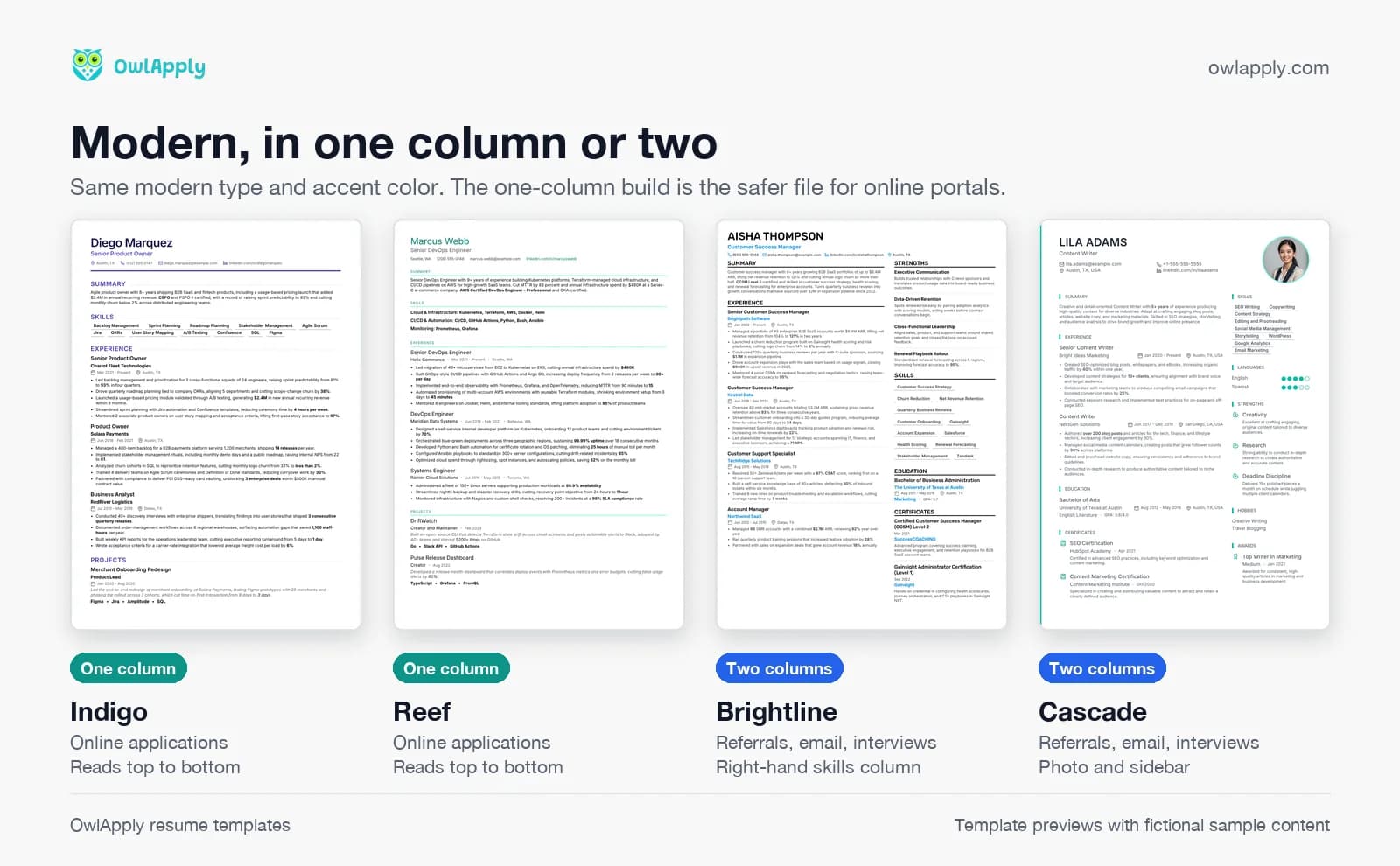
Modern resume templates in one column (Indigo, Reef) and two columns (Brightline, Cascade)
Resume7 minute read

Modern Resume Templates (2026): One Column or Two

Modern resume templates are contemporary resume designs that pair clean type and one accent color with the structure recruiters and applicant tracking systems expect. Here is what makes a template modern, the modern resume format, and when to use the one-column or the sidebar build.
Eliz YavasEliz YavasOctober 23, 2026
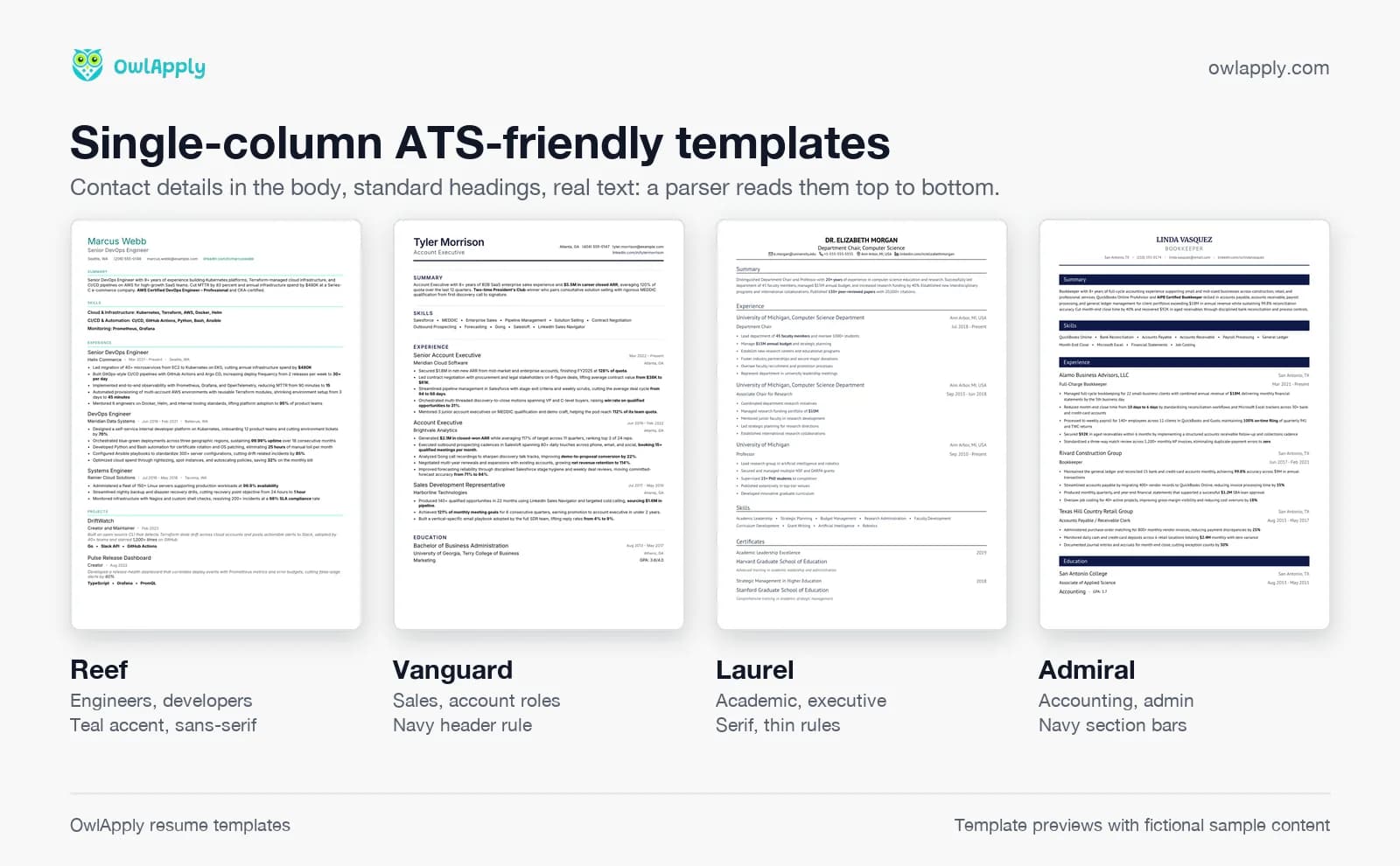
Four single-column ATS-friendly resume templates: Reef, Vanguard, Laurel and Admiral
Resume21 minute read

Free ATS-Friendly Resume Templates and Format Rules (2026)

Single-column ATS-friendly resume templates with standard section headers, so parsers read them in the right order. Edit online, export a PDF, and check the file with the free ATS checker before you apply.

OwlApply TeamOwlApply TeamOctober 31, 2026
Share article

Launch your resume in 15 minutes

Pick a proven layout, let AI suggest winning bullet points, and export a polished resume before your coffee cools.

Build my resume
Resume Templates
Resume Templates

Launch your resume in 15 minutes

Pick a proven layout, let AI suggest winning bullet points, and export a polished resume before your coffee cools.

Build my resume
HomeBuild Resume

Connect with OwlApply

Follow on LinkedInWatch on YouTubeFollow on PinterestFollow on InstagramLike on FacebookFollow on XFollow on MediumFollow on TikTok

JOB SEEKERS

  • Build Resume
  • Resume Examples
  • Resume Templates
  • Cover Letter Templates
  • Job Search Helper
  • Job Tracker

CAREER RESOURCES

  • Resume Help
  • Job Interview
  • Career
  • Cover Letter
  • OwlApply Extension
  • Blog
  • Career Pay & Requirements
  • Job Market Research

AI TOOLS

  • Cover Letter Builder
  • AI Resume Optimizer
  • Job Application Autofill
  • AI Resume Builder
  • ATS Resume Checker
  • All AI Tools

SUPPORT

  • About
  • Pricing
  • FAQ
  • Contact Us
  • Terms of Service
  • Privacy Policy
  • Cookie Policy
  • Right of Withdrawal

Copyright 2026 OwlApply. All rights reserved.

EnglishBahasa IndonesiaBahasa MelayuČeštinaDanskDeutschEestiEspañolFilipinoFrançaisHrvatskiItalianoKiswahiliLatviešuLietuviųMagyarNederlandsNorskPolskiPortuguês (Brasil)Português (Portugal)RomânăSlovenčinaSlovenščinaSrpskiSuomiSvenskaTiếng ViệtTürkçeΕλληνικάБългарскиРусскийУкраїнськаעבריתالعربيةفارسیไทย日本語繁體中文한국어
Launched on Fazier