
AI Resume Summary Generator
A resume summary generator writes the short professional summary at the top of your resume from the experience already on it. OwlApply's generator reads your whole resume and writes three different summaries, each 50 to 100 words and each from a different angle, using only the skills, titles and numbers your resume already contains. Pick one, edit it in place, or let the resume assistant tailor it to a specific job.
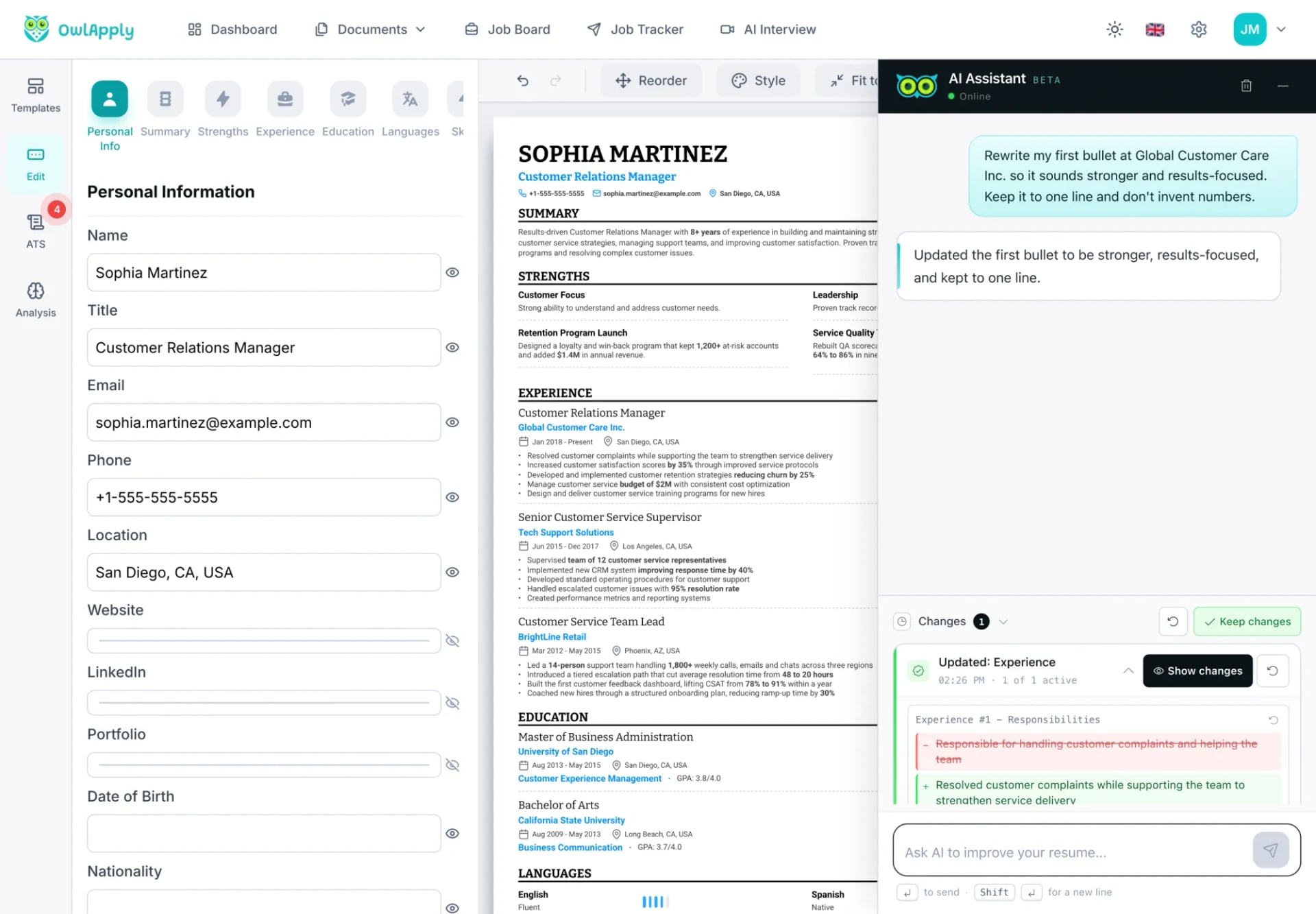
What is a resume summary?
A resume summary (also called a professional summary or profile) is a two-to-four-sentence paragraph under your name that tells a recruiter who you are professionally, what you are good at and one piece of proof. It is the first block of text people read, and applicant tracking systems index it like the rest of your resume. A strong one has three parts:
- Who you are: the job title you are applying as, plus your field, and your years of experience if your resume states them.
- What you bring: three to six specific skills, tools or credentials that also appear in your experience.
- Proof: one or two measured results taken from your bullets.
A resume summary is not the same as a career objective. A summary says what you offer and fits anyone with relevant experience; an objective says what you are aiming for and suits entry-level and career-change resumes.
What does OwlApply's resume summary generator do?
It works inside the resume builder, on the resume you already have. Hover over your summary, click the AI button next to it, and three summaries appear to choose from. These are the rules it writes under, read from the generator itself:
- Three summaries per run, each taking a different angle on your career: for example technical depth, delivery, leadership or domain expertise.
- 50 to 100 words each, one paragraph, active voice, no "I", "my" or "we".
- Only facts from your resume. It may not add skills, tools, titles, companies, metrics or outcomes you have not listed, and it copies numbers exactly as your resume states them. It never estimates or calculates your years of experience from dates.
- Your real keywords: each summary names three to six skills, tools or titles that appear word for word in your resume.
- No filler: phrases such as "results-oriented", "hardworking", "team player", "detail-oriented", "passionate" and "proven track record" are banned unless they are part of a real job title or certification.
- Checked before you see them: candidate summaries are run through the same summary rules our ATS resume checker uses (length, numbers, clichés, whether your listed skills appear), and the three with the fewest issues are shown.
- Your language: the summary is written in the main language of your resume.
Three Summaries, Built From What You Actually Did
Three Angles to Choose From
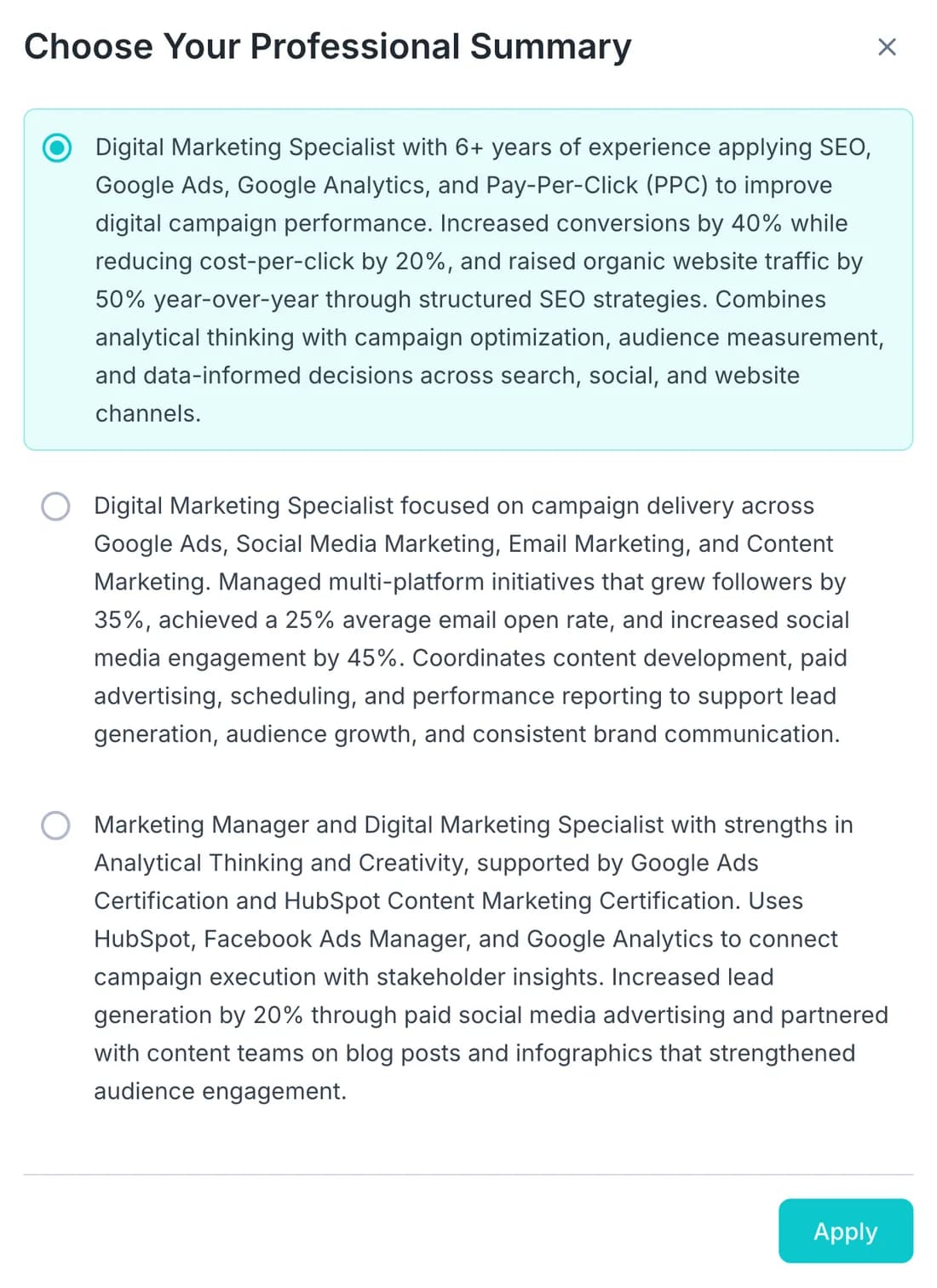
One run gives you three different summaries of the same career. Pick the one that matches the job you are applying for, click Apply, and it replaces the summary on your resume.
Nothing Added That Is Not Yours
Every figure in the generated summaries comes from your own bullets. If your resume has no numbers, the summary has none either; add results to your experience first and run it again.
Tailored to the Job When You Need It
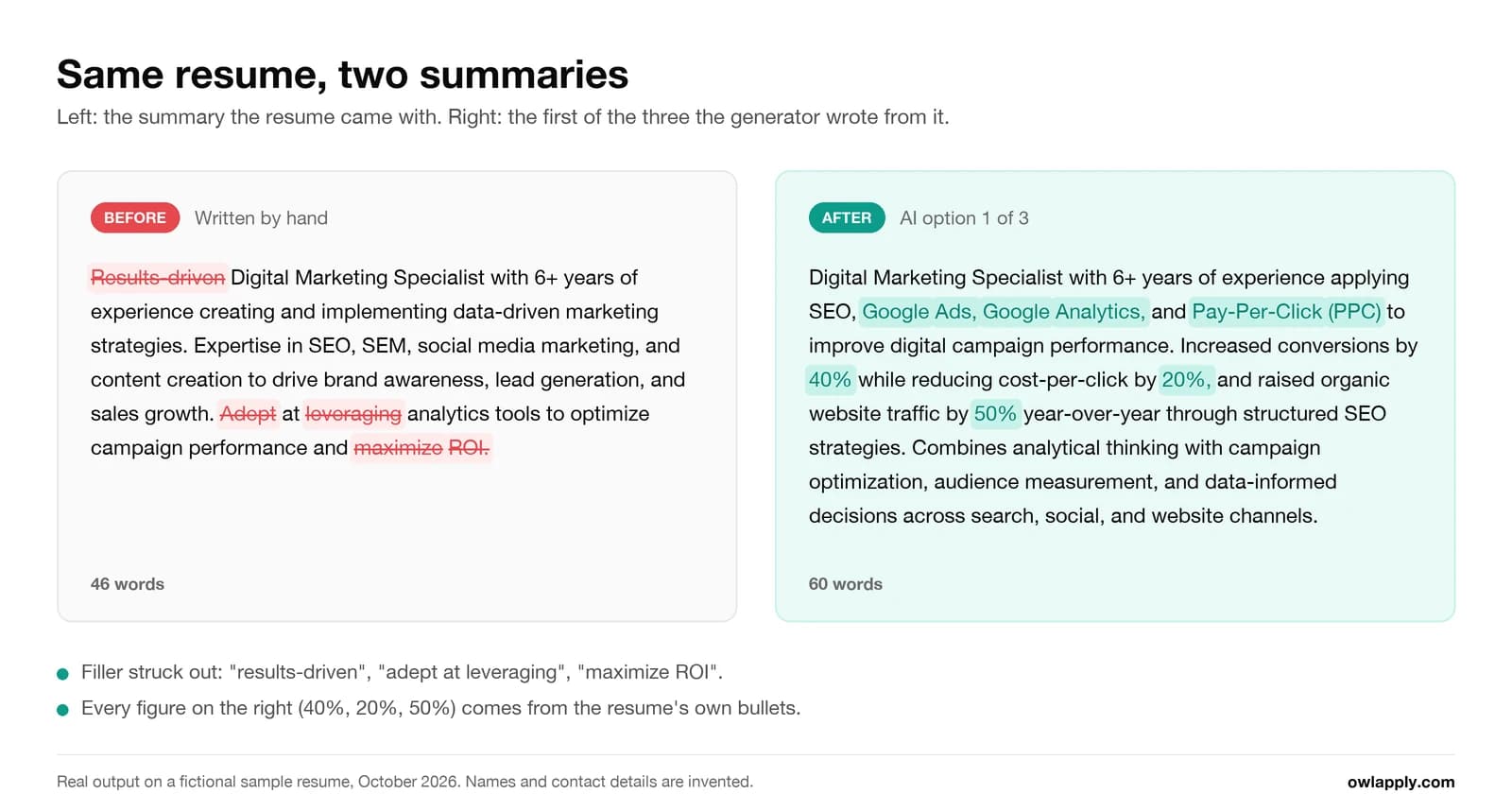
Paste a job posting into the resume assistant, or open a job from the job board, and ask it to tailor your summary. It shows the change as added and removed lines that you keep or undo.
Resume summary example: before and after
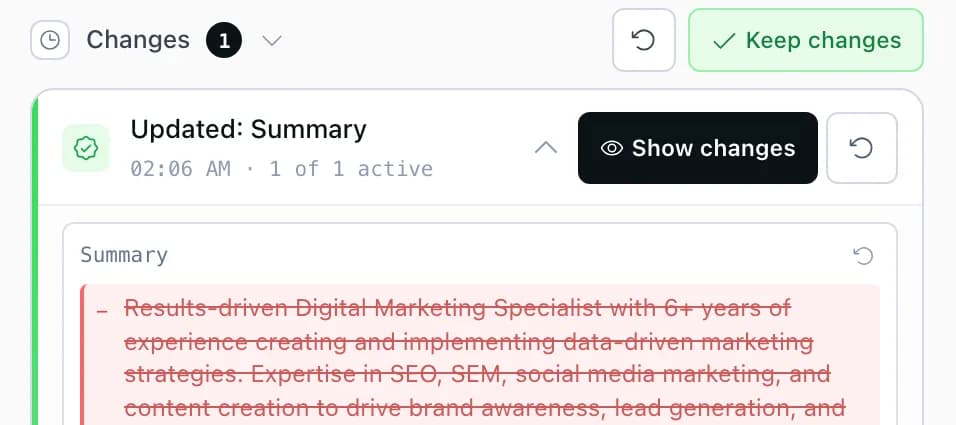
We ran the generator on a fictional resume, Jordan Mitchell, a digital marketing specialist in Austin with six-plus years in SEO, paid search and email. This is the summary the resume started with:
Results-driven Digital Marketing Specialist with 6+ years of experience creating and implementing data-driven marketing strategies. Expertise in SEO, SEM, social media marketing, and content creation to drive brand awareness, lead generation, and sales growth. Adept at leveraging analytics tools to optimize campaign performance and maximize ROI.
It reads fine but proves nothing: "results-driven", "adept at leveraging" and "maximize ROI" could describe anyone, and the resume's actual results (a 40% conversion increase, a 50% organic traffic gain) are nowhere in it. One click on AI returned these three, unedited:
- Angle 1, search and analytics (60 words): Digital Marketing Specialist with 6+ years of experience applying SEO, Google Ads, Google Analytics, and Pay-Per-Click (PPC) to improve digital campaign performance. Increased conversions by 40% while reducing cost-per-click by 20%, and raised organic website traffic by 50% year-over-year through structured SEO strategies. Combines analytical thinking with campaign optimization, audience measurement, and data-informed decisions across search, social, and website channels.
- Angle 2, campaign delivery (59 words): Digital Marketing Specialist focused on campaign delivery across Google Ads, Social Media Marketing, Email Marketing, and Content Marketing. Managed multi-platform initiatives that grew followers by 35%, achieved a 25% average email open rate, and increased social media engagement by 45%. Coordinates content development, paid advertising, scheduling, and performance reporting to support lead generation, audience growth, and consistent brand communication.
- Angle 3, tools and credentials (62 words): Marketing Manager and Digital Marketing Specialist with strengths in Analytical Thinking and Creativity, supported by Google Ads Certification and HubSpot Content Marketing Certification. Uses HubSpot, Facebook Ads Manager, and Google Analytics to connect campaign execution with stakeholder insights. Increased lead generation by 20% through paid social media advertising and partnered with content teams on blog posts and infographics that strengthened audience engagement.
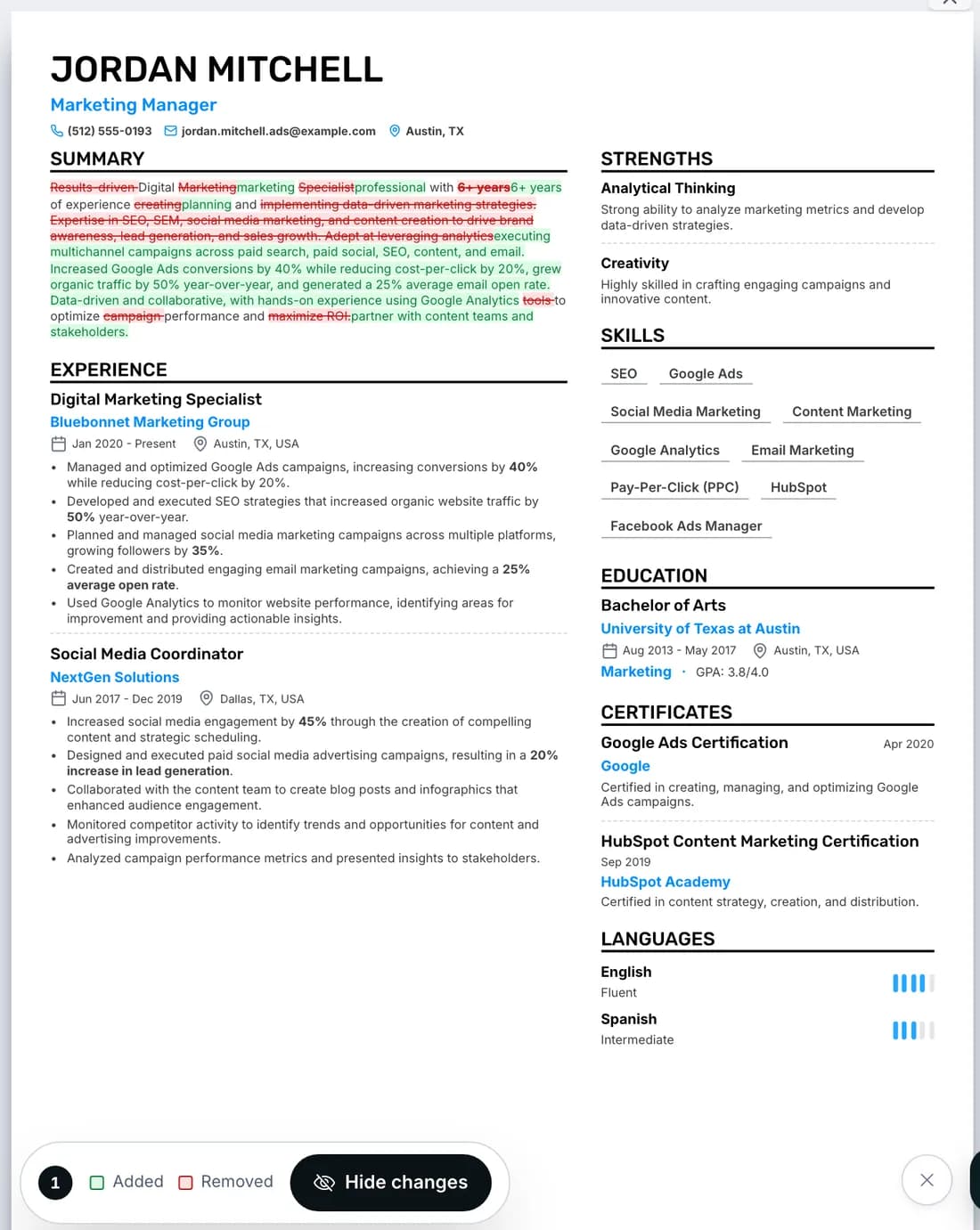
Then we pasted a fictional Marketing Manager posting (paid search, paid social, email, SEO, budget reporting) into the resume assistant and asked it to tailor the summary without inventing anything. It rewrote the summary to lead with the channels the posting lists and kept every number:
Digital marketing professional with 6+ years of experience planning and executing multichannel campaigns across paid search, paid social, SEO, content, and email. Increased Google Ads conversions by 40% while reducing cost-per-click by 20%, grew organic traffic by 50% year-over-year, and generated a 25% average email open rate. Data-driven and collaborative, with hands-on experience using Google Analytics to optimize performance and partner with content teams and stakeholders.
What we would still change: angle 3 opens with two job titles, which wastes the first words a recruiter reads, and "Analytical Thinking and Creativity" is copied from the resume's strengths list rather than proven. That is why there are three: one of them is usually close to right.
What 33,746 resumes say about summaries (OwlApply resume checker, September 2026)
- 80.0%
- of resumes drew at least one finding in the summary category
- 42.7%
- had a summary with no figure in it at all
- 80.9%
- listed skills of which fewer than half appear anywhere in the experience, projects or summary
These figures come from 33,746 resumes, one per person, re-scored by the current version of our checker; the method and the full category breakdown are in our ATS resume statistics study. The two most common summary problems, no numbers and skills that are listed but never used, are the two things the generator is built to fix.
How to Generate a Professional Summary in 4 Steps
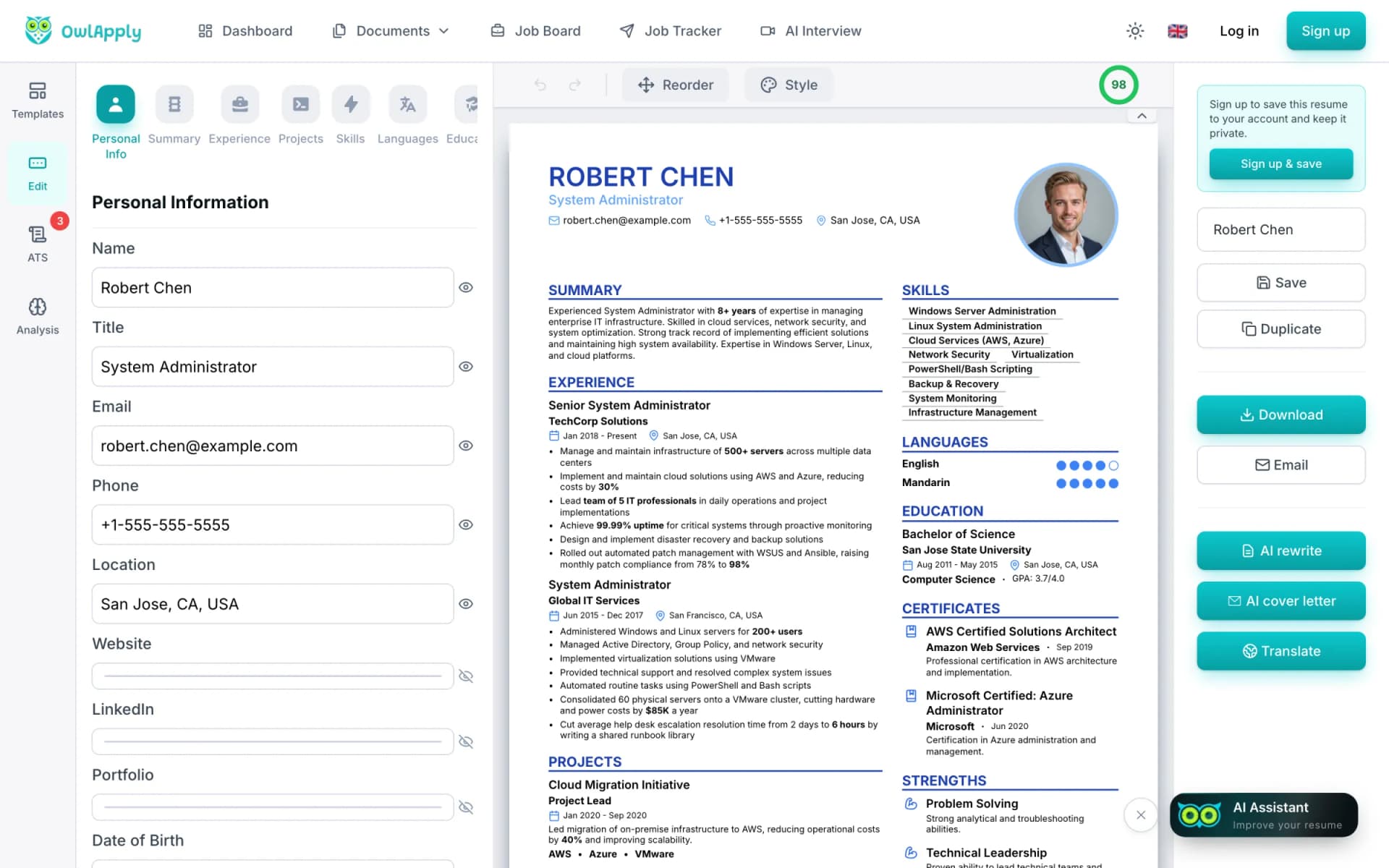
- IMPORT
Bring Your Resume In
Upload a PDF or Word file, paste your resume text, or import your LinkedIn profile. The generator writes from your experience, so the more results your bullets carry, the better the summary. Starting from zero? Build the resume in the AI resume builder first.
- AI
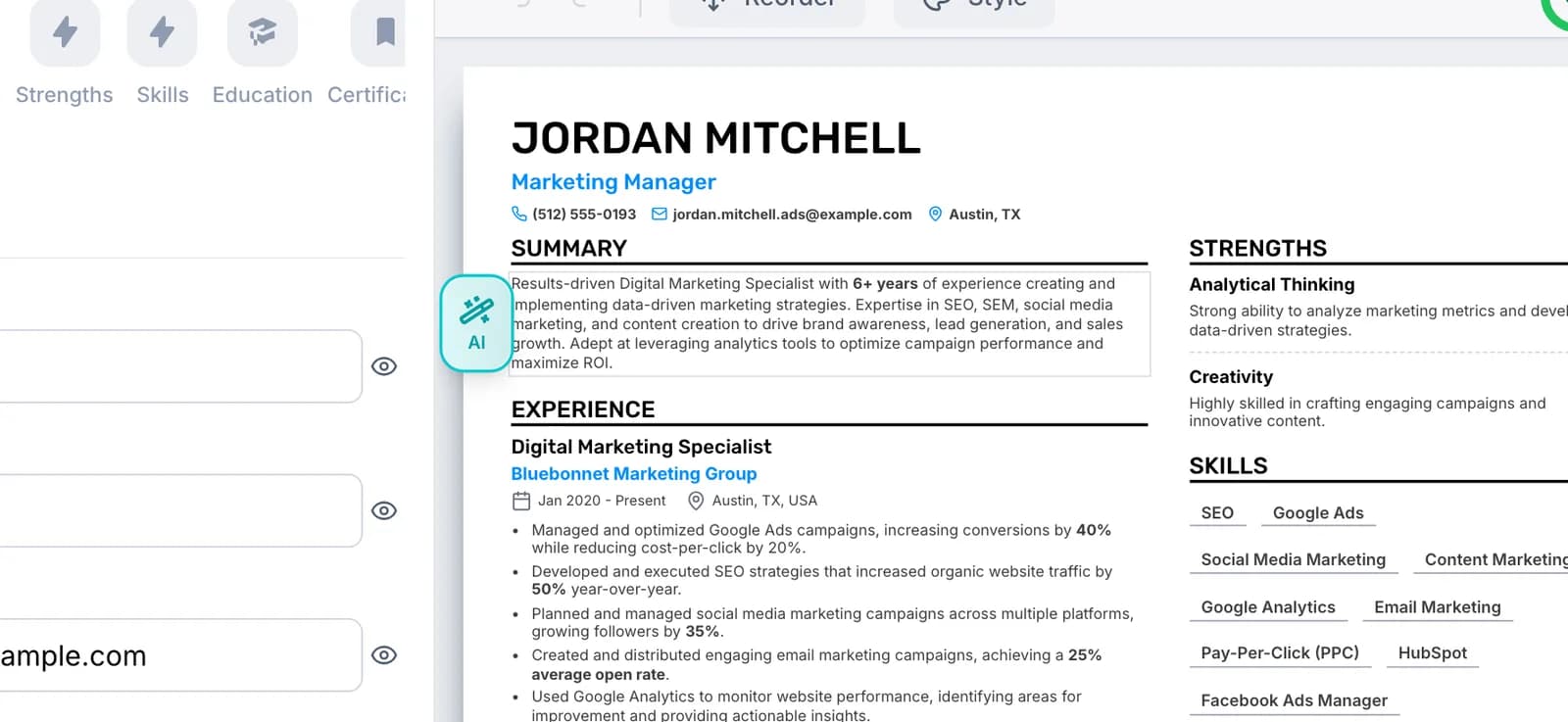
Click AI Next to Your Summary
Hover over the summary on your resume and click the AI button that appears beside it. Generation reads the whole resume, not just the old summary.
- CHOOSE
Pick One of the Three
Read the three summaries, select the one that fits the job you are targeting and click Apply. It replaces your summary and you can edit it like any other text. Want three fresh ones? Close the window and click AI again.
- TAILOR
Tailor It to the Job
Open the AI Assistant, paste the job posting (or open the job from the job board) and ask it to tailor your summary. Turn on Show changes to see added and removed words on the page, then keep the change or undo it.
How to write a professional summary, with or without AI
- Lead with the title you are applying as. "Data analyst with five years in retail operations" tells a recruiter more in six words than any adjective.
- Keep it to two to four sentences, roughly 30 to 80 words. Our editor flags a summary under 30 or over 80 words.
- Drop the pronouns. Resume style starts with the noun: "Registered nurse with…", not "I am a registered nurse…".
- Prove one thing with a number that is already in your experience section.
- Name skills you actually use in your bullets, and use the posting's wording for them when it is true for you.
- Rewrite the first line for every application so it matches the job title in the posting.
By situation: with no experience, name your field, the tools you know and one project or internship result, or use an objective instead. As a career changer, open with the role you are moving into and the transferable result that proves you can do it. At a senior level, lead with scope (team size, budget, markets) before tools. The 40 resume summary examples show finished summaries by role and level, and the ATS-friendly resume templates show where the summary sits on the page.
What the difference looks like in practice, by career stage. The weak versions use the filler the generator is banned from writing; the stronger ones name a title, real skills and one result:
| Situation | Weak opening | Stronger opening |
|---|---|---|
| No experience yet | Motivated recent graduate looking for an opportunity to grow. | Marketing graduate skilled in Google Analytics and Canva; ran a campus campaign that doubled event sign-ups. |
| Career changer | Hardworking professional seeking a career change into UX. | UX designer moving from customer support, with three shipped app redesigns and five years of user-research interviews. |
| Mid-level | Results-driven accountant with strong attention to detail. | Staff accountant with six years in month-end close; cut close time from ten days to six by automating reconciliations. |
| Senior | Dynamic leader with a proven track record of success. | Operations director leading 120 people across three distribution centers; reduced fulfilment cost per order by 14%. |
Resume summary vs. resume objective
| Resume summary | Resume objective | |
|---|---|---|
| What it says | What you offer, with proof | What you are aiming for and why you fit |
| Best for | Anyone with relevant experience | Students, recent graduates, career changers |
| Typical length | 2 to 4 sentences, about 30 to 80 words | 1 to 2 sentences |
| What makes it strong | A title, real skills and one measured result | A specific target role and one relevant credential or project |
| Example | Payroll specialist with five years running bi-weekly payroll for 400 employees across three states. | Accounting graduate seeking an entry-level payroll role, bringing a payroll certificate and a tax-season internship. |
What the summary generator does not do
- It does not target a job description by itself. Tailoring to a specific posting happens in the resume assistant, as shown above.
- It does not invent results. A resume without numbers gets a summary without numbers; the bullet point generator and the AI resume optimizer help you strengthen the experience first.
- There is no regenerate button on a finished result. Close the window and click AI again for three new summaries.
- Generated summaries can run up to 100 words, while the editor flags anything over 80. If yours does, trim the last sentence.
- It does not write cover letters; the AI cover letter generator does that from the same resume.
Resume Summary Generator FAQ
Is the resume summary generator free?
How many summaries does it write?
How long should a resume summary be?
Will the AI make up achievements or numbers?
Can I tailor my summary to a job description?
Should I write my resume summary in the first person?
What if I have no work experience?
What languages does it support?
Does the AI rewrite my entire resume?
From blank page to submitted application
Build the resume, see the openings that actually match it, and send the application without filling the same form twice.
- 50+ ATS-ready templates
- Autofill on 50+ job platforms
- Resumes in 50+ languages
Build an ATS-ready resume
Start from a proven template or import the resume you already have, then sharpen every bullet point with AI.
Find jobs that match your resume
Live openings are scored against your resume, so the roles that fit your experience come to the top.
Apply without retyping
The Chrome extension fills applications on Workday, Lever, Greenhouse and 50+ other platforms and attaches your documents.