
Free Resume to Job Description Match Score
Paste a job description, add your resume and get a match score from 0 to 100 in about a minute. Every requirement, skill and responsibility in the posting is marked as shown in your resume or missing, and every keyword is sorted into in your resume, only mentioned in passing and missing, in whatever words or language you wrote it. No account and no card, and the same report includes the full ATS check of your file.
Paste the whole posting for the most accurate score.0 characters
Drop your resume here or choose a file
PDF, Word, RTF, TXT or ODT, up to 20 MB
Free, no account or card needed. You also get the full ATS check of your file.
How to Compare Your Resume to a Job Description
Comparing a resume to a job description means checking that the posting's most important skills, tools and duties are visible in your resume, in the employer's own words, wherever they are true for you. The short version, with or without a tool:
- List what the posting asks for. Separate the hard skills, tools, certifications and soft skills, and mark which ones appear in the requirements rather than the "nice to have" part.
- Check each one against your resume. A skill counts when it appears where a recruiter looks: the skills section, and ideally a bullet that shows you using it.
- Use the posting's wording. If it says "A/B testing" and you wrote "split tests", use their term. Write acronyms both ways once ("Search Engine Optimization (SEO)").
- Add proof, not just words. Put the keyword in a bullet with an action and a result. A skill that only appears in a list reads as a claim.
- Move the best match to the top. The experience that answers the posting's first requirements should lead each role and your summary.
- Re-check, then stop. Measure again after editing. Once the important requirements are covered, more keywords only make the resume harder to read.
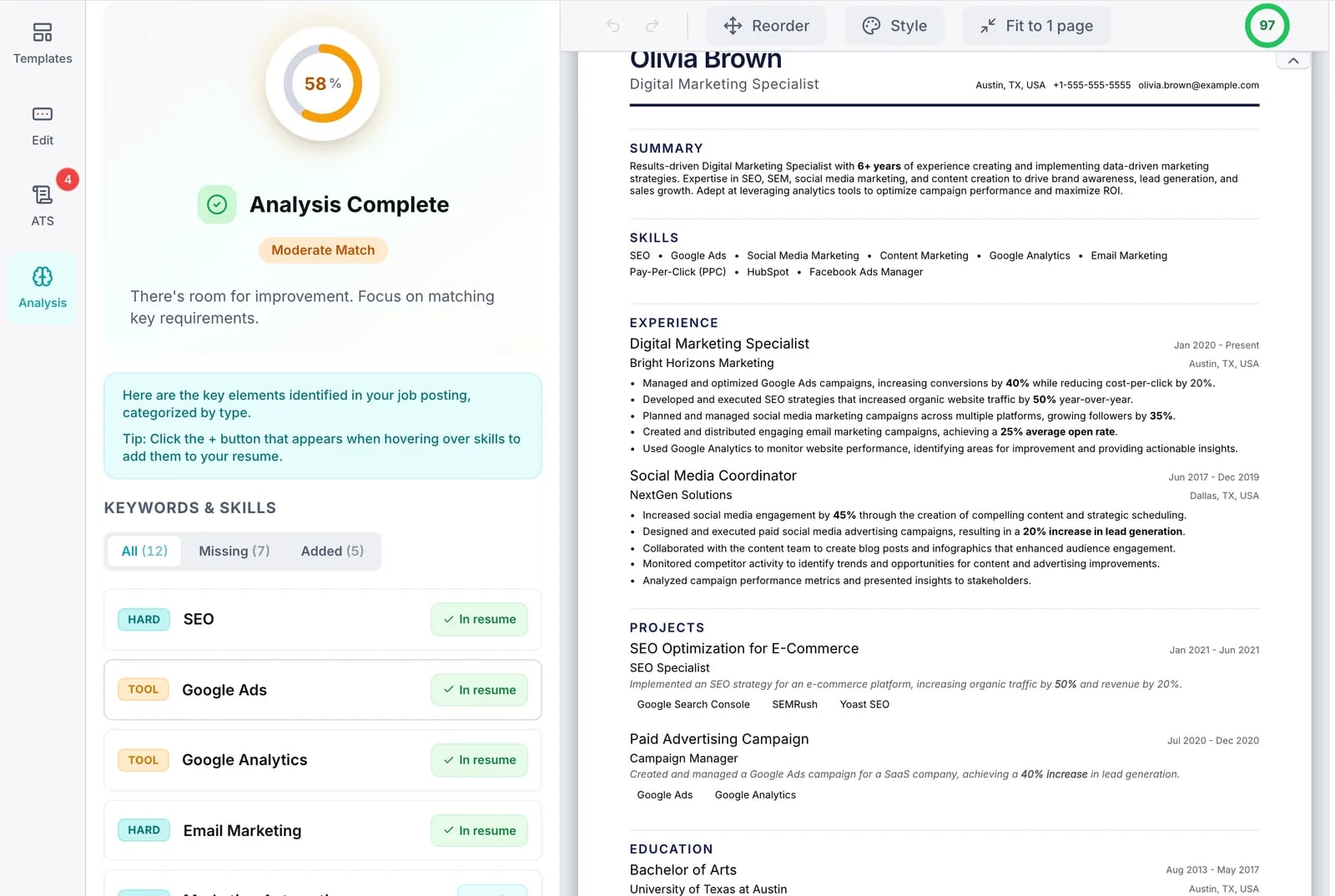
The matcher on this page does steps one, two and six for you: it lists what the posting asks for, checks each item against your resume and scores the result. Open the resume in the builder from the report and it helps with three to five, re-scoring as you edit. It works on any resume, whether you upload a file, paste the text or start from one of the resume templates.
What the Resume Matcher Shows You
A resume matcher is a tool that compares your resume with one job description and shows how well they fit: a match score, the parts of the posting your resume already answers and the ones it does not. This one reads the posting the way a recruiter would, item by item, and shows you every result, without an account and without anything locked.
- A 0 to 100 match score with a plain label: Needs Improvement (under 40), Moderate Match (40 to 59), Good Match (60 to 79) or Excellent Match (80 and above).
- The posting's skills, requirements and responsibilities, pulled out one line each and marked covered, partly shown or not covered against your resume. Must-have requirements are flagged.
- Every keyword from the posting, sorted into in your resume, only mentioned in passing and missing. A keyword counts when your resume shows it in other words, as an acronym or full form, or in another language, not only when it is spelled the same; a look-alike word does not count ("sales" is not "Salesforce").
- The full ATS check of your file on the same report, so you see whether software can read the resume as well as whether it fits the job.
- Job descriptions up to 20,000 characters, pasted as they are. A page that is not a job posting, such as a careers overview or a list of search results, is refused instead of scored.
- One click to tailor. Open the resume in the builder with the posting beside it: missing skills are added in one click, the AI assistant works the rest into your bullets and summary, and the score updates whenever you pause editing.
Inside the Match Report
Your Match Score, Explained
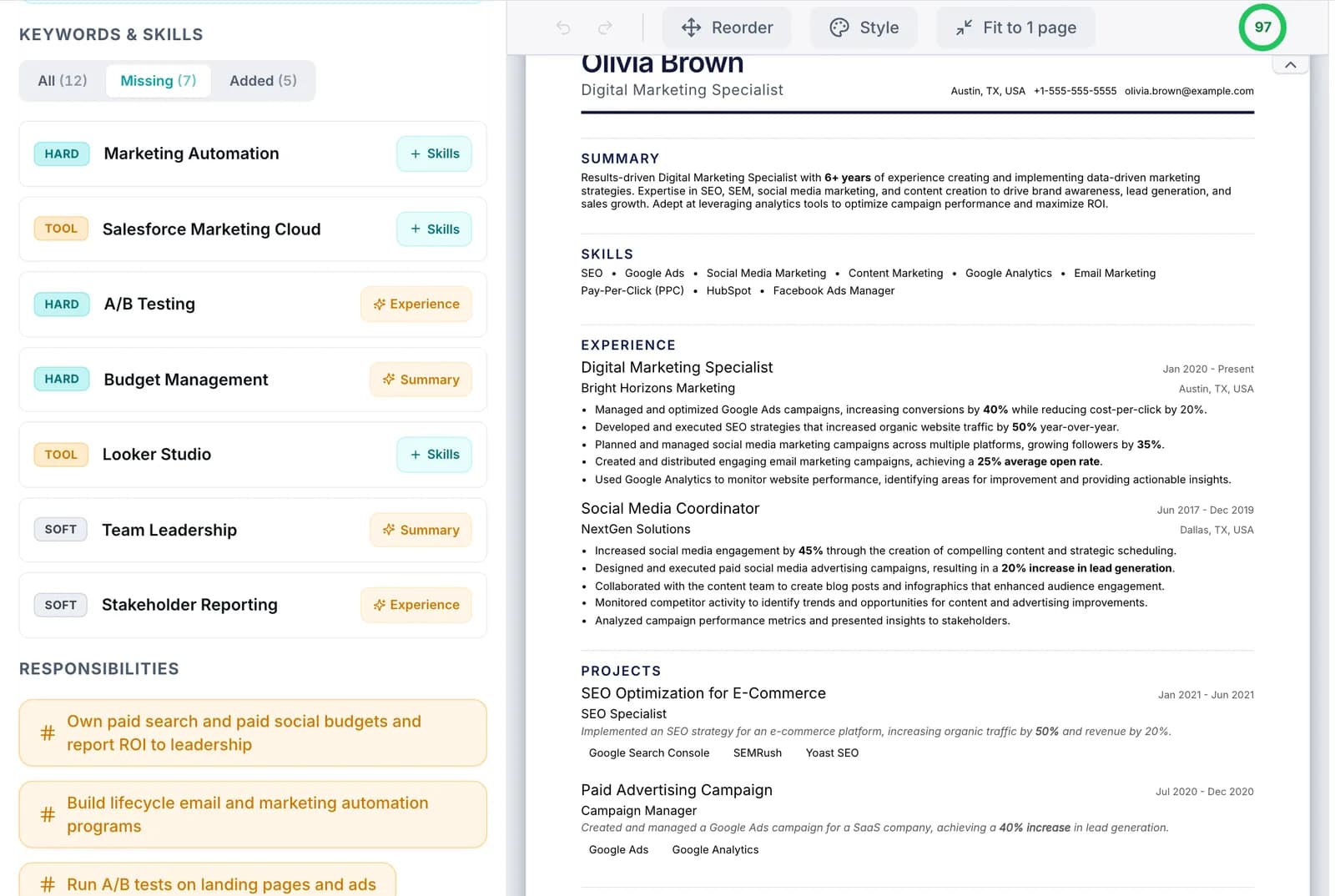
A score from 0 to 100, a label that says what it means, how many requirements your resume covers and where the biggest gap is, so you know what to fix first.
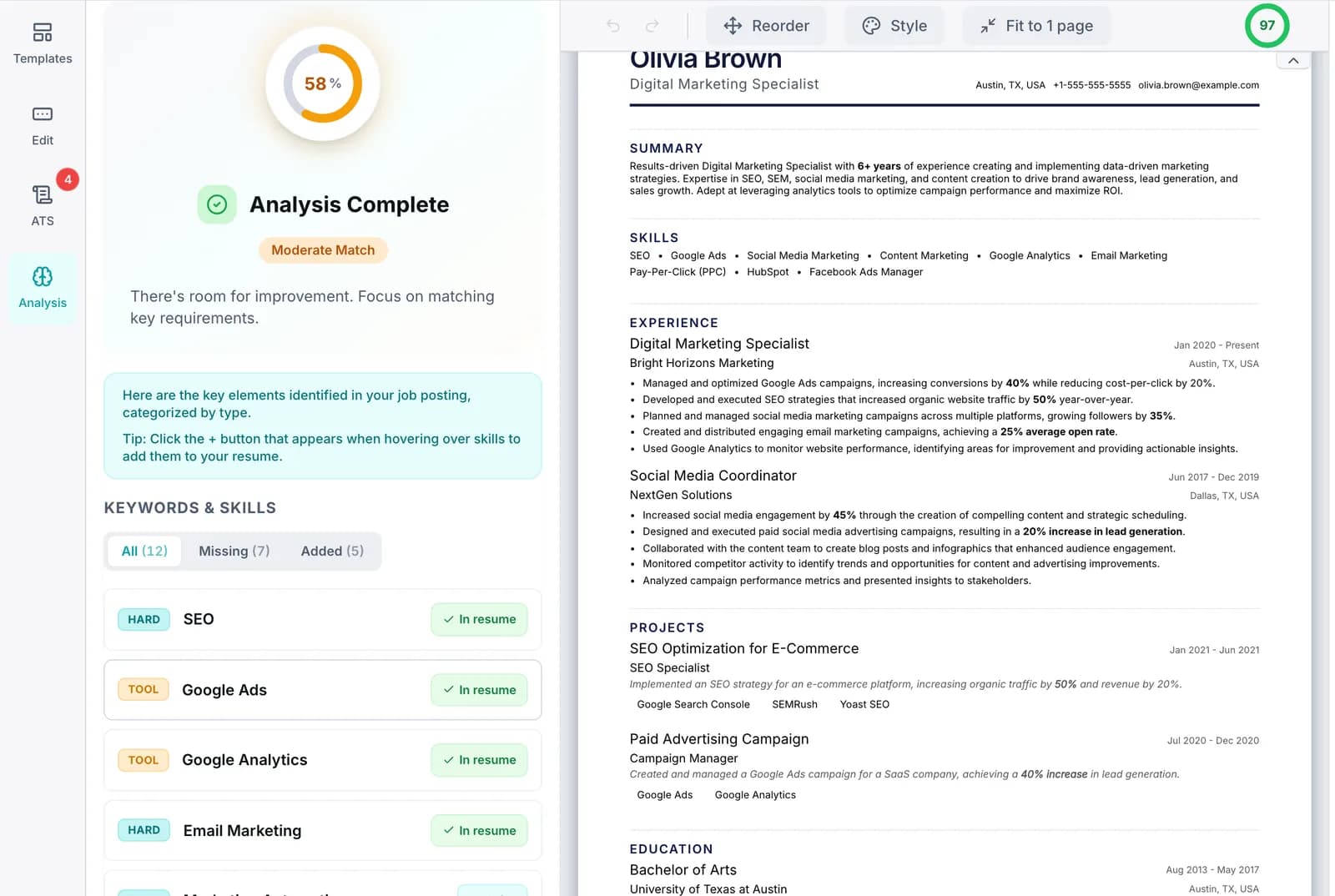
Each Requirement, Checked
The posting's skills, requirements and responsibilities, one line each, marked covered, partly shown or not covered. The gaps come first, and must-haves are marked.
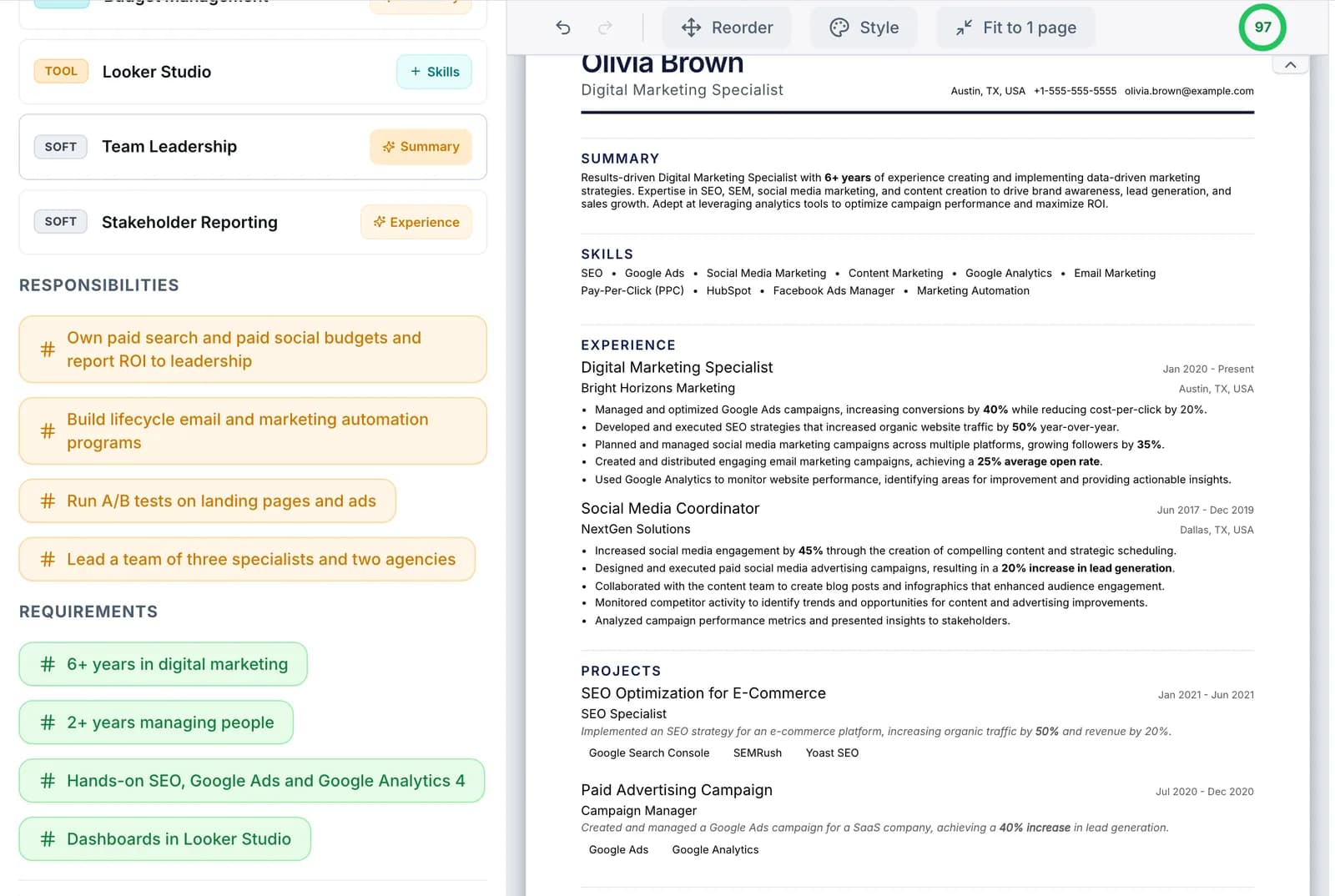
Keywords, Matched by Meaning
Keywords your resume shows in other words still count, and are marked as such, so you do not paste in a term you already cover. Missing ones come with a button for the section they belong in.
How Is the Resume Match Score Calculated?
The score is built from the posting itself, not from word counts. First the posting is read for what the job asks: its skills, its requirements (each tagged must-have, important or nice to have) and its responsibilities. Company introductions, benefits and page navigation are left out, so they cannot move the score. Then your resume is checked against every single item and each one gets one of five ratings, from shown clearly with results to not mentioned. The ratings are weighted by how much the posting insists on the item, averaged per group, and the three groups are combined:
| Part of the score | Weight | What a full mark needs |
|---|---|---|
| Skills | 50% | Each skill the posting names, shown in your resume |
| Requirements | 30% | Experience, education and qualifications, with must-haves counting twice as much as nice-to-haves |
| Responsibilities | 20% | Evidence that you have done the duties the job describes |
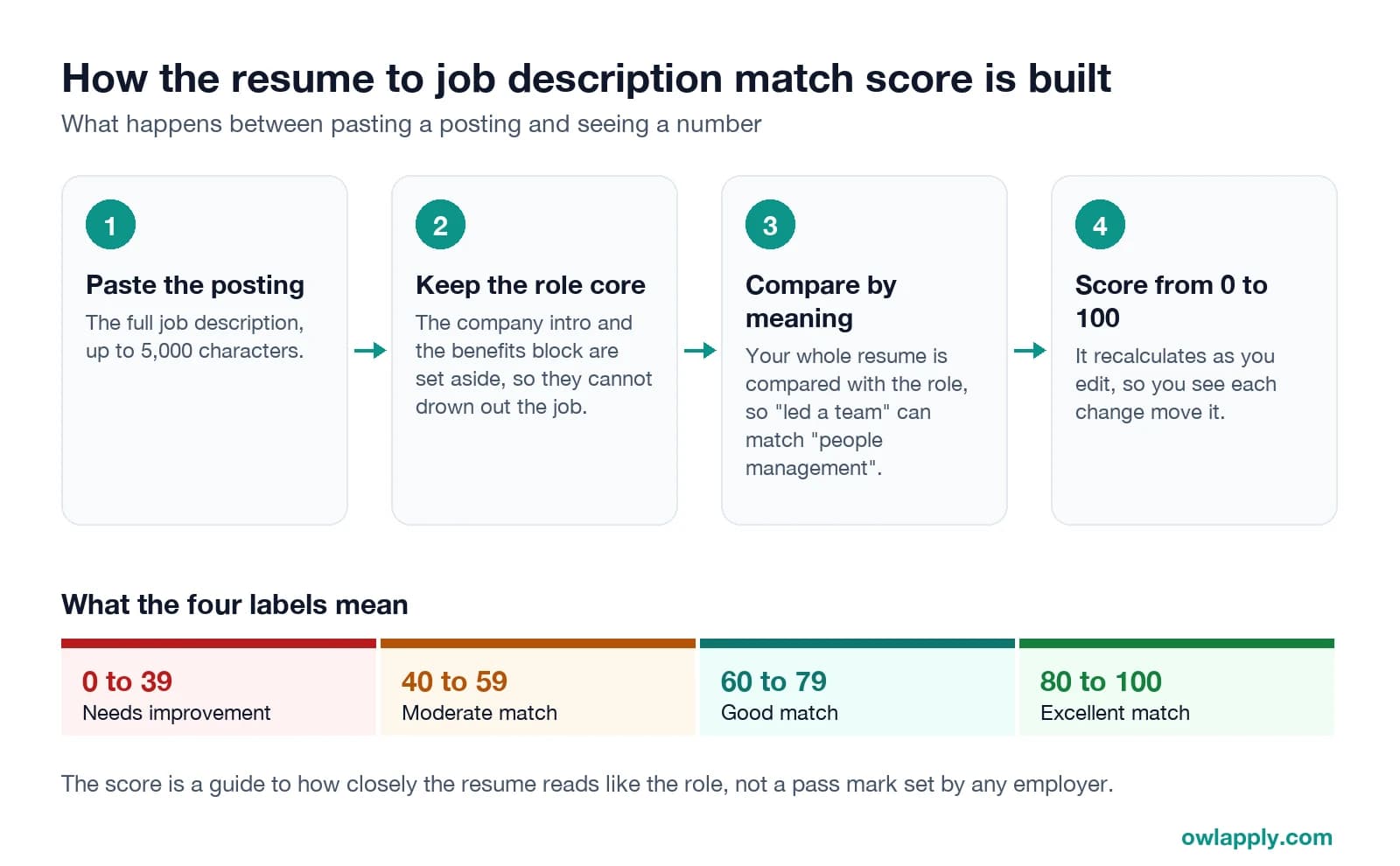
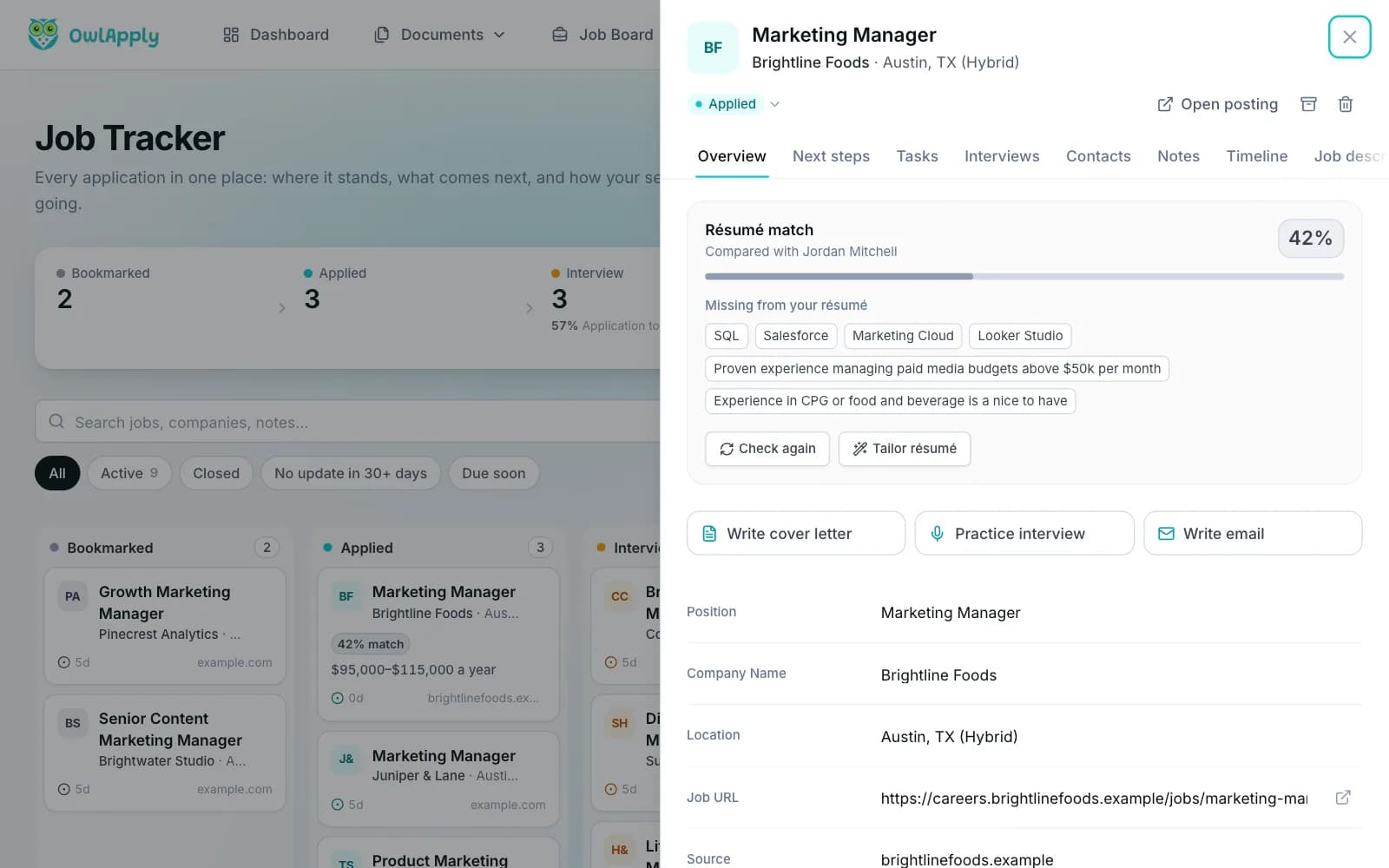
The same score appears in three places, calculated the same way: on this report, in the resume builder's job panel and on the job's card in the job tracker. That is deliberate: one number per job, wherever you look at it.
What Is a Good Resume Match Score?
On OwlApply, 60 or above is a good match and 80 or above is an excellent one; under 40 means the resume reads like a different job. There is no universal pass mark, because each employer sets its own screening rules, and every matcher calculates its score differently, so a number from one tool cannot be compared with another: other matchers suggest targets anywhere from about 65% to 80% on their own scales. Treat the score as a direction: if it is low, the posting's core requirements are not visible in your resume yet. If it is high, stop adding keywords and make sure the resume still reads well to a person.
Why matching matters
- 88%
- of employers in a Harvard Business School and Accenture survey agreed that qualified high-skill candidates are screened out for not matching the exact criteria in the job description
- 80.9%
- of 33,746 resumes we re-scored listed skills of which fewer than half appear anywhere in the experience, projects or summary
The first figure is from Hidden Workers: Untapped Talent (Harvard Business School and Accenture, 2021); it is the share of employers who agreed with the statement, not a measured rejection rate. The second is from our own ATS resume statistics: most resumes name skills in a list without showing them in use, which is exactly the gap a match check exposes.
Match Your Resume to a Job Description in 4 Steps
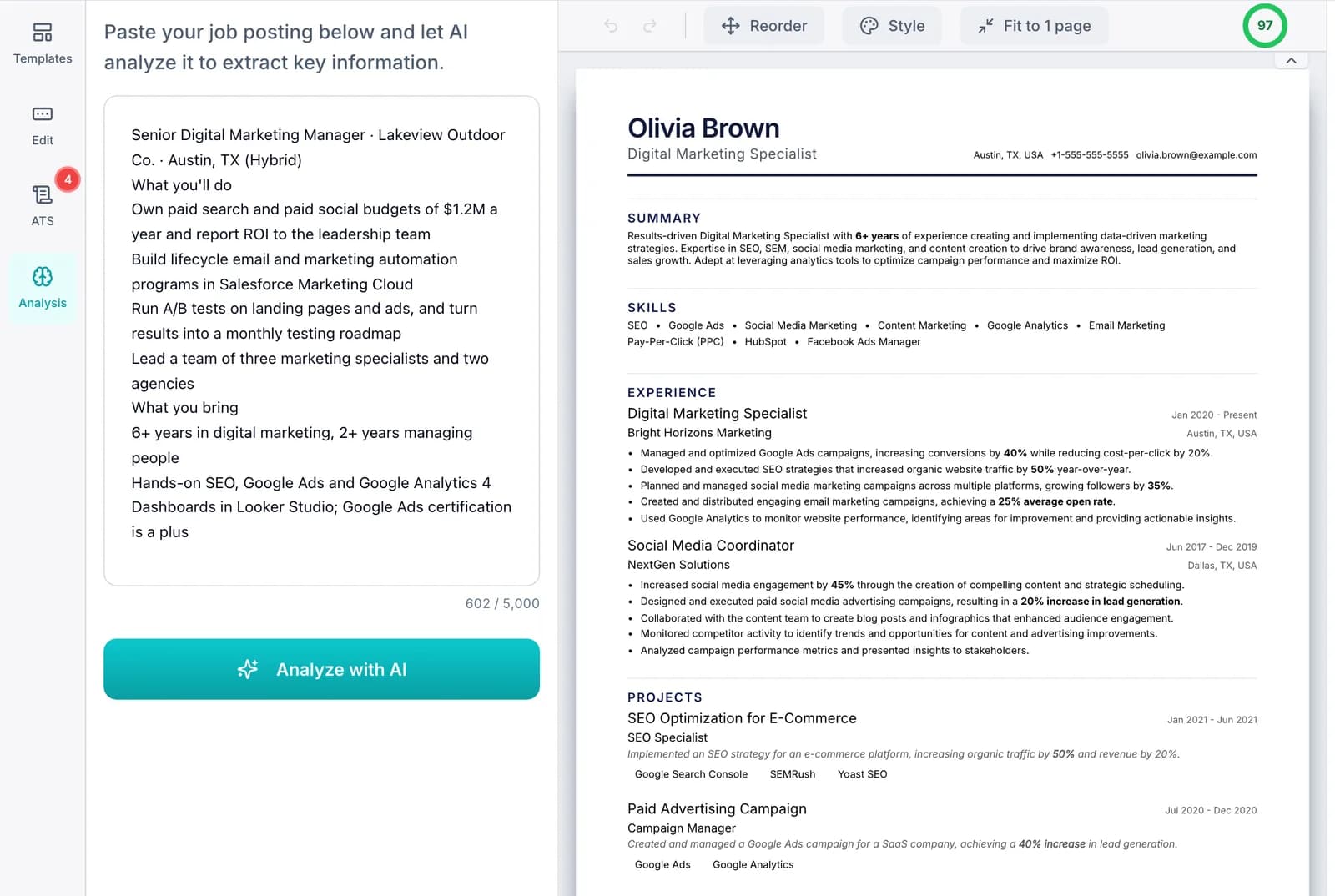
- PASTE
Paste the Job Description and Add Your Resume
Paste the whole posting into the box at the top of this page, title and company included, and upload your resume (PDF, Word, RTF, TXT or ODT) or paste it as text.
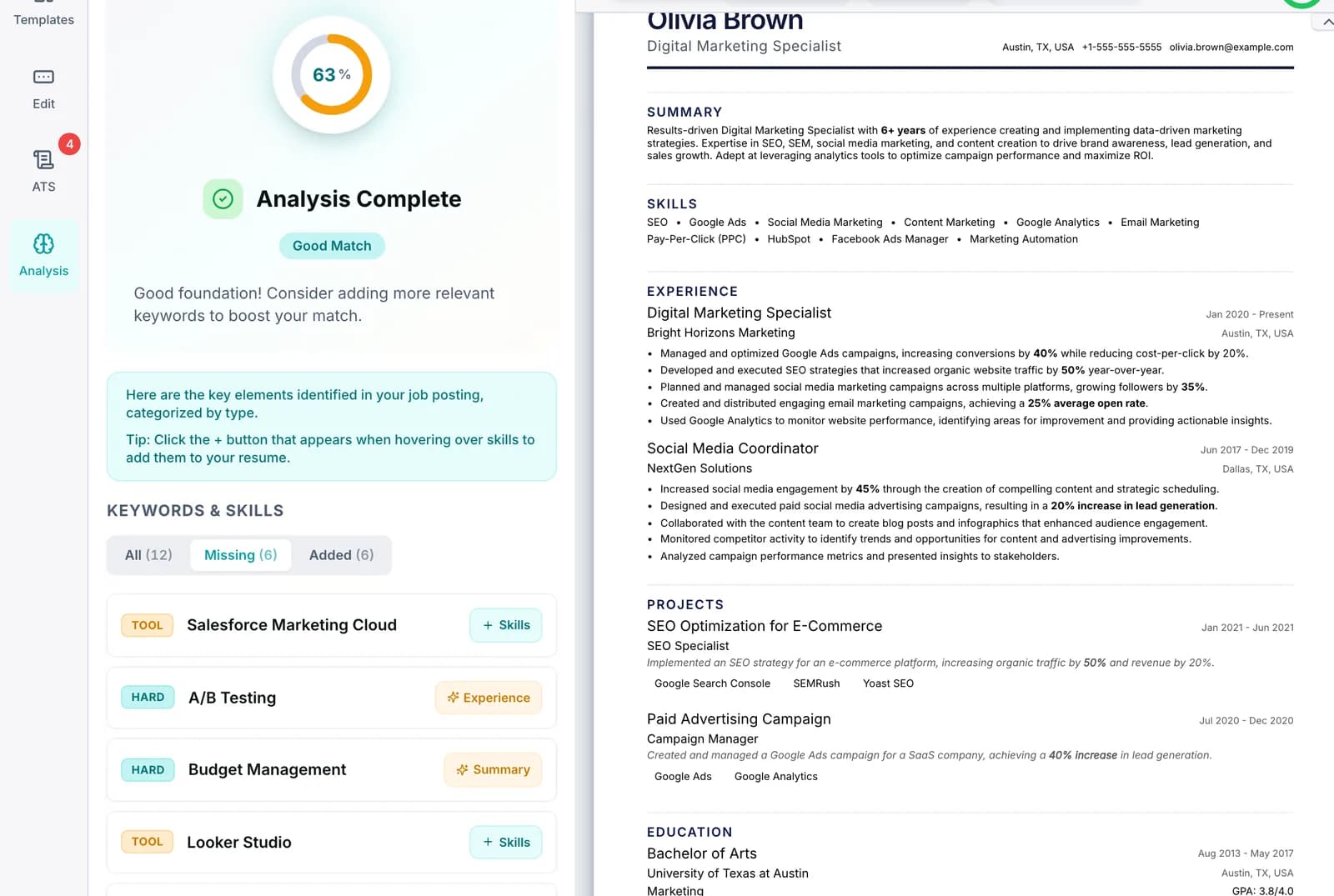
- SCORE
Read the Score and the Gaps
Press Check my match. The report shows the score, each skill, requirement and responsibility as covered or not, and the keywords sorted into in your resume, only mentioned and missing.
- FIX
Close the Gaps That Are True
Choose Tailor my resume for this job. The resume opens in the builder with the posting beside it: add missing skills you really have in one click and send keywords that belong in a bullet or the summary to the AI assistant. Pause, and the score updates.
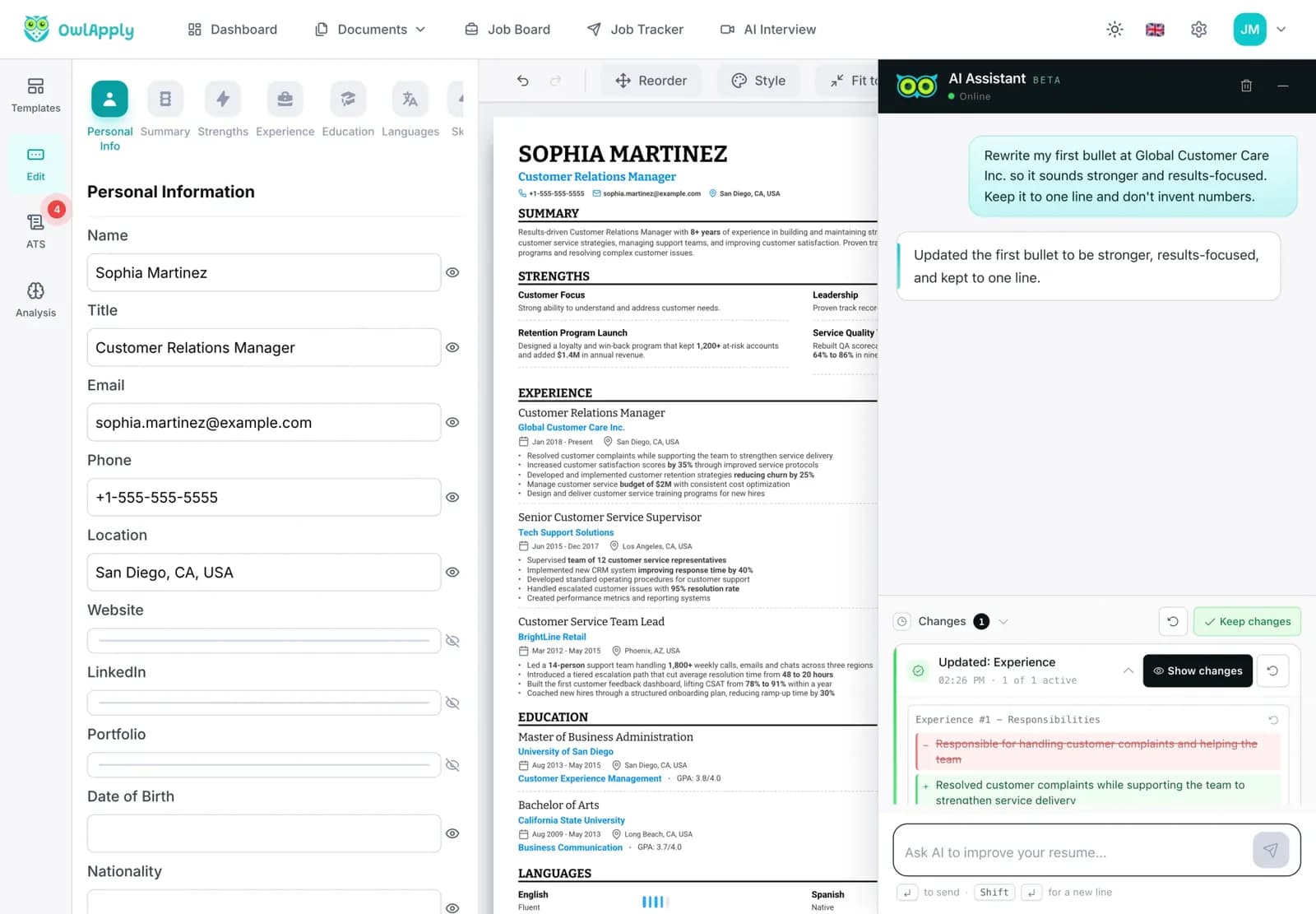
- REVIEW
Review Every Change, Then Apply
The assistant shows each edit as removed and added lines that you keep or undo. Duplicate the resume first if you want to keep your general version and a copy tailored to this job.
Turn the Missing Keywords Into a Tailored Application
The missing-keywords list tells you what the employer is looking for. What you do with it decides whether the resume gets better or just longer:
- Use the missing keywords as a to-do list, not a list to paste in. Add only what you have actually done.
- Lead with the match. Move the experience that answers the posting's top requirements to the start of each role.
- Name the exact tools the posting asks for if you have used them, even briefly, in the bullet where you used them.
- Bridge a real gap honestly. If you lack a requirement, point to the closest transferable experience instead of leaving the requirement unanswered or claiming it.
- Repeat the top two matches in your cover letter's first paragraph, so the letter and the resume make the same case. The AI cover letter builder drafts one from the same job description.
Check the Match on the Job Page Itself
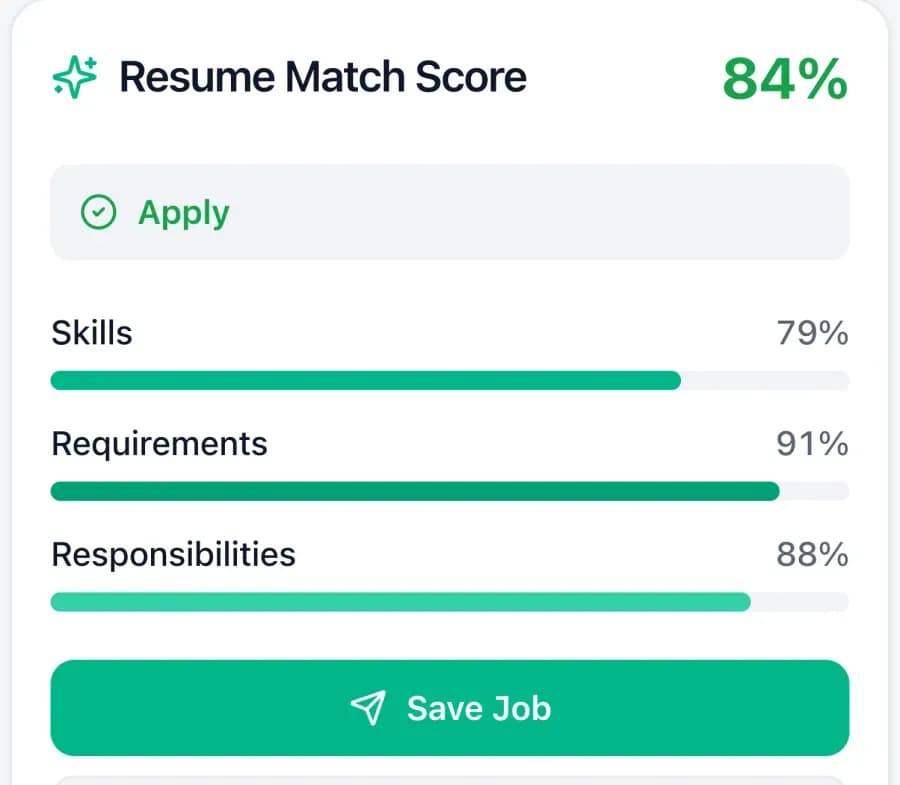
You do not have to copy the posting into the builder for a first look. On a job page, the OwlApply browser extension reads the posting, sorts its requirements into critical, important and nice to have, and rates your resume against each one, from excellent to not mentioned, along with an overall resume match and separate skills, requirements and responsibilities figures. This analysis is available to anyone signed in, and it does not use autofill credits.
When the match is good enough, the same extension fills in the application form and saves the job to your tracker with one click. See job application autofill for the sites it works on.
Keep the Match With the Job
Save the job to the job tracker and the score travels with it. From any tracked job, Tailor resume makes a copy of your resume named after the company and the role and opens it with that posting already in the job panel, so the original stays untouched and each application gets its own version.
Resume Matcher vs Doing It by Hand vs an ATS Checker
| Matching by hand | OwlApply resume matcher | ATS resume checker | |
|---|---|---|---|
| Question it answers | Does my resume answer this posting? | How closely does my resume match this posting, and what is missing? | Can software read my resume file at all? |
| Needs a job description | Yes | Yes | No |
| Cost | Free | Free, no account | Free, no account |
| Effort per job | Highlighting the posting and comparing it line by line | Paste the posting, add the resume, one click | One upload per file |
| Catches other wording and languages | Only if you notice it | Yes, keywords are checked by meaning | Not its job |
| Shows each requirement as met or not | If you write it down | Yes, with must-haves flagged | No |
| Updates as you edit | No | Yes, in the builder | Yes in the builder; an uploaded file is checked again when you upload it again |
They work best together: run the ATS resume checker to make sure the file reads cleanly, use this matcher for each job you apply to, and look up the terms a role is usually screened for with the resume keyword optimizer. If you would rather start from jobs you already fit, the AI job board ranks openings by how well they match your resume and explains the fit for each one. Applying abroad? Translate the resume first with the resume translator, then match the translated copy.
Resume Matcher FAQ
What is a job match score?
Is the resume matcher free?
What is a good resume match score?
How do I compare my resume to a job description?
Does it work with resumes and job postings in other languages?
Can I match one resume against several jobs?
Does a high match score guarantee an interview?
Should I copy the job description into my resume?
Is the match score the same as an ATS score?
Does the AI make up experience to raise my score?
From blank page to submitted application
Build the resume, see the openings that actually match it, and send the application without filling the same form twice.
- 50+ ATS-ready templates
- Autofill on 50+ job platforms
- Resumes in 50+ languages
Build an ATS-ready resume
Start from a proven template or import the resume you already have, then sharpen every bullet point with AI.
Find jobs that match your resume
Live openings are scored against your resume, so the roles that fit your experience come to the top.
Apply without retyping
The Chrome extension fills applications on Workday, Lever, Greenhouse and 50+ other platforms and attaches your documents.