
Free CV Maker: Build a UK or International CV That ATS Can Read
A CV maker is an online editor that turns your details into a formatted CV you can send as a PDF. OwlApply's CV maker builds UK and Irish-style CVs on A4 (contact details, personal statement, employment history, education and skills, up to two pages) as well as US-style resumes on Letter, from 50+ ATS-friendly templates. Import an existing CV from PDF, Word or LinkedIn instead of retyping it, and start as a guest.
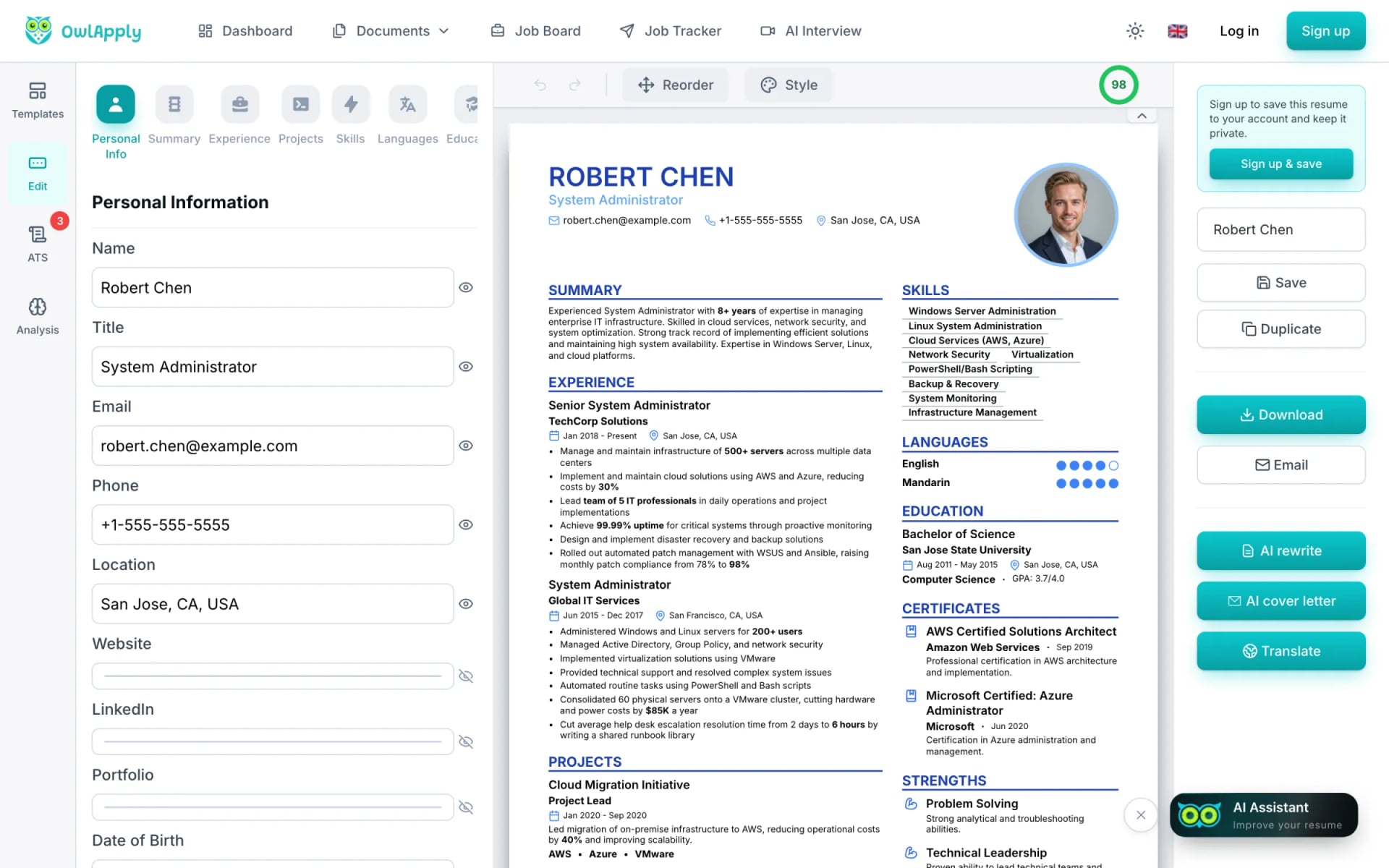
OwlApply's CV maker in short
- Built for the UK format: A4 paper, a personal statement, employment history in reverse order and room for two full pages. One click switches the same CV to US Letter.
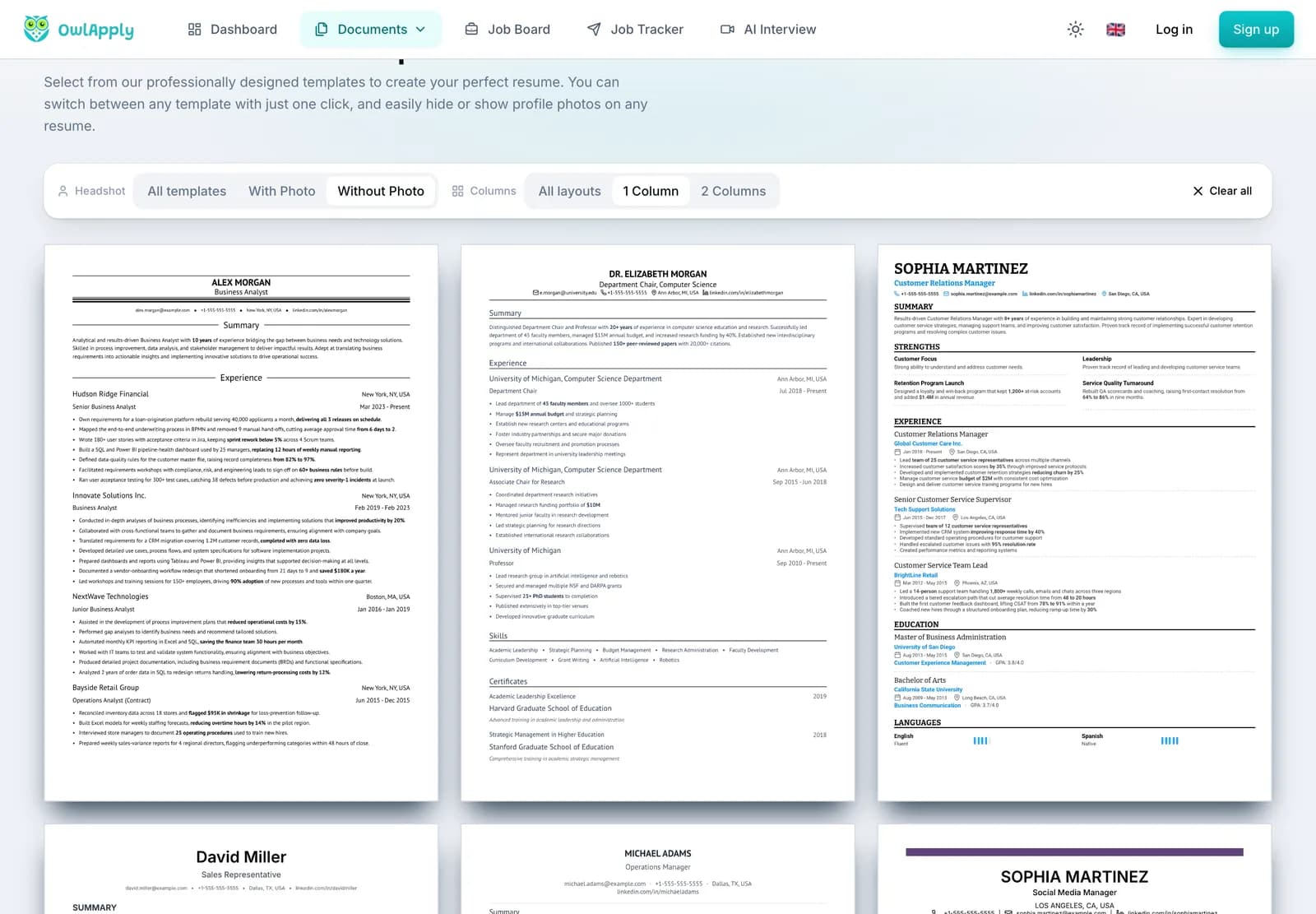
- 50+ templates, none locked: filter by one or two columns and with or without a photo, and switch template at any time without retyping.
- Import instead of retyping: upload a PDF, Word (DOC or DOCX), RTF, TXT or ODT file, paste your CV as text, or enter a public LinkedIn URL.
- Free to make and edit: you can start as a guest; the draft moves to your account when you sign in.
- Why the layout matters: of 2,620 English-language CVs run through OwlApply's free ATS checker between 8 September and 15 October 2026 (one per person), only 23.3% had no file-level problem, and 14.0% used two columns or a sidebar.
This page is about getting the format right. If you want AI to write or rewrite your bullet points and summary, or tailor the CV to a job description, see the AI resume builder; it opens the same editor.
What to include in a UK CV
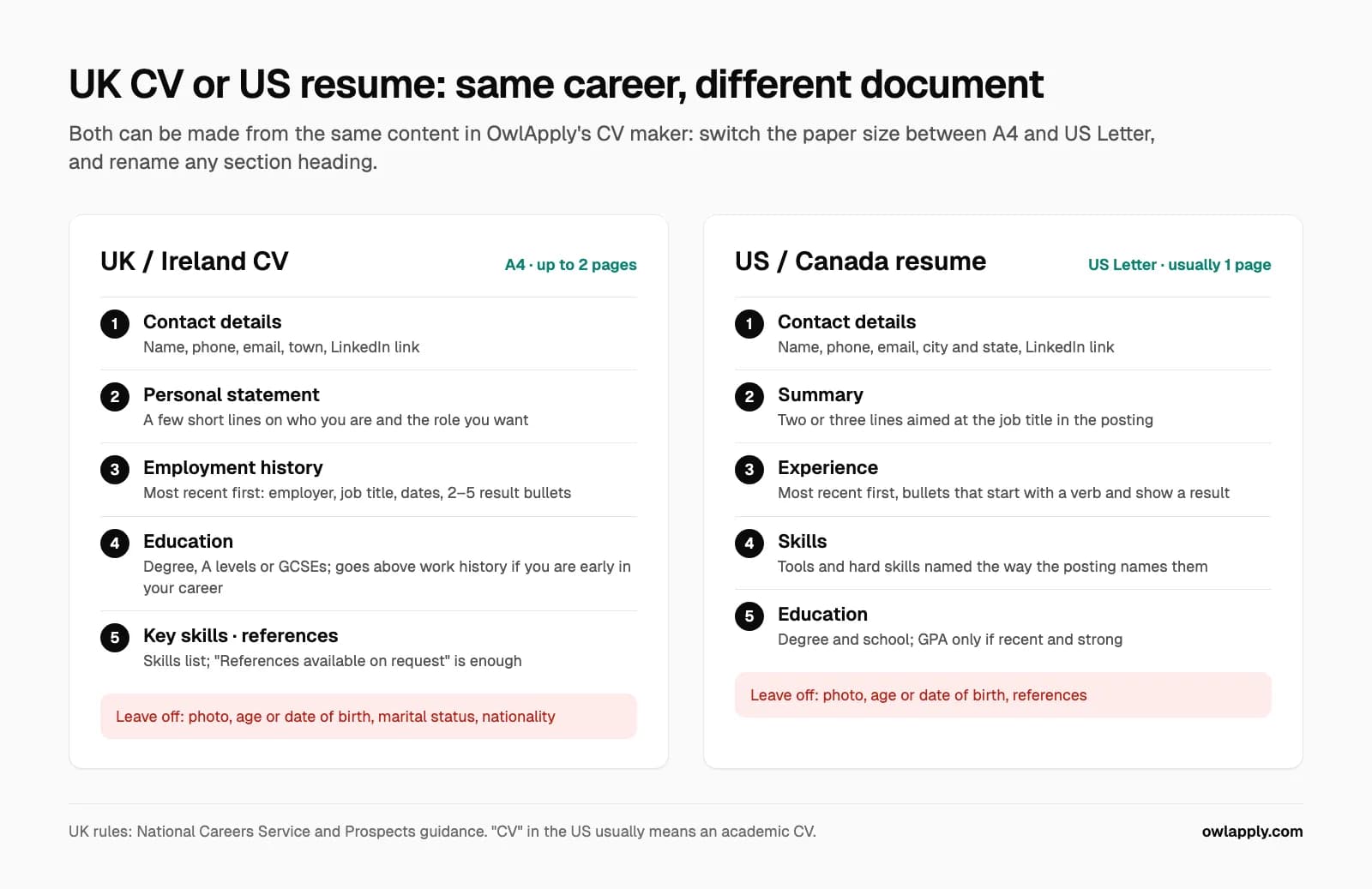
UK employers expect five sections, in this order. The list follows the National Careers Service guidance, which is the government's own advice for job seekers in England:
- Contact details: your name, phone number, email address and a link to your LinkedIn profile if you have one. A town or city is enough; a full home address is not needed.
- Personal statement: a few short lines under your name on who you are and what you want to do next, written for the job you are applying for.
- Employment history: most recent job first, with employer, job title, dates and what you achieved. Include volunteering and placements if your paid history is short.
- Education: degree, A levels, GCSEs or vocational qualifications, with the school or university and dates. Put it above employment history if you are a student or early in your career.
- Skills and references: a short skills list (software, licences, languages, certifications), and either named referees who have agreed, or the line "References available on request".
How long should a CV be in the UK?
Two A4 pages is the standard. Prospects, the UK graduate careers service, recommends a CV of no longer than two A4 pages, with one page acceptable for part-time or student jobs and a third page only for senior or academic roles. Fill whole pages: a CV that stops a third of the way down page two looks unfinished. If yours runs a little over, OwlApply's Fit button tightens spacing, margins and font size step by step to pull it back onto fewer pages, and changes nothing if that is not possible at a readable size.
What should you leave off a UK CV?
- Age, date of birth and marital status: the National Careers Service lists them as things not to include. Age and marriage or civil partnership are protected characteristics under the Equality Act 2010, so an employer cannot base a decision on them and has no reason to see them.
- Nationality: leave it off too. If you have the right to work in the UK, say so in one line instead, for example "Full right to work in the UK".
- A photo: not expected in the UK or Ireland, except for acting and modelling work (Prospects). Every OwlApply template can hide the photo.
- Other people's contact details without their permission, and anything you would not want to discuss in an interview.
Applying in a country where a date of birth or nationality is expected? OwlApply's header has optional fields for both; they only appear on the CV when you fill them in.
What the CV Maker Does
Import any old CV
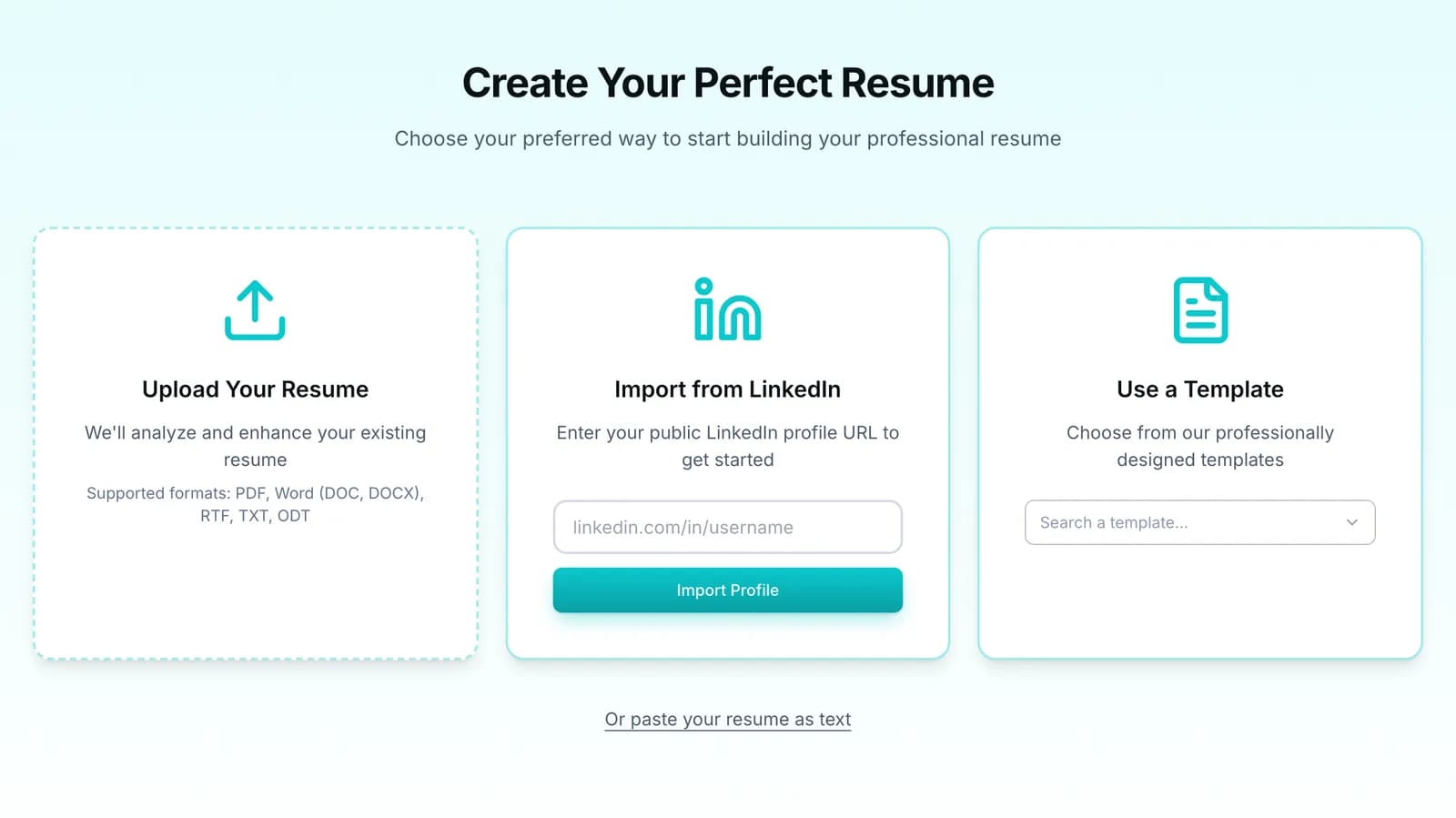
Upload a PDF, Word, RTF, TXT or ODT file, paste your CV as plain text, or enter your public LinkedIn URL. The sections fill themselves and you edit from there.
Templates that suit UK hiring
Filter the gallery to one column and no photo, the layout UK recruiters and applicant tracking systems read most reliably. Switching template later keeps every word.
A4 or US Letter, your fonts
In Style you set the paper size (A4, 210 × 297 mm, or US Letter), the body and heading fonts, text size, spacing and margins. The page breaks follow the paper you pick.
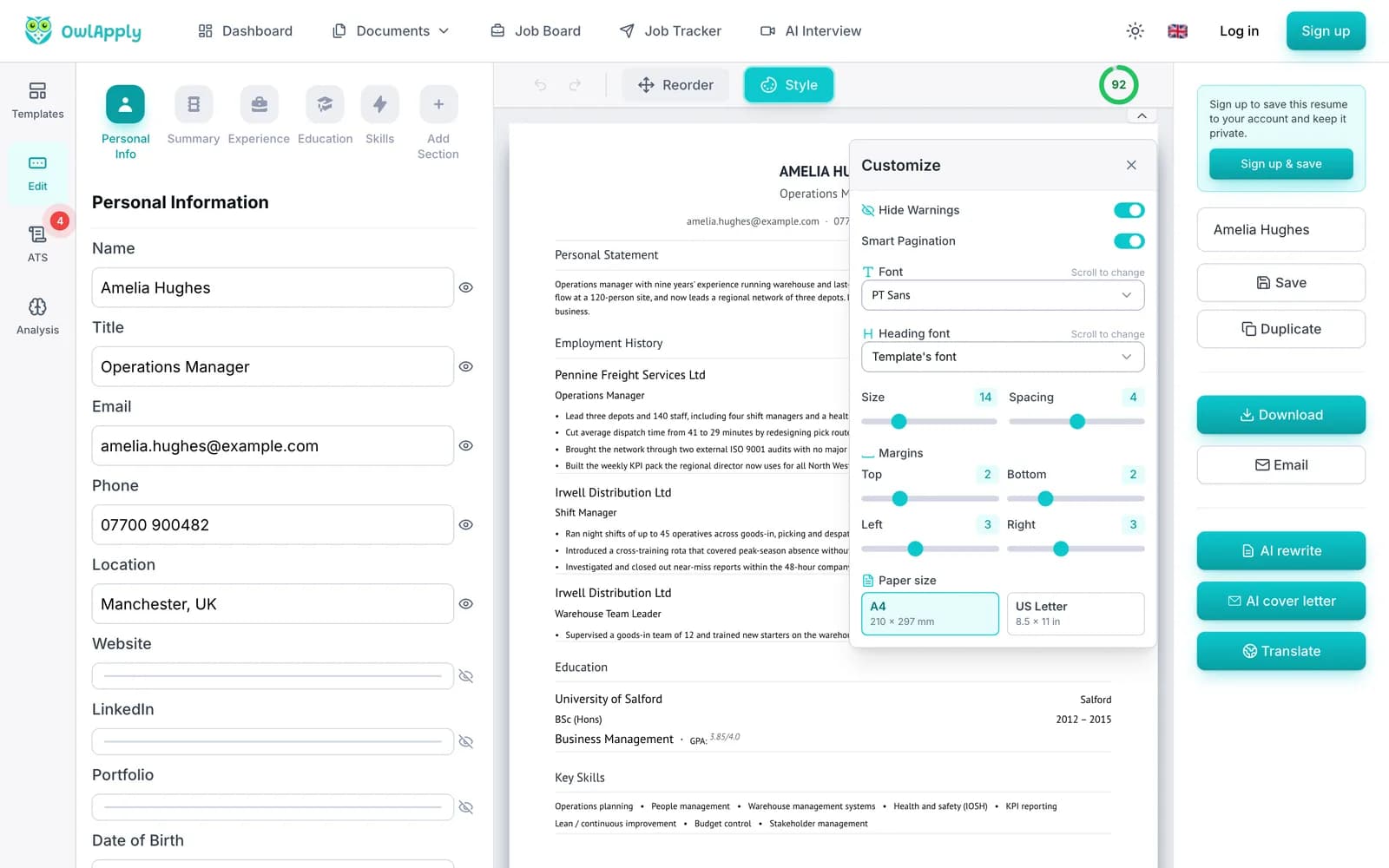
Make Your CV in 4 Steps
- IMPORT
Import or start fresh
Upload your current CV or LinkedIn profile, or pick a template and type your details. No account is needed to start.
- FORMAT
Set the UK format
Choose A4, rename sections to Personal Statement and Employment History, and hide the photo and date of birth.
- WRITE
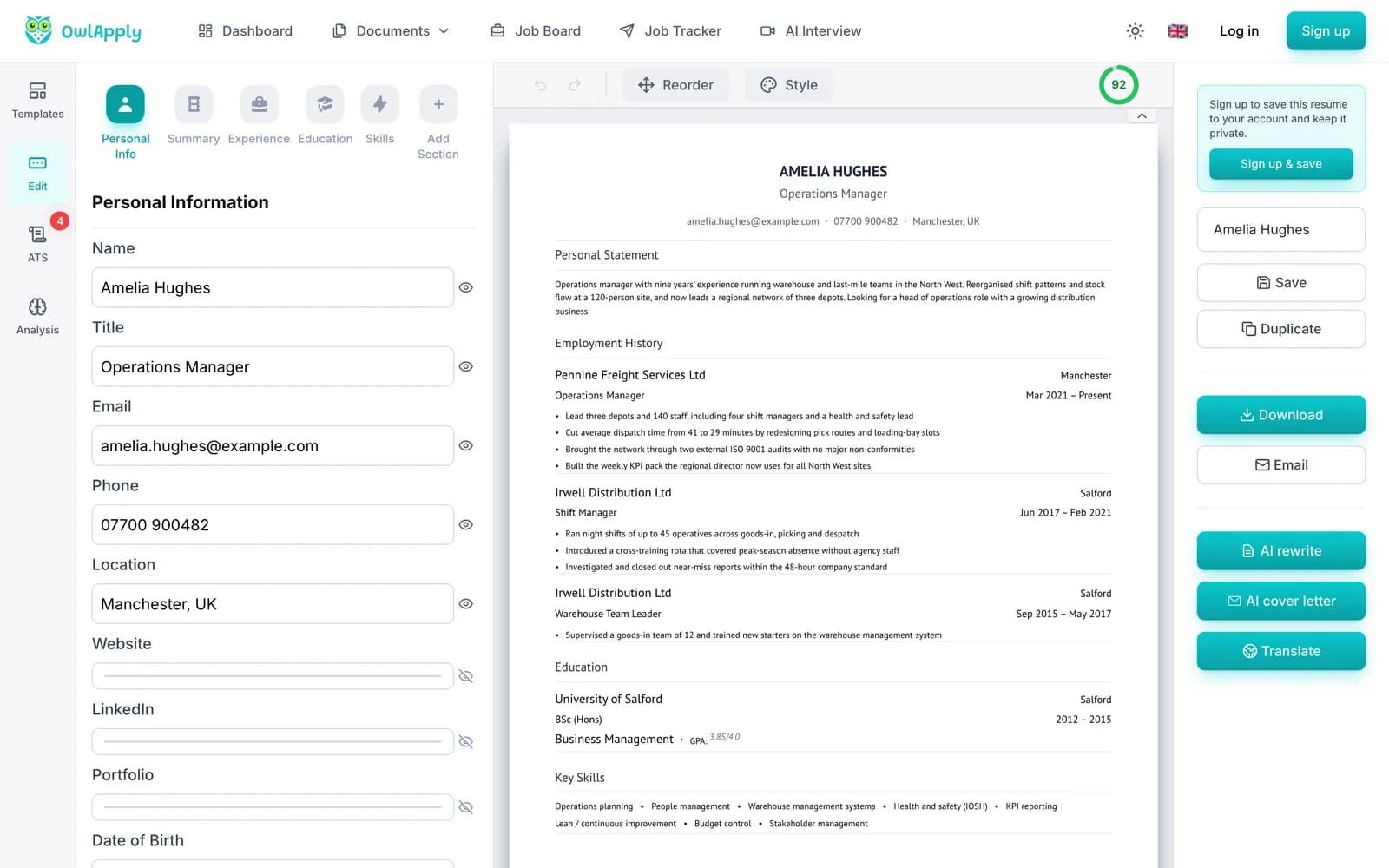
Write the content
Fill in each section in the left panel and watch the A4 page update. Change the section order with Reorder.
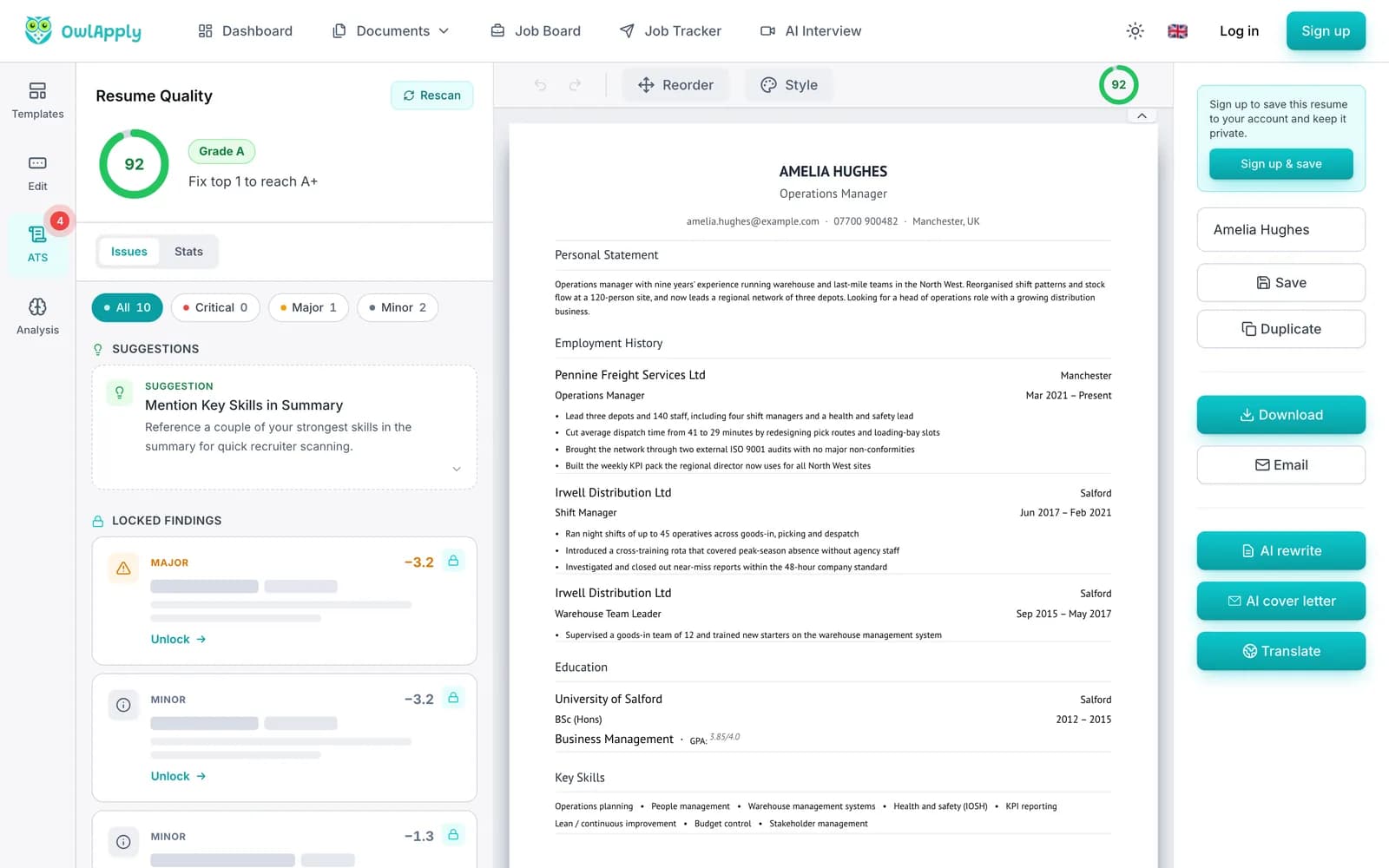
- CHECK
Check and export
The ATS tab scores the CV and lists what to fix. Then export it as a PDF.
CV vs resume: which one are you being asked for?
In the UK, Ireland, India, Australia, New Zealand, South Africa and most of Europe, "CV" means the standard job-application document described above, usually up to two pages. In the US and Canada the same document is called a resume and is usually one page; a "CV" there means a longer academic document with publications and grants (Prospects notes the same split). Whichever word the posting uses, an applicant tracking system reads both the same way: one column, standard headings, contact details in the body rather than a header graphic, no text inside tables or images, and one date format throughout.
| Where you apply | Usual name | Paper and length | Photo | Good to know |
|---|---|---|---|---|
| UK and Ireland | CV | A4, up to 2 pages | No | Personal statement at the top; no age, date of birth or marital status |
| US and Canada | Resume | US Letter, usually 1 page | No | "CV" means an academic CV; see the Canadian resume format |
| European Union | CV | A4, 1 to 2 pages | Depends on country | The EU's Europass CV is one accepted format, not a requirement |
| India | CV, resume or biodata | A4, 1 to 2 pages | Sometimes | Biodata adds personal details; see the biodata format guide |
Will a CV from this CV maker pass an ATS?
The templates export a text-based PDF with standard headings, so an applicant tracking system can read the words, and the ATS tab in the editor scores the CV while you work. What still trips CVs up is layout: of the 2,620 CVs above, 14.0% used two columns or a sidebar, which some systems read across rather than down, mixing lines from both columns. For strict systems, use a one-column template. When the CV is finished, run the exported PDF through the free ATS CV checker, which needs no account, and read how an ATS reads your CV for the reasons behind each rule. The layout rules with the data behind them are in the ATS-friendly template guide.
If the CV you have is in another language, run it through the CV translator first and then format it here. Comparing tools? We tested the main ones hands-on, with the prices each one showed us: Zety, Kickresume, Enhancv, Teal and Canva.
CV Maker: FAQ
Is this CV maker free?
What is the best CV format for UK jobs?
How long should a CV be?
Should I put a photo on my CV in the UK?
Can I make a CV on A4 paper?
Can I upload my existing CV?
Is a CV the same as a resume?
Are the CV templates ATS-friendly?
Do I need references on my CV?
Can I download my CV as a Word document?
From blank page to submitted application
Build the resume, see the openings that actually match it, and send the application without filling the same form twice.
- 50+ ATS-ready templates
- Autofill on 50+ job platforms
- Resumes in 50+ languages
Build an ATS-ready resume
Start from a proven template or import the resume you already have, then sharpen every bullet point with AI.
Find jobs that match your resume
Live openings are scored against your resume, so the roles that fit your experience come to the top.
Apply without retyping
The Chrome extension fills applications on Workday, Lever, Greenhouse and 50+ other platforms and attaches your documents.