Home
  • Resumes & CVs
    Resume TemplatesView all
    Simple
    Minimal layouts that keep every recruiter focused on your content.
    Professional
    Boardroom-ready templates that spotlight experience and leadership.
    Modern
    Fresh, contemporary designs for innovative roles and companies.
    Creative
    Bold visuals and unique layouts crafted for design-forward careers.
    ATS Friendly
    Structured specifically to clear every Applicant Tracking System.
    Resume Builder
    Resume Builder
    Drag, drop, and export a job-ready resume with instant AI suggestions.
    See all resume examples
    Resume Examples
    Browse our ready-to-use resume examples and create your professional resume in minutes
  • AI Career Tools
    AI Career ToolsView all AI tools
    Keyword Optimizer
    Inject recruiter-approved keywords and rise to the top of ATS results.
    AI Resume Builder
    Generate a polished resume with AI-written bullets and proven layouts.
    Resume Translator
    Translate your resume into any language without losing nuance.
    Resume Score
    Measure how hiring-ready your resume is before you click apply.
    Resume Summary
    Craft attention-grabbing summaries tailored to each role.
    Resume Bullet Point Generator
    Turn achievements into punchy bullet points in seconds.
    Cover Letter Generator
    Create pitch-perfect letters that mirror every job posting.
    Job Application Autofill
    Auto-complete repetitive application fields across top job boards.
    Resume Checker
    Audit structure, keywords, and impact with instant AI feedback.
    Resume Builder
    Resume Builder
    Drag, drop, and export a job-ready resume with instant AI suggestions.
    Chrome browser
    Firefox browser
    Opera browser
    Safari browser
    Install OwlApply Extension
    Autofill job forms, create tailored resumes, and score postings directly from Chrome.
  • Cover Letters
    Cover Letter TemplatesView all
    Simple
    Clean layouts ideal for traditional teams and entry-level roles.
    Professional
    Classic business styling that reinforces authority and credibility.
    Modern
    Sleek designs that feel right at home in tech and high-growth companies.
    Creative
    A unique canvas to showcase personality without sacrificing polish.
    Cover Letter Builder
    Cover Letter Builder
    Pair your resume with a tailored letter in minutes using guided prompts.
    Chrome browser
    Firefox browser
    Opera browser
    Safari browser
    Install OwlApply Extension
    Autofill job forms, create tailored resumes, and score postings directly from Chrome.
  • Resources
    ResourcesView all
    OwlApply Extension
    Autofill applications, generate cover letters, and track every job from your browser.
    Job Interview
    Scripts, frameworks, and confidence boosters for every interview format.
    Cover Letter
    Story-driven templates and tactics for memorable cover letters.
    Career
    Navigate negotiations, promotions, and pivots with expert advice.
    Resume
    Step-by-step guidance to craft a standout resume in any industry.
    Resume Builder
    Resume Builder
    Drag, drop, and export a job-ready resume with instant AI suggestions.
    Chrome browser
    Firefox browser
    Opera browser
    Safari browser
    Install OwlApply Extension
    Autofill job forms, create tailored resumes, and score postings directly from Chrome.
  • Pricing
My AccountBuild Resume
  • Resumes & CVs
    Simple

    Minimal layouts that keep every recruiter focused on your content.

    Professional

    Boardroom-ready templates that spotlight experience and leadership.

    Modern

    Fresh, contemporary designs for innovative roles and companies.

    Creative

    Bold visuals and unique layouts crafted for design-forward careers.

    ATS Friendly

    Structured specifically to clear every Applicant Tracking System.

    View all
  • AI Career Tools
    Keyword Optimizer

    Inject recruiter-approved keywords and rise to the top of ATS results.

    AI Resume Builder

    Generate a polished resume with AI-written bullets and proven layouts.

    Resume Translator

    Translate your resume into any language without losing nuance.

    Resume Score

    Measure how hiring-ready your resume is before you click apply.

    Resume Summary

    Craft attention-grabbing summaries tailored to each role.

    Resume Bullet Point Generator

    Turn achievements into punchy bullet points in seconds.

    Cover Letter Generator

    Create pitch-perfect letters that mirror every job posting.

    Job Application Autofill

    Auto-complete repetitive application fields across top job boards.

    Resume Checker

    Audit structure, keywords, and impact with instant AI feedback.

    View all AI tools
  • Cover Letters
    Simple

    Clean layouts ideal for traditional teams and entry-level roles.

    Professional

    Classic business styling that reinforces authority and credibility.

    Modern

    Sleek designs that feel right at home in tech and high-growth companies.

    Creative

    A unique canvas to showcase personality without sacrificing polish.

    View all
  • Resources
    OwlApply Extension

    Autofill applications, generate cover letters, and track every job from your browser.

    Job Interview

    Scripts, frameworks, and confidence boosters for every interview format.

    Cover Letter

    Story-driven templates and tactics for memorable cover letters.

    Career

    Navigate negotiations, promotions, and pivots with expert advice.

    Resume

    Step-by-step guidance to craft a standout resume in any industry.

    View all
  • Pricing
My AccountBuild Resume
  1. Home
  2. Resume Templates
  3. Simple Resume Templates

Simple Resume Templates

Each resume template is designed to follow the exact rules you need to get hired faster.

Upload your resumeInstall Chrome Extension
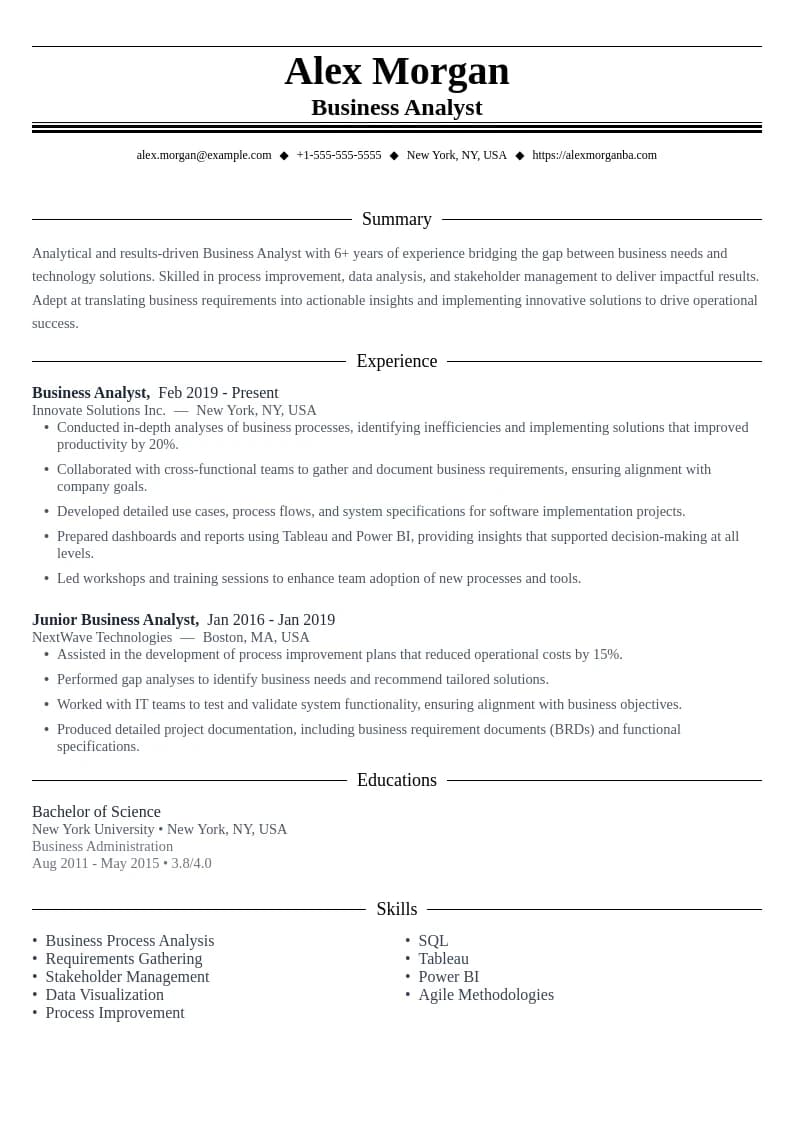
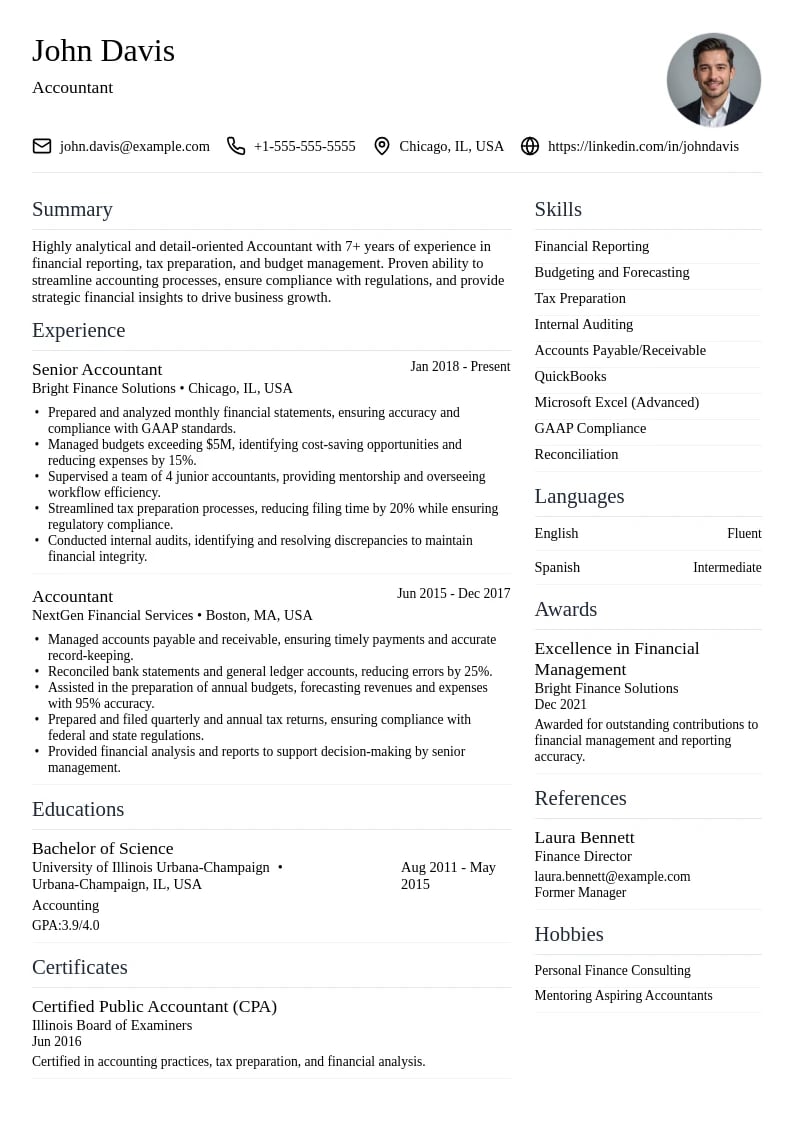
Analytics - Data-driven design perfect for quantitative achievements.

Analytics

  • ATS Friendly
  • Clean Layout
  • Professional Design
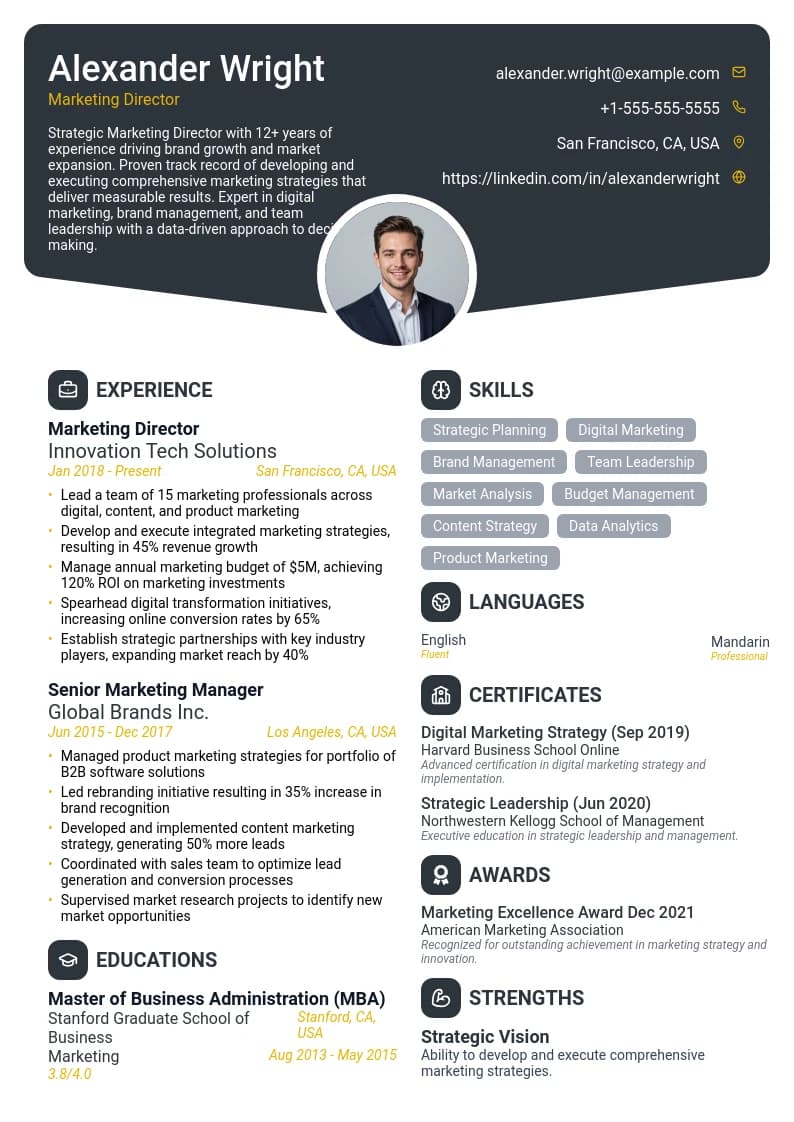
Wavelength - Contemporary layout with a distinctive header and clean sections.

Wavelength

  • Unique Design
  • Portfolio Section
  • Visual Elements
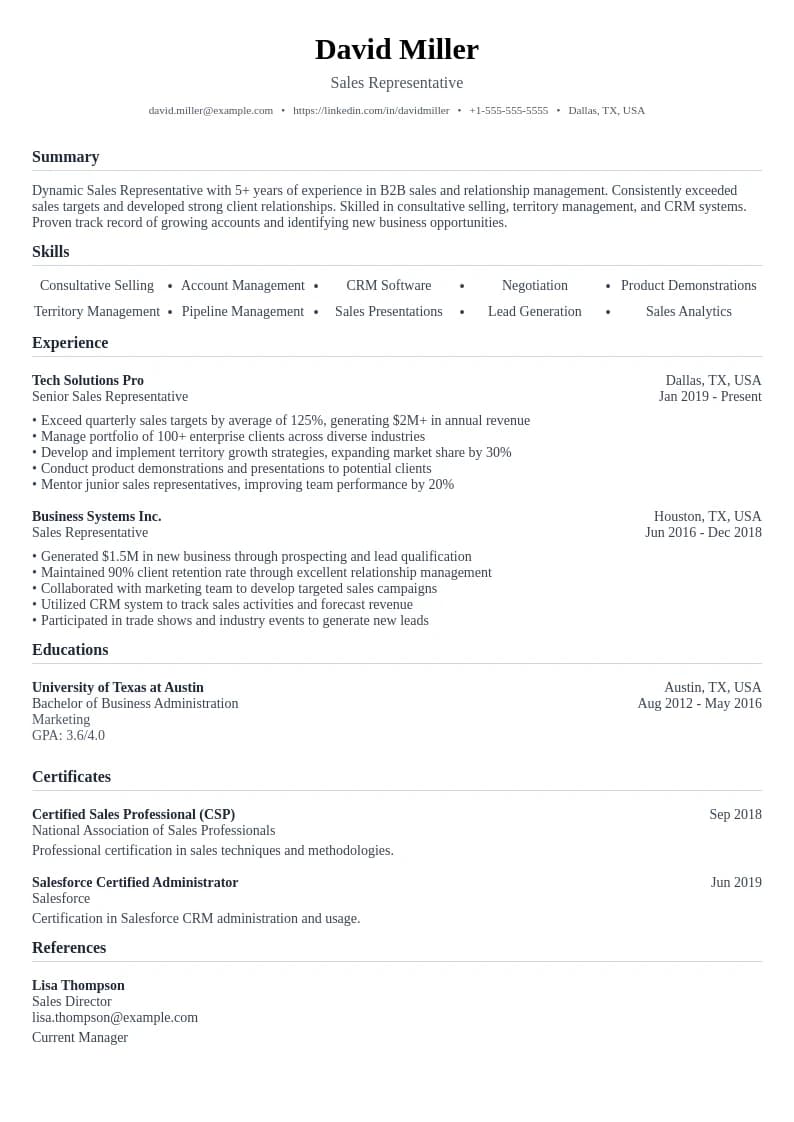
Social - Social media focused template with modern and dynamic layout.

Social

  • Minimalist Design
  • Easy to Read
  • Perfect Structure
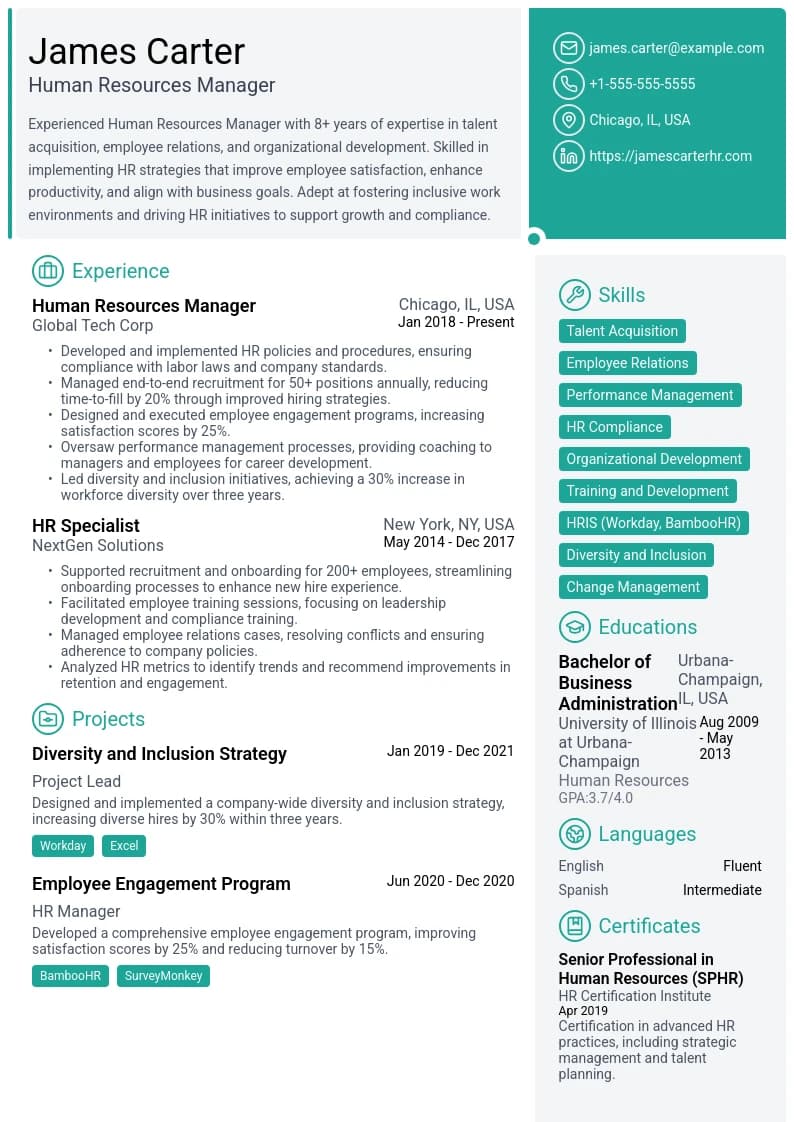
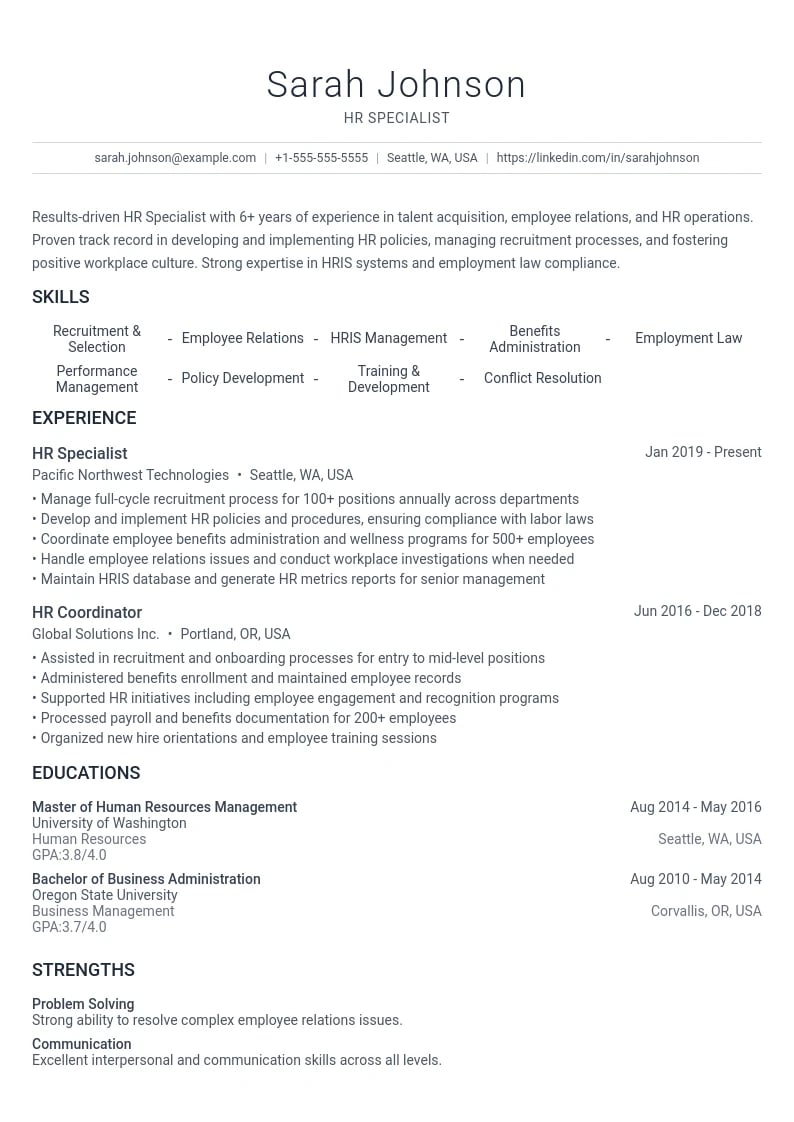
Resource - Human resources focused template with professional structure.

Resource

  • Creative Layout
  • Modern Design
  • Customizable
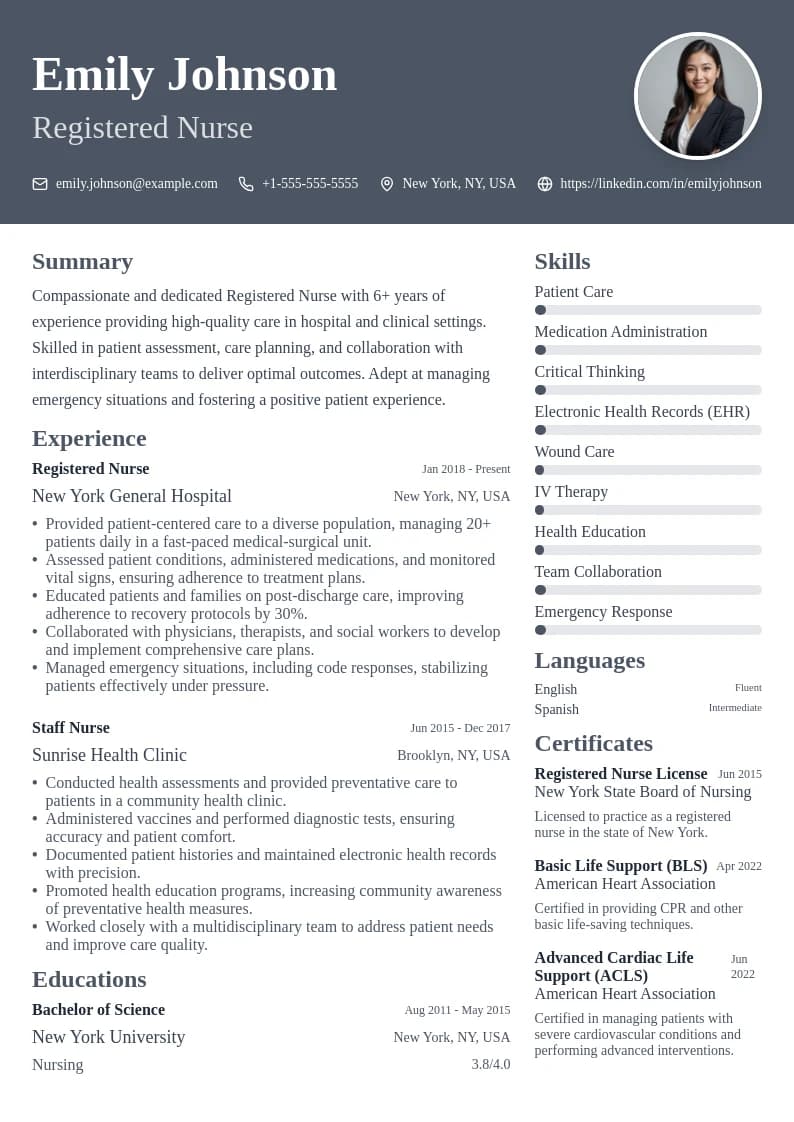
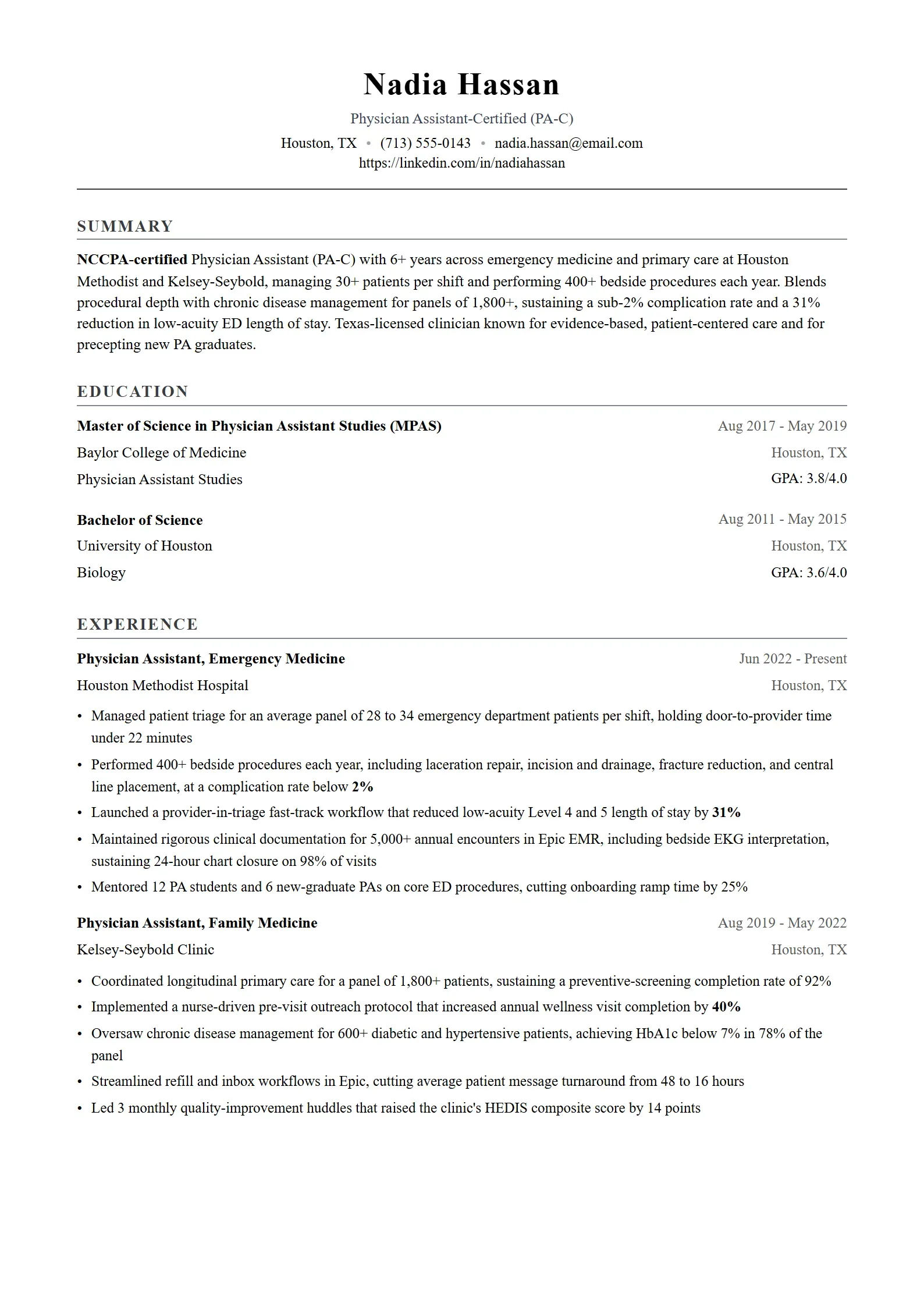
Care - Healthcare-focused template with clean and professional design.

Care

  • Professional Design
  • Clean Layout
  • ATS Friendly
📄All Resume Templates✨Simple🎯ATS Friendly🎨Modern🎭Creative💼Professional
  • Elevate Preview
    Use This Template

    Elevate

    Executive-style template with sophisticated design elements.

  • Quantum Preview
    Use This Template

    Quantum

    A content-focused layout with clean typography and balanced white space.

  • Resource Plus Preview
    Use This Template

    Resource Plus

    Advanced HR specialist template with professional layout.

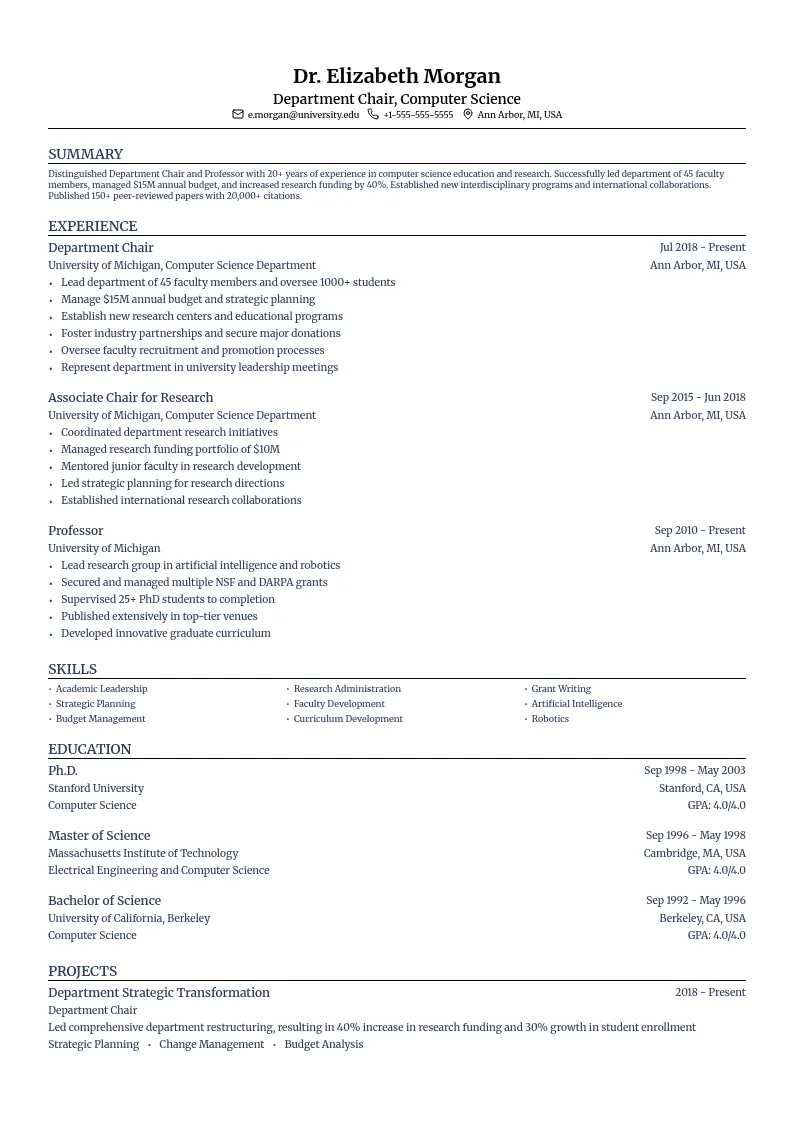
  • Academic Preview
    Use This Template

    Academic

    Academic CV template with a structured layout.

  • Analytics Preview
    Use This Template

    Analytics

    Data-driven design perfect for quantitative achievements.

  • Brand Preview
    Use This Template

    Brand

    Brand management focused template with creative elements.

  • Social Preview
    Use This Template

    Social

    Social media focused template with modern and dynamic layout.

  • Finance Preview
    Use This Template

    Finance

    Accounting focused template with professional structure.

  • ServicePro Preview
    Use This Template

    ServicePro

    Customer-focused template highlighting service skills and communication abilities.

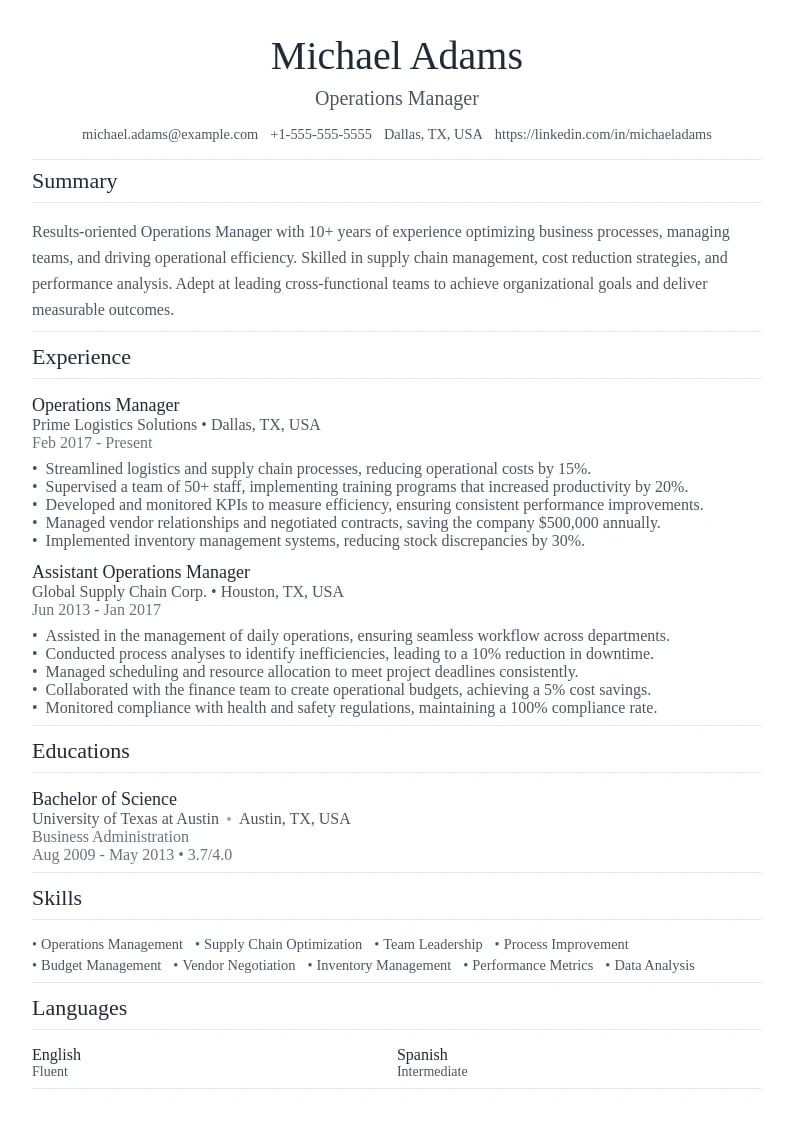
  • Operations Preview
    Use This Template

    Operations

    Operations management focused template with clear hierarchy.

  • Secure Preview
    Use This Template

    Secure

    Cybersecurity focused template with professional design.

  • DataViz Preview
    Use This Template

    DataViz

    Analytical template designed to showcase data skills and visualization expertise.

  • Horizon Preview
    Use This Template

    Horizon

    Modern and professional design with a unique header arrangement.

  • Design Preview
    Use This Template

    Design

    UI/UX design focused template with creative elements.

  • System Preview
    Use This Template

    System

    System administration focused template with technical layout.

  • Advisor Preview
    Use This Template

    Advisor

    Professional template with strategic layout for consulting expertise.

  • Project Preview
    Use This Template

    Project

    Project management focused template with organized sections.

  • Test Preview
    Use This Template

    Test

    Software testing focused template with technical precision.

  • Product Preview
    Use This Template

    Product

    Product management focused template with strategic layout.

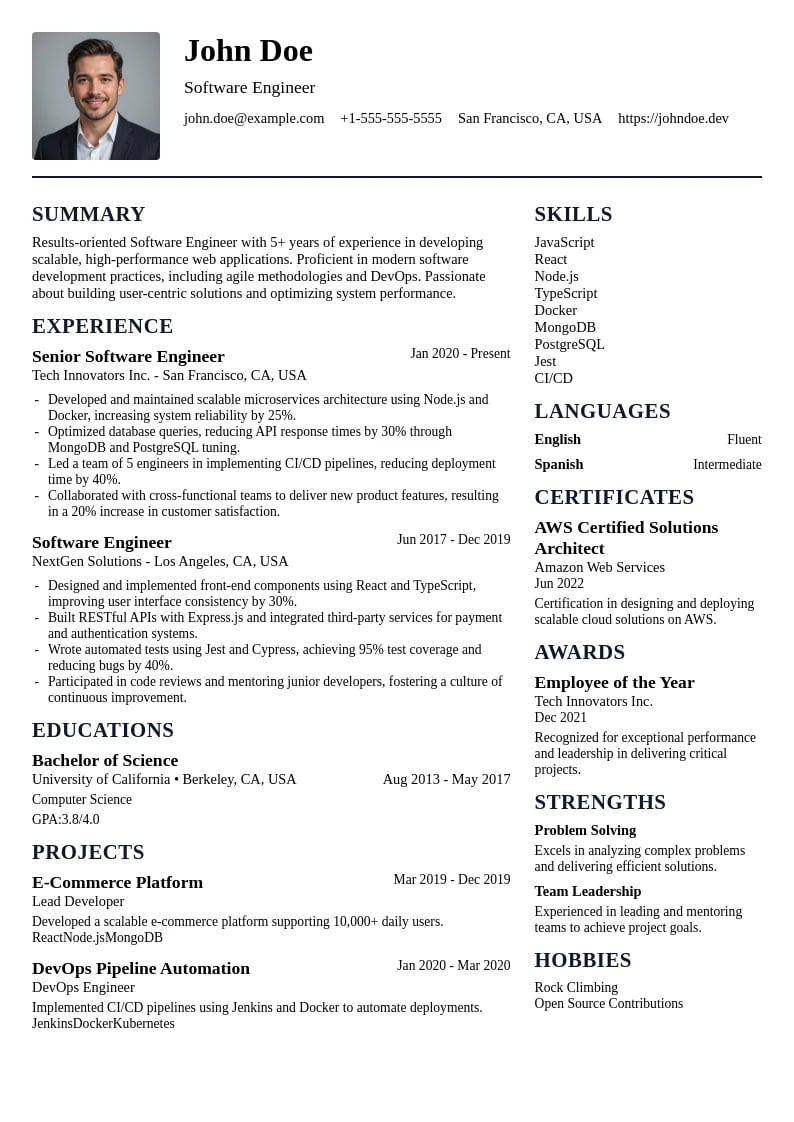
  • Developer Preview
    Use This Template

    Developer

    Web development focused template with modern aesthetics.

  • TechSupport Preview
    Use This Template

    TechSupport

    Structured template highlighting technical skills and support expertise.

  • Techscape Preview
    Use This Template

    Techscape

    Technical-focused layout with clear sections and modern typography.

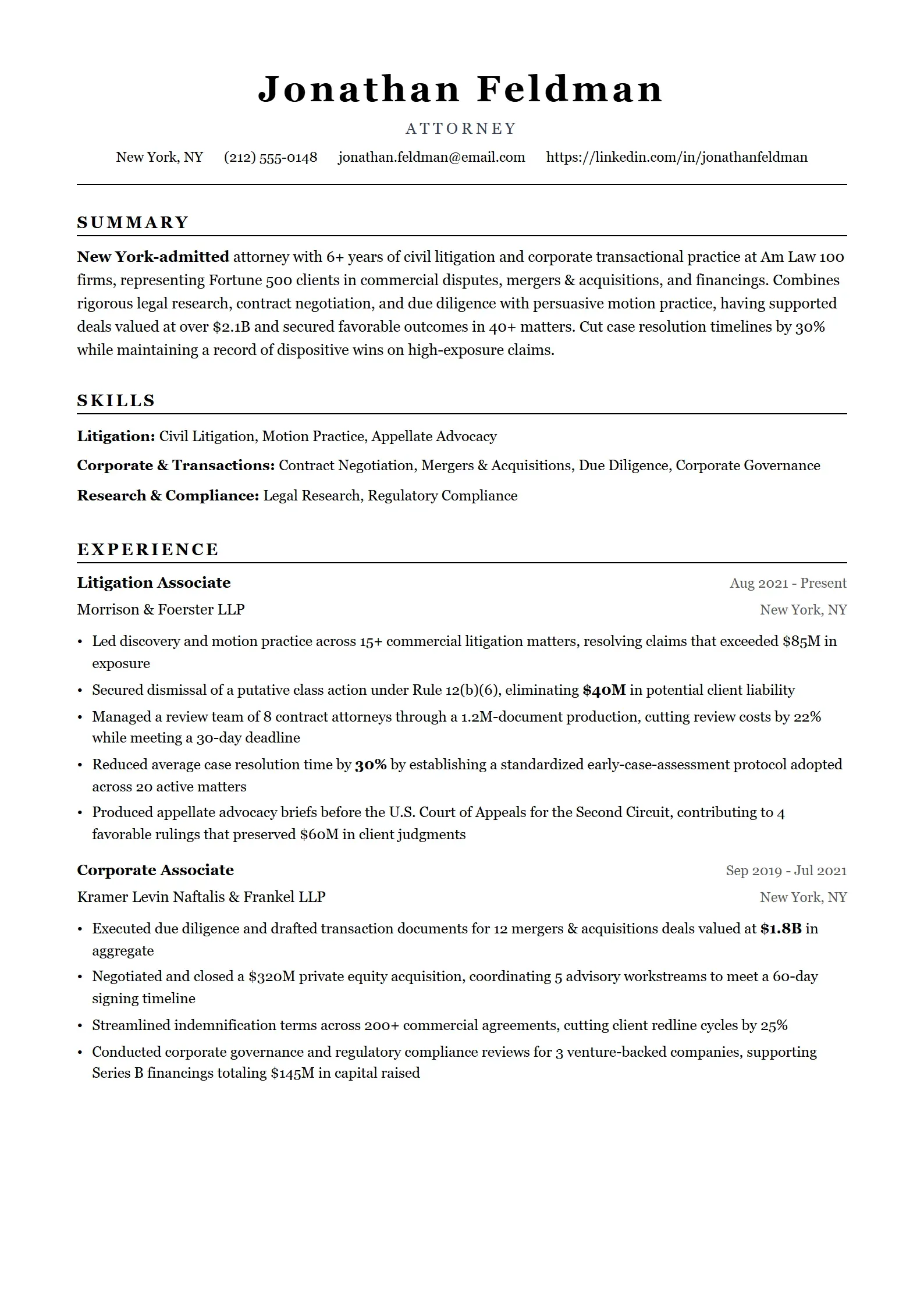
  • Legal Preview
    Use This Template

    Legal

    Legal focused template with professional structure and compliance emphasis.

  • Wavelength Preview
    Use This Template

    Wavelength

    Contemporary layout with a distinctive header and clean sections.

  • Codebase Preview
    Use This Template

    Codebase

    Clean and structured layout emphasizing technical expertise.

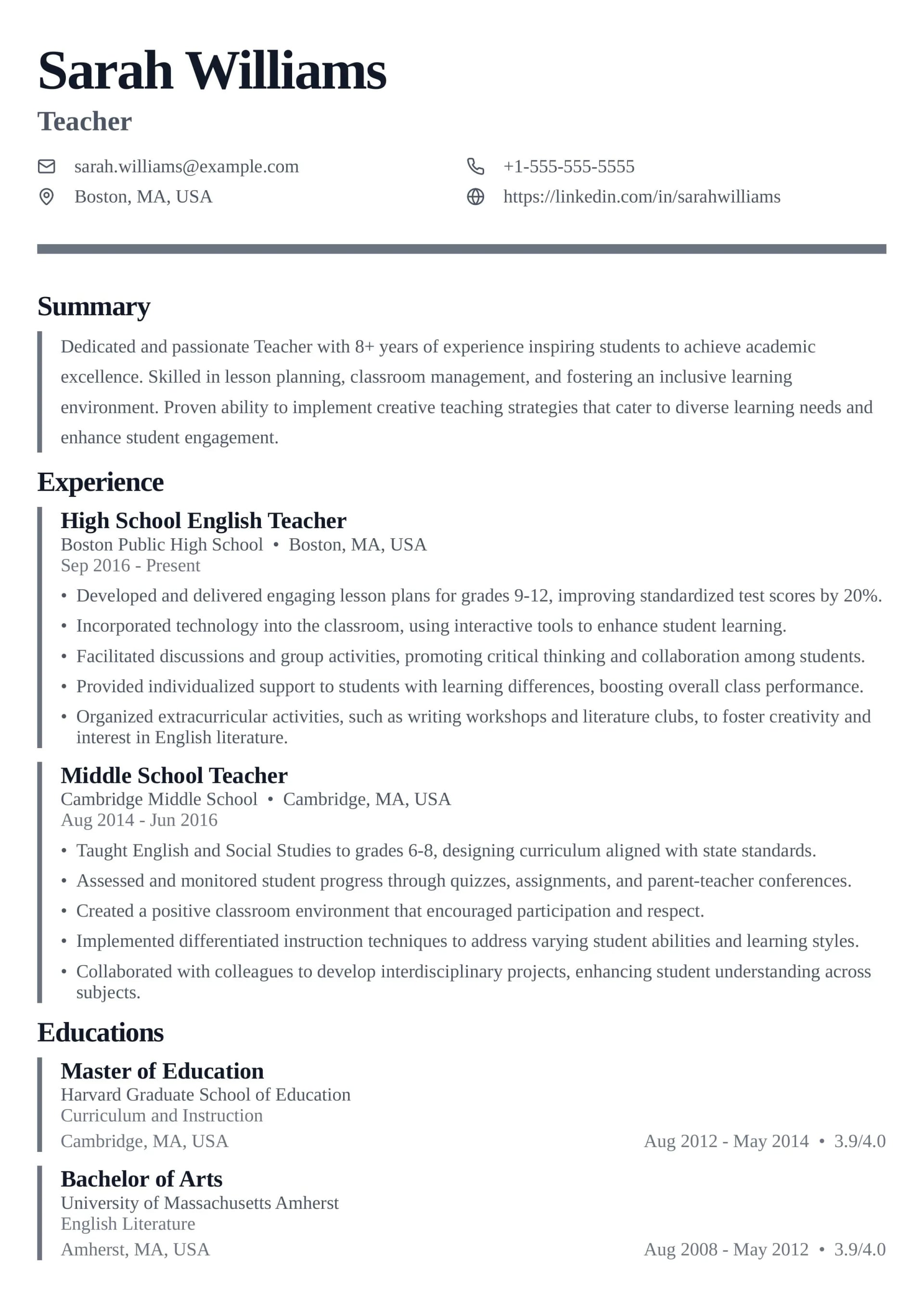
  • Teach Preview
    Use This Template

    Teach

    Education focused template with professional structure.

  • Resource Preview
    Use This Template

    Resource

    Human resources focused template with professional structure.

  • Artisan Preview
    Use This Template

    Artisan

    Creative yet professional design with unique visual elements.

  • Electric Preview
    Use This Template

    Electric

    Electrical engineering focused template with technical precision.

  • Mindscape Preview
    Use This Template

    Mindscape

    Psychology-focused design with a professional and approachable feel.

  • Data Preview
    Use This Template

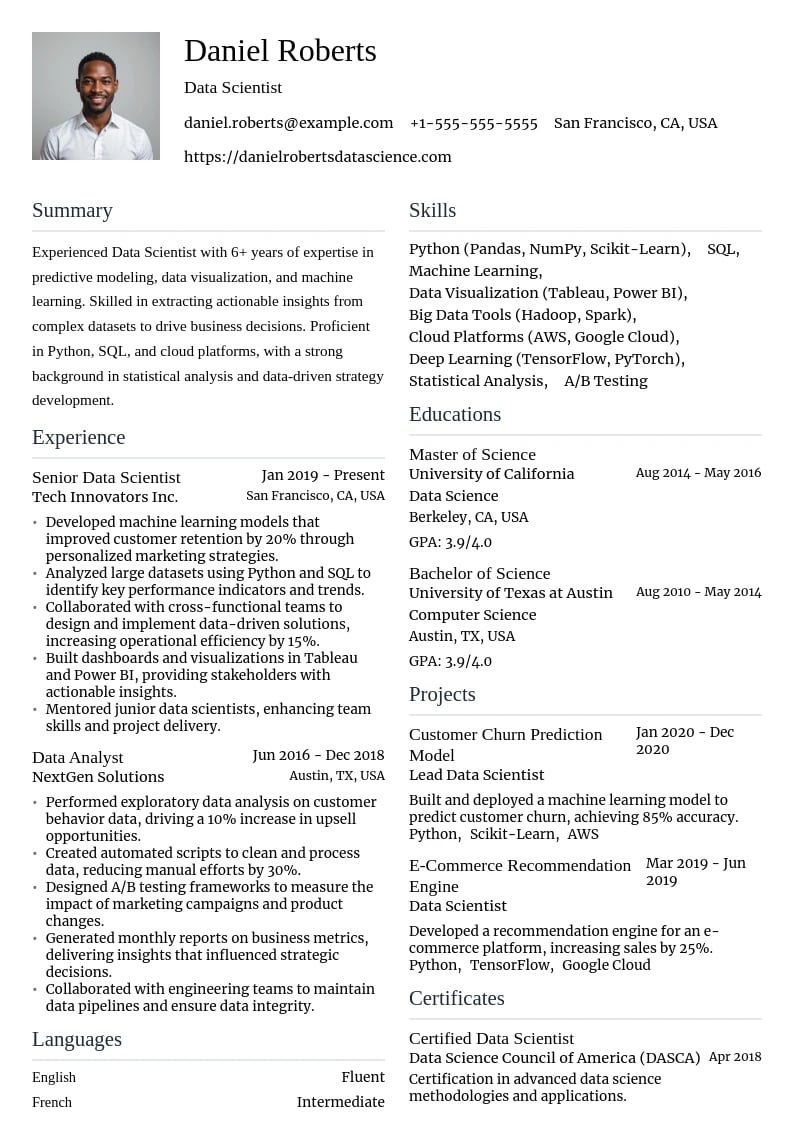
    Data

    Data science focused template with analytical structure.

  • Startup Preview
    Use This Template

    Startup

    Entrepreneur focused template with modern design.

  • Care Preview
    Use This Template

    Care

    Healthcare-focused template with clean and professional design.

  • Account Preview
    Use This Template

    Account

    Accounting management template with detailed sections.

  • Admin Preview
    Use This Template

    Admin

    Administrative professional template with clean organization.

  • Construct Preview
    Use This Template

    Construct

    Architectural template with professional structure.

  • Civil Preview
    Use This Template

    Civil

    Civil engineering focused template with technical layout.

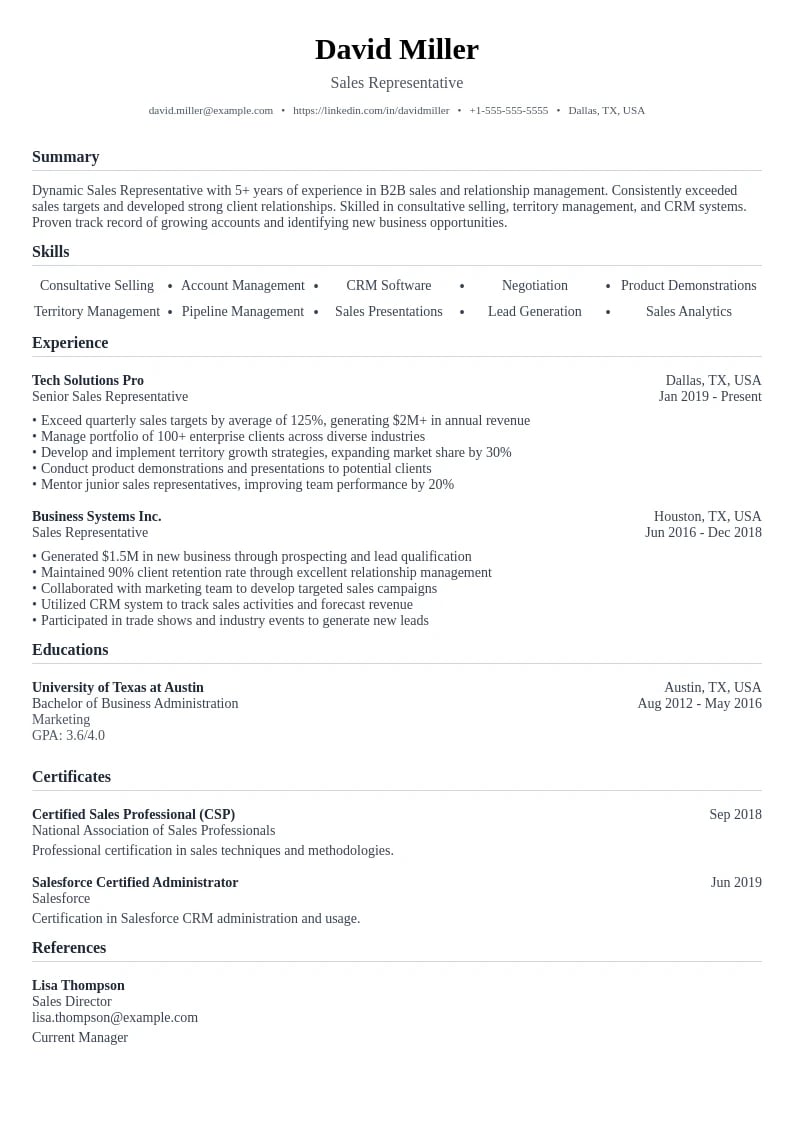
  • Persuader Preview
    Use This Template

    Persuader

    Results-oriented template highlighting sales achievements and negotiation skills.

  • Legal Preview
    Use This Template

    Legal

    Legal professional template with traditional elements.

  • What Are Simple Resume Templates?
  • 7 Key Benefits of Using Simple Resume Templates
  • •1. Superior ATS Compatibility
  • •2. Enhanced Readability for Human Recruiters
  • •3. Timeless Professional Appearance
  • •4. Versatility Across Industries
  • •5. Easy Customization and Updates
  • •6. Focus on Content Over Design
  • •7. Cost-Effective and Accessible
  • When to Use Simple Resume Templates
  • Essential Elements of an Effective Simple Resume Template
  • •Clean Header Design
  • •Strategic Use of White Space
  • •Consistent Typography Hierarchy
  • •Logical Section Organization
  • Simple Resume Templates vs. Other Design Styles
  • How to Choose the Right Simple Resume Template
  • •Assess Your Career Level
  • •Consider Industry Standards
  • •Evaluate Template Features
  • How to Customize Your Simple Resume Template
  • •Personalizing the Header Section
  • •Crafting a Compelling Professional Summary
  • •Optimizing Your Work Experience Section
  • Common Mistakes to Avoid with Simple Resume Templates
  • •Overcrowding Your Content
  • •Inconsistent Formatting
  • •Using Generic, One-Size-Fits-All Content
  • Top Simple Resume Template Examples and When to Use Them
  • •Administrative Assistant
  • •Customer Service Representative
  • •Sales Manager
  • •Data Analyst
  • •Marketing Specialist
  • Optimizing Simple Resume Templates for ATS Success
  • •Understanding How ATS Systems Work
  • •ATS Optimization Checklist for Simple Templates
  • •Strategic Keyword Integration
  • How to Measure Your Simple Resume Template's Success
  • •Key Performance Metrics to Track
  • •Creating a System to Track Application Outcomes
  • •Continuous Improvement Strategy
  • The Future of Simple Resume Design
  • •AI Integration and Smart Templates
  • •Mobile-First Design Considerations
  • Transform Your Career with the Right Simple Resume Template
  • Frequently Asked Questions About Simple Resume Templates
  • Simple Resume Template FAQs
  • •Are simple resume templates suitable for all industries?
  • •How do I make my simple resume stand out from other candidates?
  • •What's the ideal length for a resume using a simple template?
  • •Should I include a photo on my simple resume template?
  • •How often should I update my simple resume template?
  • •Can I use the same simple resume template for different types of jobs?
  • •What file format should I use when submitting my simple resume?
  • •How do I know if my simple resume template is ATS-friendly?
  • What Are Simple Resume Templates?
  • 7 Key Benefits of Using Simple Resume Templates
  • •1. Superior ATS Compatibility
  • •2. Enhanced Readability for Human Recruiters
  • •3. Timeless Professional Appearance
  • •4. Versatility Across Industries
  • •5. Easy Customization and Updates
  • •6. Focus on Content Over Design
  • •7. Cost-Effective and Accessible
  • When to Use Simple Resume Templates
  • Essential Elements of an Effective Simple Resume Template
  • •Clean Header Design
  • •Strategic Use of White Space
  • •Consistent Typography Hierarchy
  • •Logical Section Organization
  • Simple Resume Templates vs. Other Design Styles
  • How to Choose the Right Simple Resume Template
  • •Assess Your Career Level
  • •Consider Industry Standards
  • •Evaluate Template Features
  • How to Customize Your Simple Resume Template
  • •Personalizing the Header Section
  • •Crafting a Compelling Professional Summary
  • •Optimizing Your Work Experience Section
  • Common Mistakes to Avoid with Simple Resume Templates
  • •Overcrowding Your Content
  • •Inconsistent Formatting
  • •Using Generic, One-Size-Fits-All Content
  • Top Simple Resume Template Examples and When to Use Them
  • •Administrative Assistant
  • •Customer Service Representative
  • •Sales Manager
  • •Data Analyst
  • •Marketing Specialist
  • Optimizing Simple Resume Templates for ATS Success
  • •Understanding How ATS Systems Work
  • •ATS Optimization Checklist for Simple Templates
  • •Strategic Keyword Integration
  • How to Measure Your Simple Resume Template's Success
  • •Key Performance Metrics to Track
  • •Creating a System to Track Application Outcomes
  • •Continuous Improvement Strategy
  • The Future of Simple Resume Design
  • •AI Integration and Smart Templates
  • •Mobile-First Design Considerations
  • Transform Your Career with the Right Simple Resume Template
  • Frequently Asked Questions About Simple Resume Templates
  • Simple Resume Template FAQs
  • •Are simple resume templates suitable for all industries?
  • •How do I make my simple resume stand out from other candidates?
  • •What's the ideal length for a resume using a simple template?
  • •Should I include a photo on my simple resume template?
  • •How often should I update my simple resume template?
  • •Can I use the same simple resume template for different types of jobs?
  • •What file format should I use when submitting my simple resume?
  • •How do I know if my simple resume template is ATS-friendly?

Discover why simple resume templates are the secret weapon for job seekers in 2025. Learn how clean, minimalist designs can help your qualifications shine and pass ATS systems.

21 minute read
•September 16, 2025

In today's competitive job market, simplicity often wins over complexity. Simple resume templates have become the go-to choice for professionals who understand that clean, well-organized designs allow their qualifications to take center stage. Whether you're a recent graduate or an experienced professional, a simple resume template can be your secret weapon for landing interviews and advancing your career.

Why Simple Resume Templates Work

76%
of hiring managers prefer clean, simple resume designs over complex layouts
92%
of simple resume templates pass ATS systems successfully
3x
higher callback rates for resumes with clean, professional formatting
15 sec
average time recruiters spend scanning a resume - simplicity helps

What Are Simple Resume Templates?

Simple resume templates are professionally designed layouts that prioritize clarity, readability, and clean aesthetics over decorative elements. These templates feature straightforward formatting, consistent typography, and strategic use of white space to create documents that are both visually appealing and highly functional.

Unlike complex or creative resume designs, simple templates focus on presenting your professional information in the most accessible way possible. They typically use standard fonts, minimal color schemes, and logical section organization that makes it easy for both human recruiters and Applicant Tracking Systems (ATS) to process your information quickly and accurately.

7 Key Benefits of Using Simple Resume Templates

1. Superior ATS Compatibility

One of the most significant advantages of simple resume templates is their compatibility with Applicant Tracking Systems. These automated systems are used by over 98% of Fortune 500 companies to screen resumes before they reach human recruiters. Simple templates use standard formatting that ATS systems can easily parse, ensuring your resume gets through the initial screening process.

ATS-Friendly Features of Simple Templates

  • •Standard fonts like Arial, Calibri, or Times New Roman
  • •Clear section headers that ATS systems recognize
  • •No complex graphics, tables, or text boxes that confuse scanners
  • •Consistent formatting throughout the document
  • •Proper use of bullet points and white space

2. Enhanced Readability for Human Recruiters

Recruiters spend an average of 6-15 seconds on an initial resume scan. Simple resume templates make this process efficient by presenting information in a logical, easy-to-scan format. Clean layouts with appropriate white space guide the reader's eye naturally from one section to the next, ensuring that your most important qualifications are noticed quickly.

3. Timeless Professional Appearance

Simple resume templates never go out of style. While trendy designs may look dated in a few years, clean and professional layouts remain relevant across industries and time periods. This timeless quality makes simple templates a smart investment for long-term career success.

4. Versatility Across Industries

Simple resume templates work well for virtually every industry and career level. Whether you're applying for positions in finance, healthcare, education, technology, or any other field, a clean, professional layout conveys competence and attention to detail that employers value.

  • Corporate roles: Finance, consulting, banking, insurance
  • Healthcare positions: Nursing, medical administration, pharmaceutical
  • Education careers: Teaching, administration, academic research
  • Government jobs: Civil service, public administration, policy
  • Entry-level positions: Any industry for new graduates or career changers

5. Easy Customization and Updates

Simple templates are incredibly user-friendly when it comes to customization. Their straightforward structure makes it easy to add new experiences, update contact information, or tailor content for specific job applications. This flexibility is crucial in today's job market, where customizing your resume for each application significantly increases your chances of success.

6. Focus on Content Over Design

By removing visual distractions, simple resume templates ensure that your qualifications, achievements, and skills take center stage. This content-first approach is particularly effective for professionals with strong work histories who want their experience to speak for itself.

7. Cost-Effective and Accessible

Many high-quality simple resume templates are available for free or at low cost, making professional resume design accessible to job seekers at any budget level. This democratization of professional design tools helps level the playing field in competitive job markets.

Expert tip
The best simple resume template is one that makes your content shine without drawing attention to itself. Think of it as a well-tailored suit – it should fit perfectly and look professional, but the focus should be on the person wearing it.
Michael Chen
Senior Talent Acquisition Manager•Tech Innovations Corp•8+ years in Fortune 500 recruiting

When to Use Simple Resume Templates

While simple resume templates are versatile, certain situations particularly benefit from their clean, professional approach:

Perfect Scenarios for Simple Resume Templates

  • Applying to traditional or conservative industries (finance, law, healthcare)
  • Targeting large corporations that use ATS systems for initial screening
  • You have strong qualifications and want content to be the focus
  • Applying for senior-level or executive positions where professionalism is paramount
  • You're changing careers and want to present a clean, organized narrative
  • Your industry values substance over style (academia, research, government)
  • You're unsure about company culture and want to play it safe
  • You have limited design skills but want a professional appearance

Essential Elements of an Effective Simple Resume Template

Not all simple resume templates are created equal. The most effective ones incorporate specific design principles and structural elements that maximize both visual appeal and functionality.

Clean Header Design

Your header is the first thing recruiters see, so it needs to make a strong impression while remaining professional. An effective simple resume header includes your full name prominently displayed, followed by essential contact information arranged in a clean, easy-to-read format.

  • Full name in a larger, bold font (16-20pt)
  • Professional email address
  • Phone number with proper formatting
  • LinkedIn profile URL (customized if possible)
  • City, State (full address not necessary)
  • Professional website or portfolio link (if relevant)

Strategic Use of White Space

White space, or negative space, is one of the most powerful tools in simple resume design. It creates visual breathing room, improves readability, and gives your resume a professional, uncluttered appearance. Effective simple templates use white space strategically around margins, between sections, and within content blocks.

Consistent Typography Hierarchy

Typography hierarchy guides the reader's eye through your resume in a logical order. Simple templates establish clear distinctions between different types of content through consistent font sizes, weights, and styles.

ElementFont SizeFont WeightPurpose
Your Name18-22ptBoldPrimary identification
Section Headers14-16ptBoldMajor content divisions
Job Titles12-14ptBoldPosition identification
Company Names11-12ptRegular/ItalicEmployer identification
Body Text10-12ptRegularDetailed content
Dates10-11ptRegularTimeline information

Logical Section Organization

The best simple resume templates organize information in a logical flow that matches how recruiters typically scan resumes. This standard organization helps ensure that important information is found quickly and easily.

  1. Header: Name and contact information
  2. Professional Summary: 2-3 sentence overview of qualifications
  3. Work Experience: Reverse chronological order with achievements
  4. Education: Degrees, certifications, and relevant training
  5. Skills: Technical and soft skills relevant to target role
  6. Additional Sections: Certifications, languages, volunteer work (as relevant)

Simple Resume Templates vs. Other Design Styles

Understanding how simple resume templates compare to other design styles can help you make the best choice for your career goals and target industry.

Do this

  • Choose simple templates for traditional industries and large corporations
  • Use simple designs when ATS compatibility is crucial
  • Opt for simplicity when you have strong qualifications to highlight
  • Select simple templates for senior-level positions
  • Use clean designs when unsure about company culture preferences

Avoid this

  • Don't use overly creative templates for conservative industries
  • Avoid complex designs that might confuse ATS systems
  • Don't let flashy design overshadow weak content
  • Avoid trendy templates that may look dated quickly
  • Don't use inappropriate design styles for your target role level
Comparison of resume template styles by use case
Template StyleBest ForATS CompatibilityIndustry Fit
SimpleAll levels, traditional industriesExcellentUniversal
ModernTech, startups, creative rolesGoodContemporary industries
CreativeDesign, marketing, artsPoorCreative fields only
ProfessionalExecutive, consulting, financeExcellentCorporate environments
AcademicResearch, education, healthcareGoodAcademic institutions

How to Choose the Right Simple Resume Template

Selecting the perfect simple resume template involves considering several factors related to your career level, industry, and personal preferences. Here's a systematic approach to making the right choice.

Assess Your Career Level

Your career stage significantly influences which simple template will work best for your needs:

  • Entry-level professionals: Choose templates with education sections prominently placed and space for internships, projects, and relevant coursework
  • Mid-career professionals: Select templates that emphasize work experience with room for 3-5 previous positions and key achievements
  • Senior-level executives: Opt for templates with executive summary sections and space to highlight leadership accomplishments and strategic impact
  • Career changers: Look for templates that allow you to emphasize transferable skills and relevant experiences from different industries

Consider Industry Standards

Different industries have varying expectations for resume presentation. Research common practices in your target field to ensure your chosen template aligns with industry norms.

Expert tip
When in doubt, err on the side of simplicity. I've never seen a qualified candidate rejected for having a resume that was too clean or professional, but I've seen many excellent candidates overlooked because their resume was too busy or hard to read.
Jennifer Rodriguez
Executive Recruiter & Career Coach•Elite Career Partners•15+ years placing C-suite executives

Evaluate Template Features

Look for specific features that will enhance your resume's effectiveness:

Must-Have Template Features

  • ATS-friendly formatting with standard fonts and simple layouts
  • Adequate white space for easy reading and professional appearance
  • Clear section divisions that organize information logically
  • Consistent formatting throughout the document
  • Appropriate space allocation for your content needs
  • Professional color scheme (if any color is used)
  • Easy customization options for personalizing content
  • Multiple format options (Word, PDF, Google Docs compatible)

How to Customize Your Simple Resume Template

Even the best simple resume template needs customization to reflect your unique professional brand and target specific job opportunities. Here's how to personalize your template effectively while maintaining its clean, professional appearance.

Personalizing the Header Section

Your header is your professional brand statement. Customize it to create a strong first impression while maintaining the template's clean aesthetic:

  • Use your full professional name as it appears on LinkedIn and other professional platforms
  • Include only essential contact information – avoid cluttering with unnecessary details
  • Ensure your email address is professional (preferably [email protected])
  • Add your LinkedIn profile URL, customized if possible
  • Include your city and state, but full address is unnecessary for privacy
  • Add a professional website or portfolio link only if it's relevant to your field

Crafting a Compelling Professional Summary

Your professional summary is your elevator pitch in written form. In 2-3 sentences, it should capture your most relevant qualifications and value proposition for the target role.

Professional Summary Template
[Job Title] with [X years] of experience in [Industry/Field]. Proven track record of [Key Achievement/Skill] and expertise in [Relevant Skills/Technologies]. Seeking to leverage [Specific Strengths] to drive [Desired Outcome] at [Target Company Type].

Example: "Marketing Manager with 7 years of experience in digital marketing and brand strategy. Proven track record of increasing online engagement by 40% and expertise in SEO, content marketing, and data analytics. Seeking to leverage strategic thinking and creative problem-solving to drive revenue growth at a fast-growing technology company."

Optimizing Your Work Experience Section

The work experience section is often the most important part of your resume. Structure it to highlight achievements rather than just listing job duties:

  1. Use the STAR method: Situation, Task, Action, Result to describe achievements
  2. Start with action verbs: "Led," "Implemented," "Increased," "Developed"
  3. Quantify results: Include numbers, percentages, and dollar amounts when possible
  4. Tailor content: Emphasize experiences most relevant to your target role
  5. Show progression: Demonstrate career growth and increasing responsibilities

Do this

  • "Increased sales revenue by 25% through strategic client relationship management"
  • "Led cross-functional team of 12 to deliver project 2 weeks ahead of schedule"
  • "Implemented new inventory system, reducing costs by $50,000 annually"
  • "Managed budget of $2M while maintaining 98% client satisfaction rate"
  • "Developed training program that improved team productivity by 30%"

Avoid this

  • "Responsible for sales activities and client management"
  • "Worked with team members on various projects"
  • "Helped implement new systems and processes"
  • "Managed budget and client relationships"
  • "Participated in training and development initiatives"

Common Mistakes to Avoid with Simple Resume Templates

Even with the best intentions, job seekers often make mistakes that diminish the effectiveness of their simple resume templates. Avoiding these common pitfalls can significantly improve your resume's impact.

Overcrowding Your Content

One of the biggest advantages of simple templates is their clean, uncluttered appearance. Don't defeat this purpose by cramming too much information into your resume. Remember, white space is your friend – it makes your content more readable and gives your resume a professional appearance.

Warning: Content Overcrowding

If you find yourself reducing font size below 10pt or eliminating margins to fit more content, you're overcrowding your resume. Instead, be more selective about what you include and focus on your most relevant and impressive qualifications.

Inconsistent Formatting

Consistency is crucial in simple resume design. Inconsistent formatting creates a sloppy appearance that can undermine your professional image. Pay attention to details like bullet point styles, date formats, and spacing between sections.

Formatting Consistency Checklist

  • All bullet points use the same style throughout the document
  • Dates are formatted consistently (e.g., "Jan 2020 - Present" not "January 2020 - Present")
  • Job titles, company names, and locations follow the same format pattern
  • Section headers use consistent font size and weight
  • Spacing between sections is uniform throughout the document
  • Font sizes remain consistent for similar types of content

Using Generic, One-Size-Fits-All Content

A simple template doesn't mean simple content. Each resume should be customized for the specific role and company you're targeting. Generic resumes that aren't tailored to the job description are easily spotted by recruiters and often filtered out by ATS systems.

Expert tip
I recommend creating a master resume with all your experiences and achievements, then customizing 70-80% of the content for each application. This ensures you're presenting the most relevant qualifications while maintaining efficiency in your job search process.
David Park
Career Transition Specialist•NextStep Career Coaching•10+ years helping professionals change careers

Top Simple Resume Template Examples and When to Use Them

To help you visualize what makes an effective simple resume template, here are some proven examples that work well across different industries and career levels. Each template style offers unique advantages for specific situations.

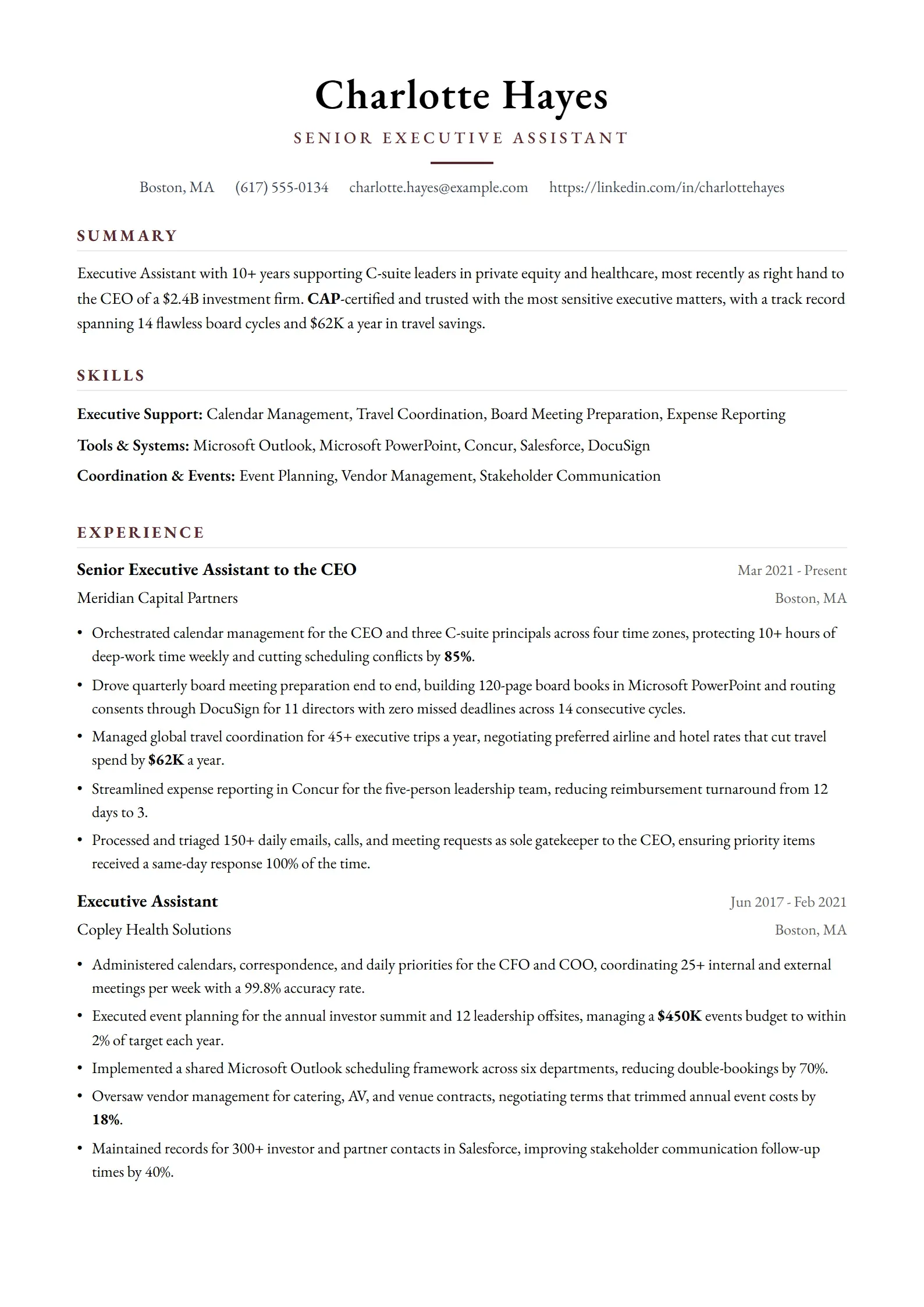
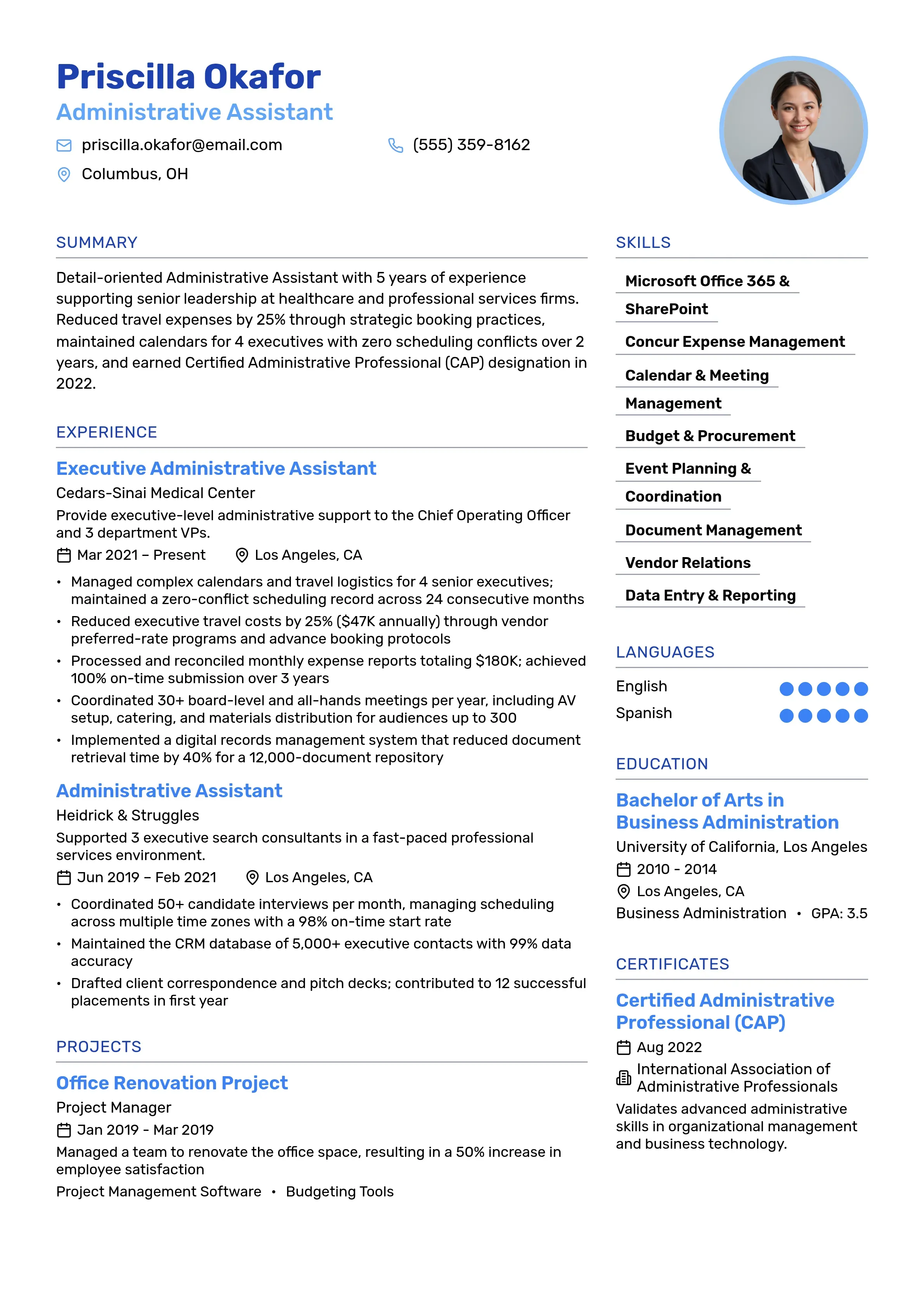
Administrative Assistant resume example
Use this templateDownload PDF

Administrative Assistant

This administrative assistant template showcases the organizational skills and attention to detail that employers value in administrative roles. The clean, professional layout demonstrates your ability to maintain order and present information clearly - essential qualities for administrative positions across various industries.

Why this resume works:

  • •Clean, organized layout perfect for administrative roles
  • •Professional formatting that emphasizes attention to detail
  • •Clear sections for office skills and administrative experience
  • •Simple design that highlights organizational abilities
  • •Perfect for traditional office environments and corporate settings
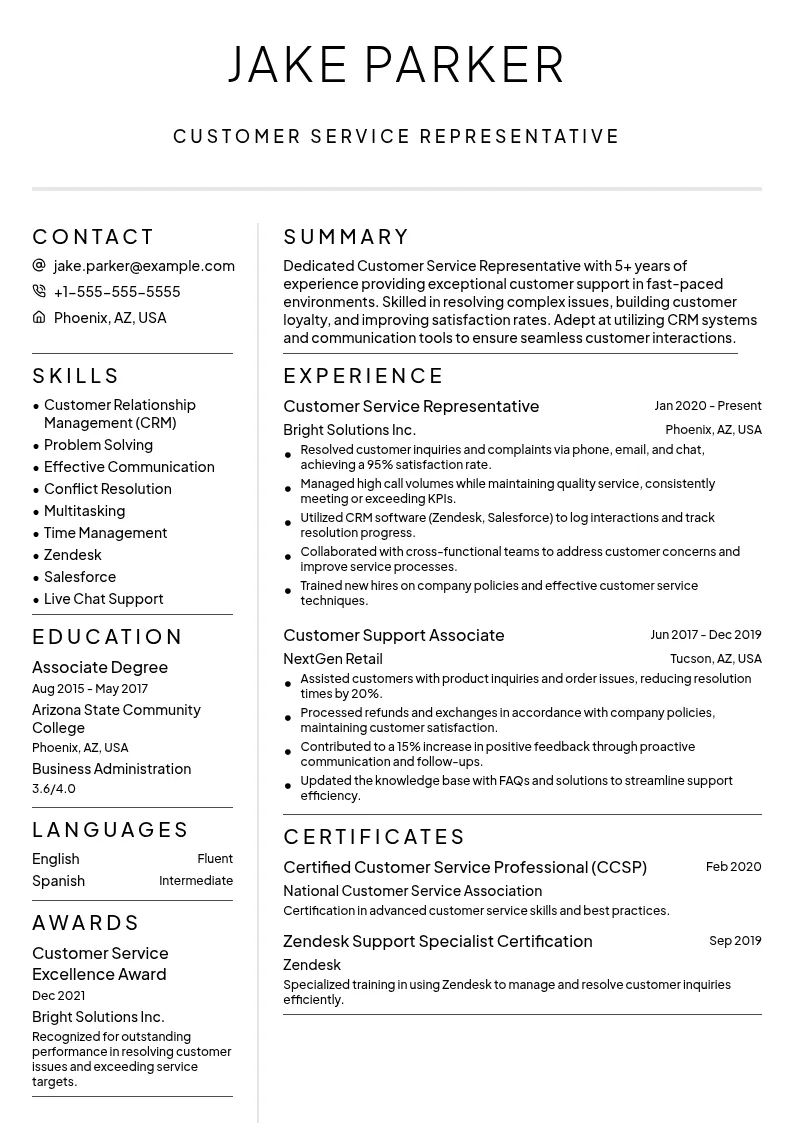
Customer Service Representative resume example
Use this templateDownload PDF

Customer Service Representative

Designed specifically for customer service professionals, this template emphasizes communication skills, problem-solving abilities, and customer satisfaction achievements. The approachable yet professional design reflects the interpersonal skills essential for customer-facing roles while maintaining the clarity needed for ATS compatibility.

Why this resume works:

  • •Friendly, approachable design that reflects customer service values
  • •Prominent skills section highlighting communication abilities
  • •Space for customer satisfaction metrics and achievements
  • •Clean formatting that emphasizes problem-solving experience
  • •Ideal for retail, hospitality, and service industry positions
Sales Manager resume example
Use this templateDownload PDF

Sales Manager

This sales manager template is specifically designed to showcase revenue generation, team leadership, and client relationship management skills. The professional layout emphasizes quantifiable achievements and business impact, making it ideal for sales professionals seeking management positions or senior sales roles.

Why this resume works:

  • •Results-focused layout emphasizing sales achievements and revenue growth
  • •Prominent space for quantifiable sales metrics and targets exceeded
  • •Professional design that conveys leadership and business acumen
  • •Clear sections for team management and client relationship experience
  • •Perfect for sales leadership and business development roles
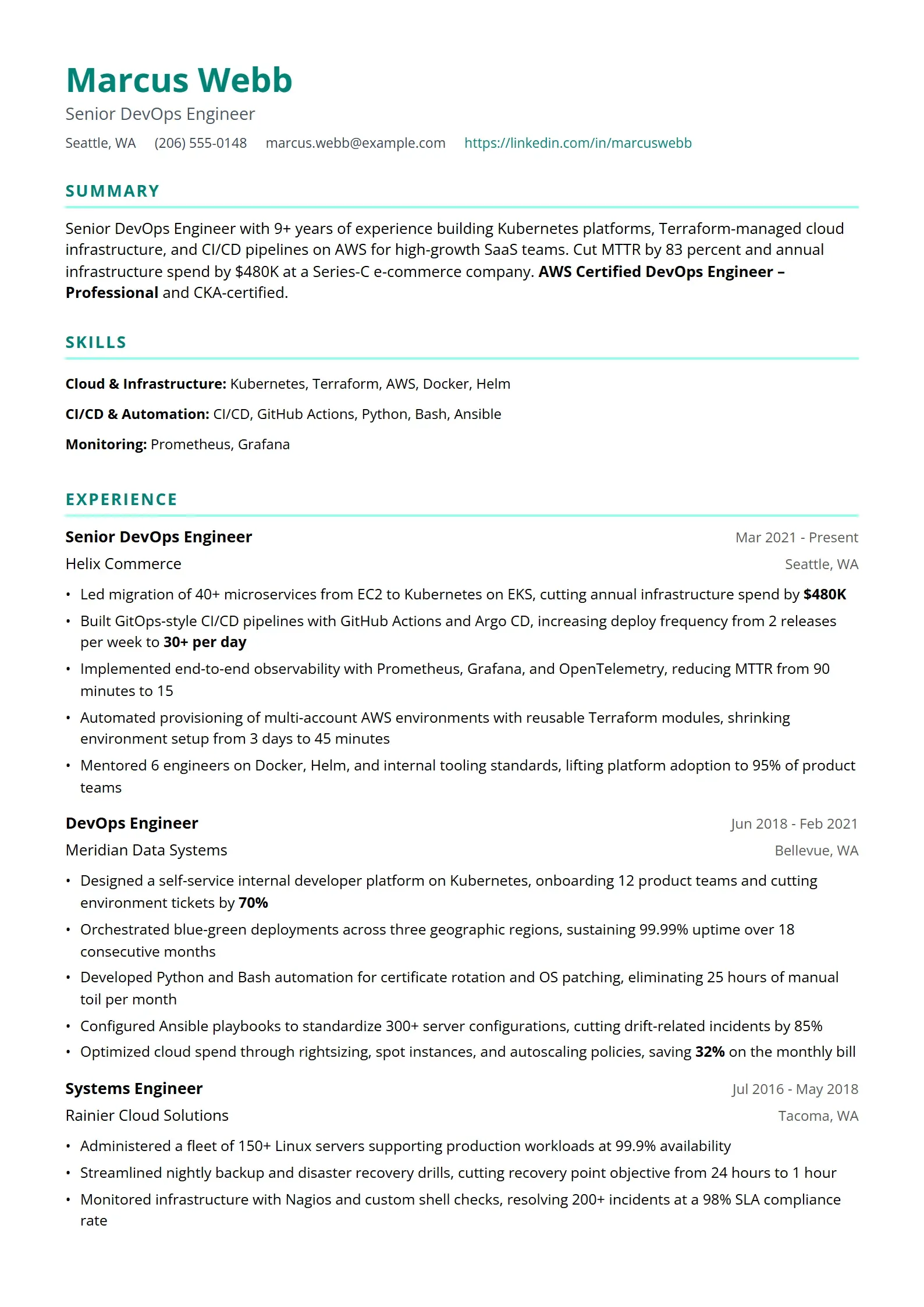
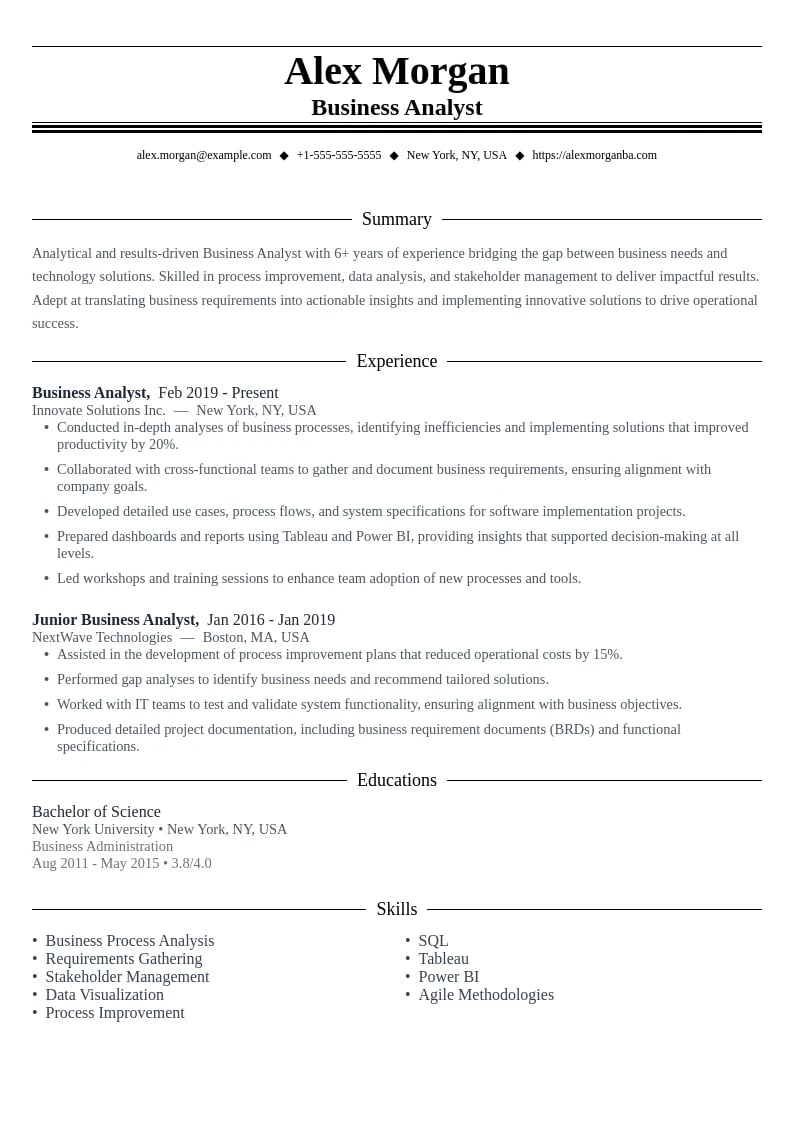
Data Analyst resume example
Use this templateDownload PDF

Data Analyst

Tailored for data professionals, this template effectively presents technical skills, analytical projects, and quantitative achievements. The clean, structured design mirrors the precision and attention to detail expected in data analysis roles while ensuring compatibility with ATS systems used by tech companies and data-driven organizations.

Why this resume works:

  • •Technical skills section prominently featuring data analysis tools and programming languages
  • •Clean, analytical layout that reflects attention to detail and precision
  • •Space for data visualization projects and statistical analysis experience
  • •Professional formatting optimized for technical keyword matching
  • •Perfect for analytics, research, and data science positions
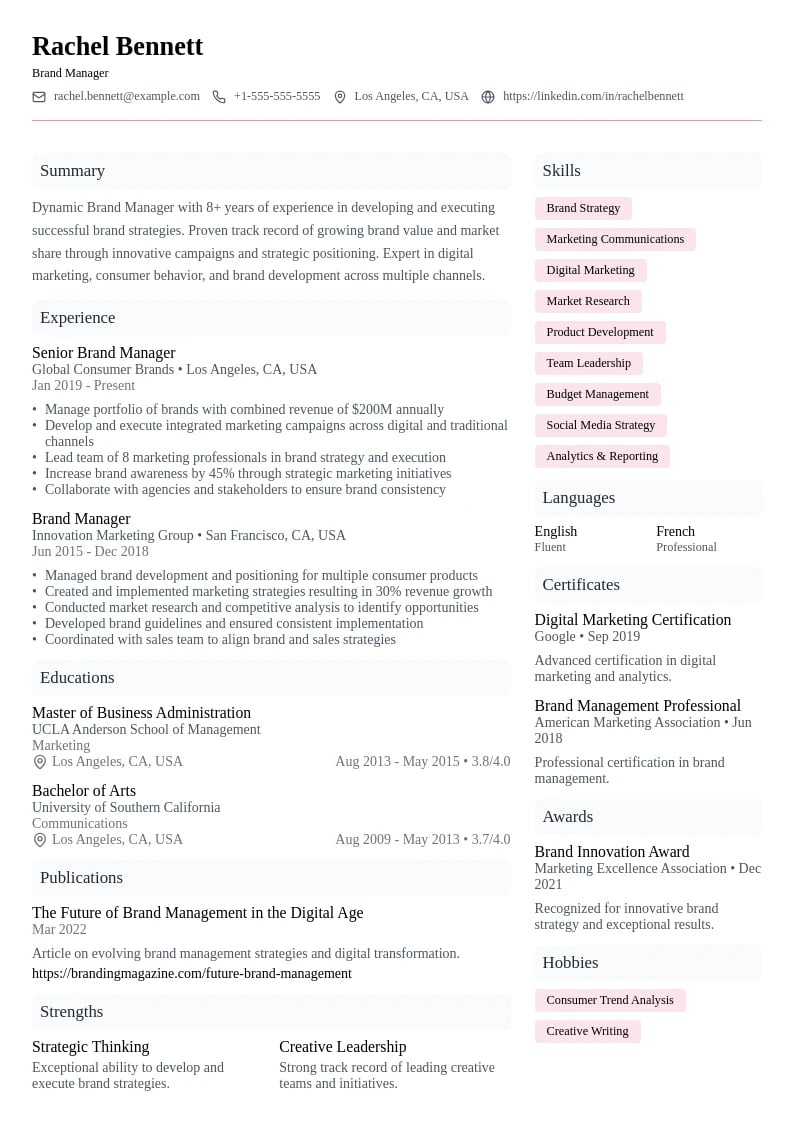
Marketing Specialist resume example
Use this templateDownload PDF

Marketing Specialist

This marketing specialist template balances creativity with professionalism, allowing marketing professionals to showcase their campaign successes, digital marketing expertise, and brand management skills. The design demonstrates marketing sensibility while maintaining the clean structure needed for effective resume parsing and professional presentation.

Why this resume works:

  • •Creative yet professional design suitable for marketing roles
  • •Prominent sections for campaign results and marketing metrics
  • •Space for digital marketing skills and social media experience
  • •Clean layout that showcases brand awareness and promotional achievements
  • •Perfect for marketing, advertising, and brand management positions

Optimizing Simple Resume Templates for ATS Success

Applicant Tracking Systems have become gatekeepers in the modern hiring process. Understanding how to optimize your simple resume template for ATS compatibility can mean the difference between getting an interview and having your resume lost in a digital black hole.

Understanding How ATS Systems Work

ATS systems scan resumes for specific keywords, phrases, and formatting patterns that match job requirements. They parse your resume content into a database format that recruiters can search and filter. Simple resume templates are naturally more ATS-friendly because they use standard formatting that these systems can easily interpret.

ATS System Statistics

98%
of Fortune 500 companies use ATS systems for initial resume screening
75%
of resumes are rejected by ATS before reaching human reviewers
6 seconds
average time ATS systems spend parsing a resume
40%
of qualified candidates are filtered out due to ATS incompatibility

ATS Optimization Checklist for Simple Templates

Essential ATS Compatibility Features

  • Use standard fonts like Arial, Calibri, Times New Roman, or Georgia
  • Maintain font sizes between 10-12pt for body text and 14-16pt for headers
  • Avoid tables, text boxes, graphics, and images that ATS can't parse
  • Use standard section headers like 'Work Experience,' 'Education,' 'Skills'
  • Include keywords from the job description naturally throughout your content
  • Use simple bullet points (• or -) rather than fancy symbols
  • Save your resume as both .docx and .pdf formats
  • Ensure proper spacing and avoid overlapping text elements
  • Use standard date formats (MM/YYYY or Month YYYY)
  • Include your contact information in the header, not in a text box

Strategic Keyword Integration

Successful ATS optimization requires strategic keyword integration that feels natural and authentic. The key is to study job descriptions carefully and incorporate relevant terms throughout your resume in context.

  1. Analyze the job description: Identify key skills, qualifications, and industry terms mentioned multiple times
  2. Create a keyword list: Compile 15-20 relevant keywords and phrases from your target roles
  3. Integrate naturally: Use keywords in context within your work experience, skills, and summary sections
  4. Use variations: Include different forms of keywords (e.g., 'project management' and 'project manager')
  5. Maintain readability: Ensure your resume still reads naturally for human reviewers
Expert tip
The best ATS optimization doesn't feel forced or artificial. Focus on accurately describing your experience using the language of your industry and target role. This natural approach will incorporate relevant keywords while maintaining authenticity.
Lisa Thompson
ATS Optimization Specialist•ResumeBot Technologies•8+ years in resume parsing and ATS development

How to Measure Your Simple Resume Template's Success

Creating a great resume is only the first step – you need to track its performance and make data-driven improvements. Here are key metrics and strategies for evaluating your resume's effectiveness in the job market.

Key Performance Metrics to Track

Resume performance benchmarks and improvement strategies
MetricGood PerformanceNeeds ImprovementHow to Improve
Application Response Rate15-20%Below 10%Optimize keywords, improve summary
Interview Request Rate5-10%Below 3%Strengthen achievements, add quantifiable results
ATS Pass-Through Rate80%+Below 60%Improve formatting, add relevant keywords
Time to First Response1-2 weeksOver 4 weeksTarget more suitable roles, improve relevance
Quality of ResponsesRelevant rolesGeneric rejectionsBetter job targeting, stronger value proposition

Creating a System to Track Application Outcomes

Systematic tracking helps you identify patterns and optimize your job search strategy. Create a simple spreadsheet or use a job tracking tool to monitor your applications and their outcomes.

Job Application Tracking Template
Company | Position | Date Applied | Resume Version | Application Method | Response Date | Response Type | Interview Requested | Notes Example: Tech Corp | Marketing Manager | 2025-01-15 | Simple_v2.1 | LinkedIn | 2025-01-22 | Interview Request | Yes | Asked about digital marketing experience

Continuous Improvement Strategy

Your resume should evolve based on market feedback and changing career goals. Regular updates and optimizations ensure your simple template continues to deliver results.

  • Monthly reviews: Analyze application outcomes and identify improvement opportunities
  • Quarterly updates: Add new achievements, skills, and experiences
  • Role-specific versions: Create targeted versions for different types of positions
  • Feedback incorporation: Use interview feedback to refine your resume content
  • Industry trend monitoring: Stay current with evolving keyword trends and requirements

The Future of Simple Resume Design

As technology continues to evolve, simple resume templates are adapting to meet new challenges and opportunities in the job market. Understanding these trends can help you stay ahead of the curve and maintain a competitive edge.

AI Integration and Smart Templates

Artificial intelligence is revolutionizing how we create and optimize resumes. Modern AI-powered resume builders can analyze job descriptions and automatically suggest improvements to your simple template, ensuring optimal keyword integration and formatting.

  • Automated keyword optimization based on job descriptions
  • Real-time ATS compatibility scoring and suggestions
  • Dynamic content recommendations based on industry trends
  • Intelligent formatting adjustments for different application systems
  • Personalized achievement suggestions based on role requirements

Mobile-First Design Considerations

With recruiters increasingly reviewing resumes on mobile devices, simple templates must be optimized for smaller screens while maintaining their professional appearance and readability.

Mobile Optimization Tip

Ensure your simple resume template maintains readability at various zoom levels and screen sizes. Test your resume on different devices to ensure consistent appearance and functionality across platforms.

Transform Your Career with the Right Simple Resume Template

Simple resume templates represent the perfect intersection of professional design, functionality, and effectiveness. By choosing a clean, well-structured template and customizing it thoughtfully, you create a powerful tool that showcases your qualifications while meeting the technical requirements of modern hiring processes.

Remember that the best simple resume template is one that allows your professional story to shine through without distraction. Whether you're a recent graduate starting your career journey or an experienced professional seeking new opportunities, a well-crafted simple resume can be your key to unlocking doors and advancing your career goals.

Your Next Steps to Resume Success

  • •Choose a simple resume template that matches your career level and industry
  • •Customize the template with your unique qualifications and achievements
  • •Optimize your content for ATS systems with relevant keywords
  • •Test your resume's effectiveness by tracking application outcomes
  • •Continuously refine and update your resume based on market feedback
  • •Stay current with evolving trends in resume design and job search strategies

Ready to Create Your Perfect Simple Resume?

Start building your professional resume today with our collection of simple, ATS-friendly templates. Choose from dozens of clean, modern designs that help your qualifications stand out to employers.

Browse Simple Resume Templates

Frequently Asked Questions About Simple Resume Templates

Simple Resume Template FAQs

Get answers to the most common questions about using simple resume templates effectively in your job search.
Yes, simple resume templates work well across most industries, especially traditional sectors like finance, healthcare, education, and government. They're also excellent for corporate roles and senior-level positions where professionalism is paramount. However, highly creative fields like graphic design or advertising might benefit from more visually dynamic templates, though simple designs can still work if your portfolio demonstrates creativity separately.

Focus on content quality rather than visual design. Use specific, quantifiable achievements in your work experience section, craft a compelling professional summary that highlights your unique value proposition, and ensure your resume is perfectly tailored to each job application. Strong, results-oriented content in a clean format often outperforms flashy designs with weak content.

For most professionals, one page is ideal, especially for those with less than 10 years of experience. Senior-level professionals and executives can use two pages if necessary to showcase extensive experience and achievements. The key is ensuring every line adds value – if you can't fill a page with relevant, impressive content, stick to one page rather than adding filler.

In most cases, no. Photos are not standard practice in the United States, Canada, and many other countries, and can actually lead to unconscious bias in hiring decisions. Additionally, photos can cause ATS parsing issues. Only include a photo if you're applying in countries where it's standard practice (like Germany) or for roles where appearance is directly relevant (modeling, acting).

Update your resume every 3-6 months or whenever you gain new skills, complete significant projects, or achieve notable results. For active job seekers, review and potentially customize your resume for each application, adjusting keywords and emphasis based on the specific job requirements. Keep a master version with all your experiences, then create targeted versions for different types of roles.

While you can use the same template design, you should customize the content for different roles. Create 2-3 versions targeting different job types or industries, adjusting your professional summary, emphasized skills, and highlighted achievements to match what each type of employer values most. This targeted approach significantly improves your chances of success.

PDF is generally preferred because it preserves formatting across different devices and systems. However, some ATS systems work better with Word documents (.docx), so it's wise to have both versions available. When the job posting doesn't specify a format, PDF is usually the safer choice for maintaining your resume's professional appearance.

Test your resume by copying and pasting the content into a plain text document – if the information appears garbled or out of order, your template may have ATS compatibility issues. Additionally, use standard section headers, avoid tables and text boxes, stick to common fonts, and ensure your contact information is in the main body of the document rather than in headers or footers.
ATS-friendly resume templates and ATS resume designs optimized to pass ATS systems and automated screening
Resume17 minute read

ATS-Friendly Resume Templates 2025: Best ATS Resume Templates to Beat ATS Systems and Land Interviews

Discover how ATS-friendly resume templates and ATS-optimized resume designs can help you bypass ATS systems and automated screening. Learn the secrets to creating ATS resume templates that both ATS software and hiring managers love.

OwlApply TeamOwlApply TeamFebruary 24, 2026
Modern resume templates featuring contemporary design elements and clean layouts
Resume16 minute read

Modern Resume Templates: Sleek Designs That Land Interviews in 2025

Discover how contemporary resume templates combine cutting-edge design with ATS compatibility to help your application stand out in today's competitive job market. Learn the secrets to creating resumes that impress both hiring managers and applicant tracking systems.

Eliz YavasEliz YavasFebruary 24, 2026

Get weekly job-winning tips

Practical resume, cover letter, and interview advice delivered every Tuesday.

By subscribing you agree to our Privacy Policy and allow us to email you career tips.
Share article

Launch your resume in 15 minutes

Pick a proven layout, let AI suggest winning bullet points, and export a polished resume before your coffee cools.

Build my resume

Launch your resume in 15 minutes

Pick a proven layout, let AI suggest winning bullet points, and export a polished resume before your coffee cools.

Build my resume

Connect with OwlApply

Follow on LinkedInWatch on YouTubePin on PinterestJoin us on InstagramLike on FacebookFollow on TikTok
Build Resume

JOB SEEKERS

  • Build Resume
  • Resume Examples
  • Resume Templates
  • Cover Letter Templates
  • Job Search Helper
  • Job Tracker

CAREER RESOURCES

  • Resume Help
  • Job Interview
  • Career
  • Cover Letter
  • OwlApply Extension
  • Blog

AI TOOLS

  • Cover Letter Builder
  • AI Resume Optimizer
  • Job Application Autofill
  • AI Resume Builder
  • ATS Resume Scanner
  • All AI Tools

SUPPORT

  • Pricing
  • FAQ
  • Contact Us
  • Terms of Service
  • Privacy Policy
  • Cookie Policy
  • Right of Withdrawal

Copyright 2026 OwlApply. All rights reserved.