
AI Cover Letter Generator
An AI cover letter generator writes a cover letter for one specific job by matching your resume to that job description. OwlApply's generator reads the resume you pick and the posting you paste, then writes one letter of about 300 to 350 words that opens with your strongest relevant result, backs it with one or two real achievements and closes with a concrete next step. It never invents numbers. Edit any paragraph, switch among 30+ templates and download the letter as a PDF.
What does this AI cover letter generator do?
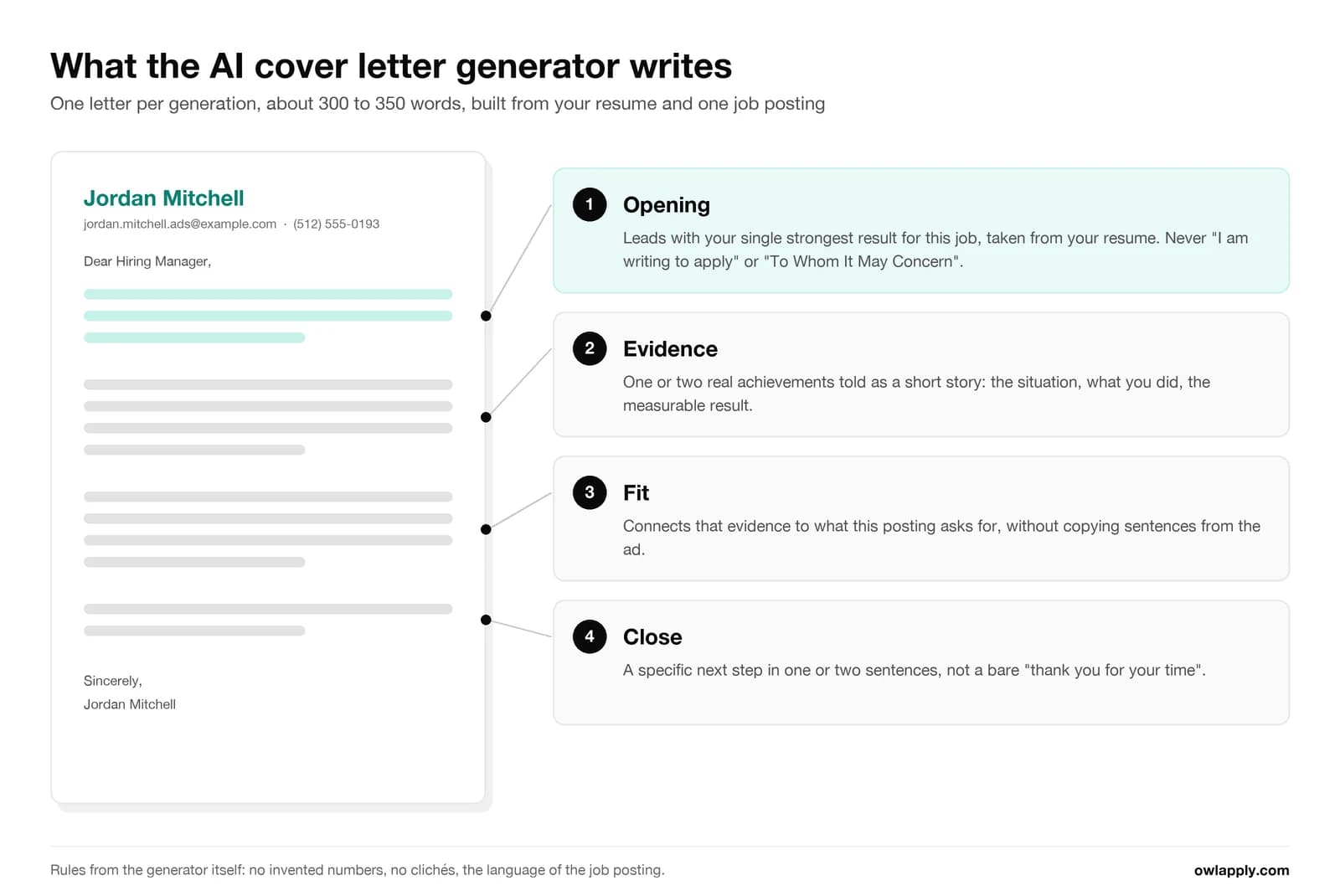
It turns two inputs into one letter. You choose a resume you have saved in OwlApply and paste the job description; the AI writes the letter and opens it in the cover letter builder, where you can edit it like any document. Here is exactly what happens, read from the generator's own rules:
- Inputs: one of your saved resumes and the full text of the job posting. There are no job title or company fields to fill in; both come from the posting.
- Output: one letter per generation, not a batch of variants. It aims for 300 to 350 words and is never allowed past 400.
- Structure: an opening built on your single strongest result for this job, two or three short body paragraphs that each tell one real achievement (the situation, what you did, the measurable result), and a close that proposes a next step.
- No invented facts: numbers, team sizes, job titles, employers and achievements must come from your resume. If a figure is not there, the letter does not have one.
- No copied ad text: it shows fit through evidence instead of repeating the requirement list, and a quality check rejects drafts that lift several phrases word for word from the posting, run too long or lean on clichés such as "team player" or "proven track record". When a draft fails, a second one is written and the better of the two is kept.
- Language: the letter is written in the language of the job posting, even when your resume is in another language.
- After generation: edit every paragraph, ask the AI for three alternative versions of any sentence, change the template (30+ to choose from) and the font, then download a PDF or email it.
Three Things That Make the Letter Worth Sending
It Starts From the Job, Not a Template
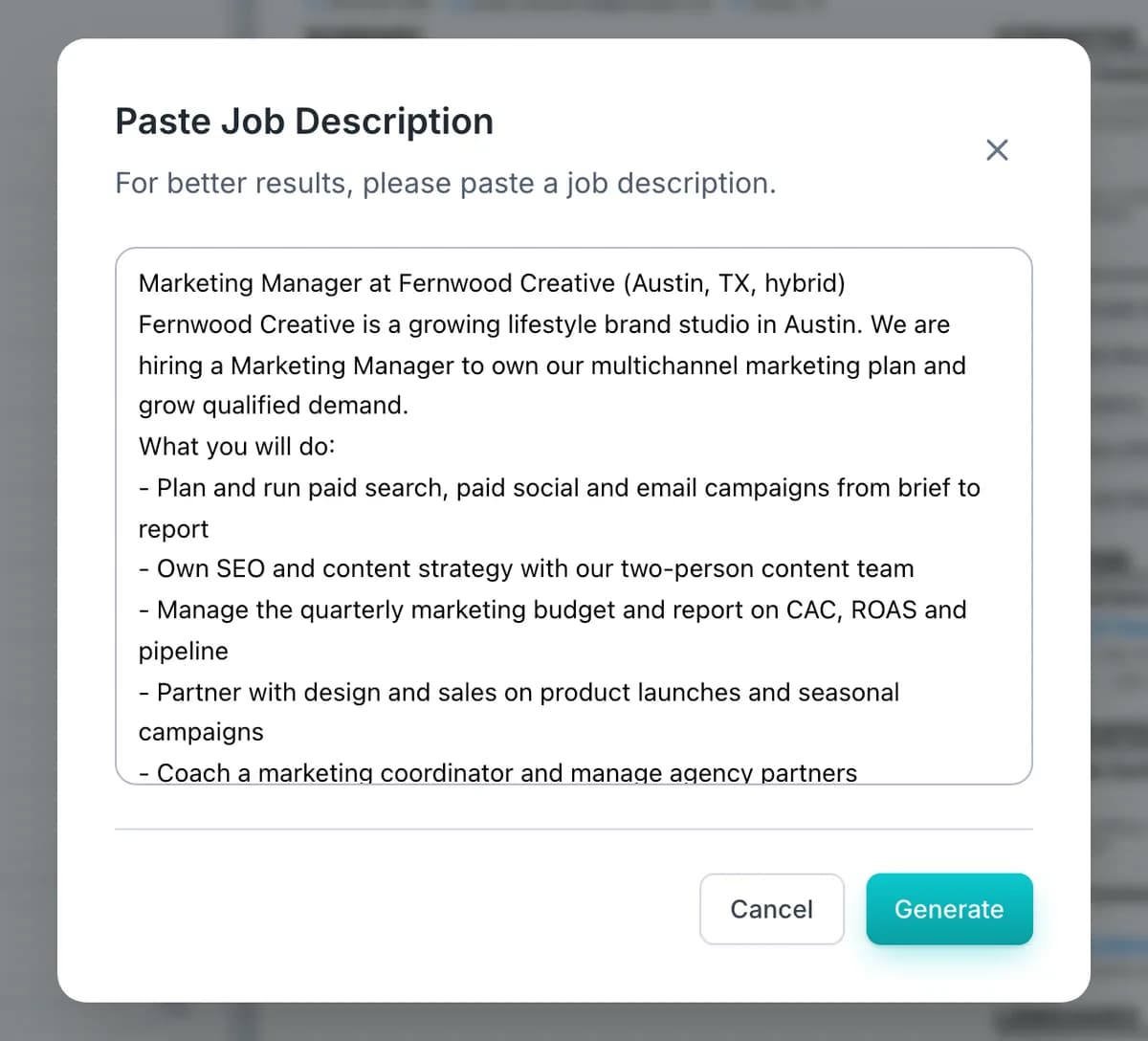
Paste the whole posting, including the "what you will do" list. The generator uses it to decide which of your results to lead with, so two jobs give you two different letters from the same resume.
Every Number Comes From Your Resume
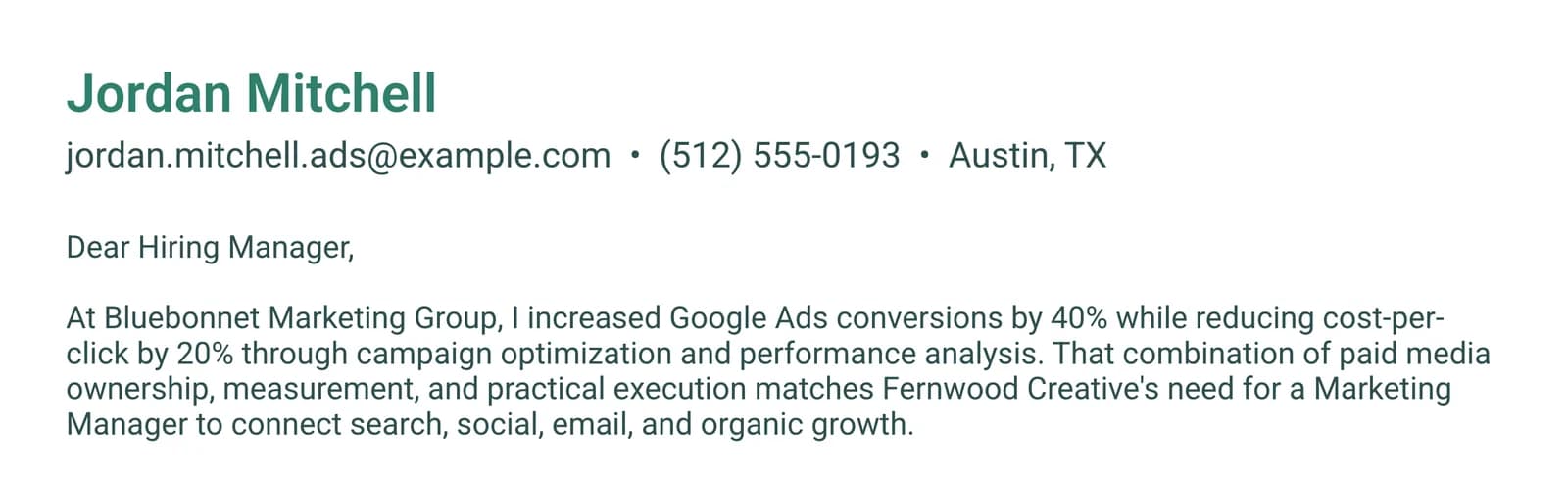
The letter may only use figures your resume already contains. In the example below, every percentage in the letter appears in the resume's own bullets; none was rounded up or added.
Change the Look Without Rewriting
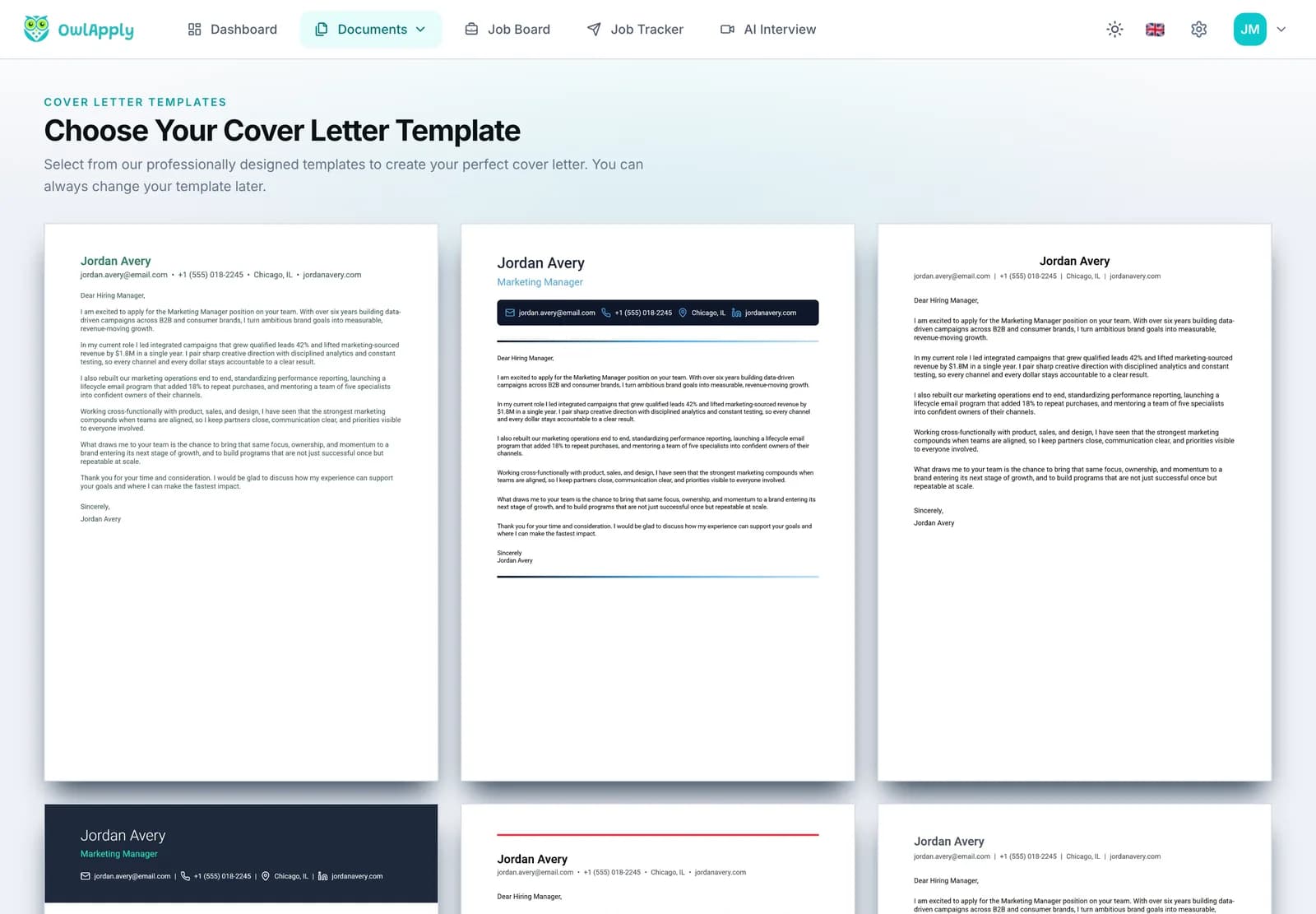
The text and the design are separate. Switch among 30+ cover letter templates after the letter is written and the content stays as it is.
What does an AI-generated cover letter look like? A worked example
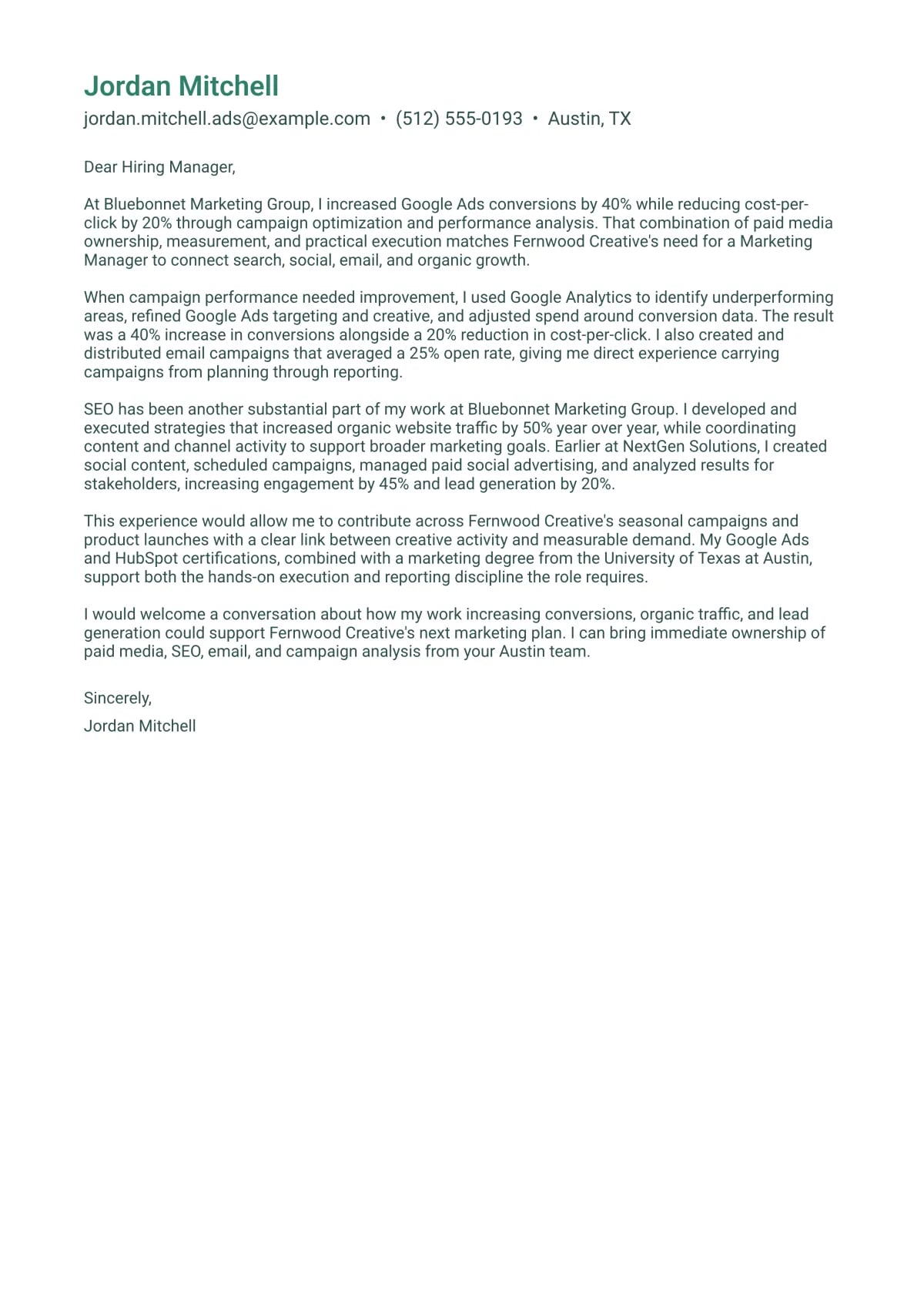
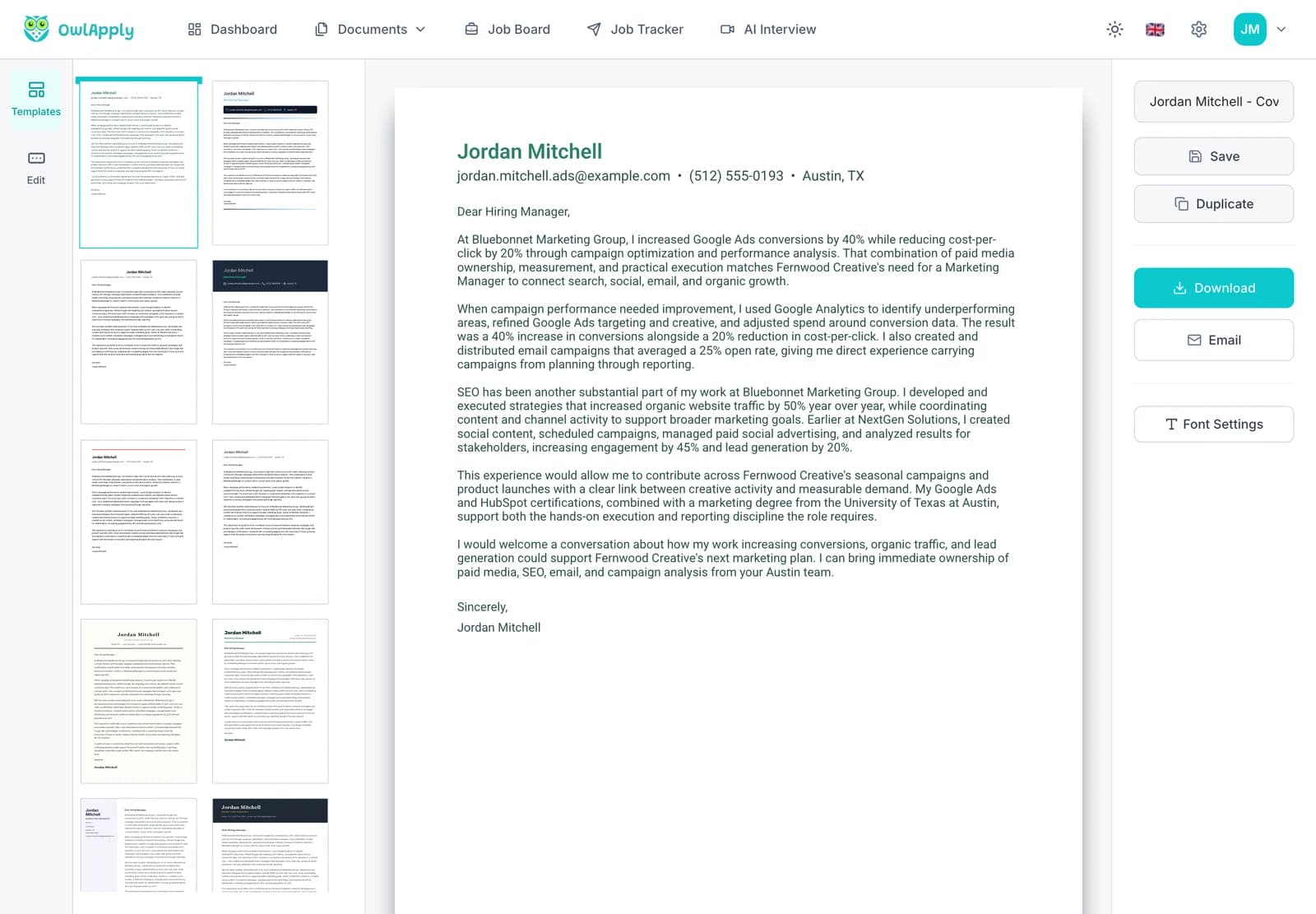
We ran the generator once on a fictional candidate, Jordan Mitchell, a marketing specialist in Austin, against a fictional posting for a Marketing Manager at "Fernwood Creative" (paid search, paid social, email, SEO, budget reporting, coaching a coordinator). The resume and the posting were the only inputs. This is the opening paragraph exactly as it came back:
At Bluebonnet Marketing Group, I increased Google Ads conversions by 40% while reducing cost-per-click by 20% through campaign optimization and performance analysis. That combination of paid media ownership, measurement, and practical execution matches Fernwood Creative's need for a Marketing Manager to connect search, social, email, and organic growth.
The full letter came to 271 words in five paragraphs and took about nine seconds. What it did well: it led with a measured result instead of "I am writing to apply", it used the posting's own priorities (search, social, email, organic growth) without copying its sentences, and every figure in it (40%, 20%, 25%, 50%, 45%) is in the resume. What we would still edit before sending: the second paragraph repeats the 40% and 20% result from the opening, and the last line ("from your Austin team") reads oddly. That is the honest state of any AI draft: it gets you to a specific, correct first version, and a two-minute read gets you the rest of the way.
How to Generate a Cover Letter With AI in 4 Steps
- RESUME
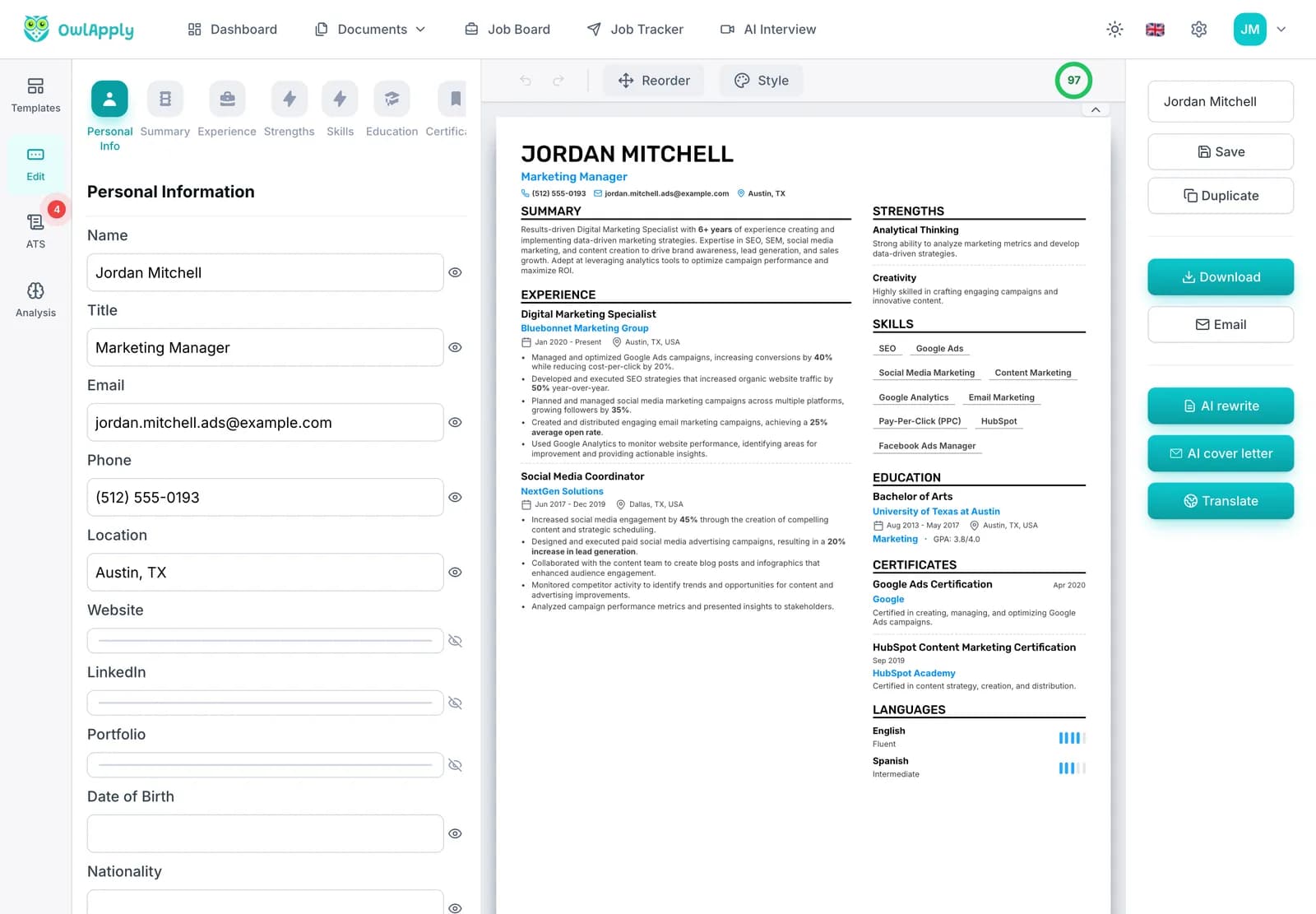
Pick the Resume to Write From
Open Create cover letter and choose one of your saved resumes. No resume yet? Upload a PDF or Word file, or import your LinkedIn profile, in the AI resume builder first; the letter can only be as specific as the resume behind it.
- PASTE
Paste the Full Job Description
Paste the whole posting, not just the title. Requirements, responsibilities and the company paragraph all shape which of your results the letter leads with. Already in the resume builder? The AI cover letter button there reuses the job description you analyzed, and asks you to paste one if it is too short.
- GENERATE
Generate One Letter
Click Generate. The AI writes the letter, checks it against its own rules (length, clichés, copied phrases), writes a second draft if the first fails and keeps the better one, then opens it in the builder. In our test this took about nine seconds.
- EDIT
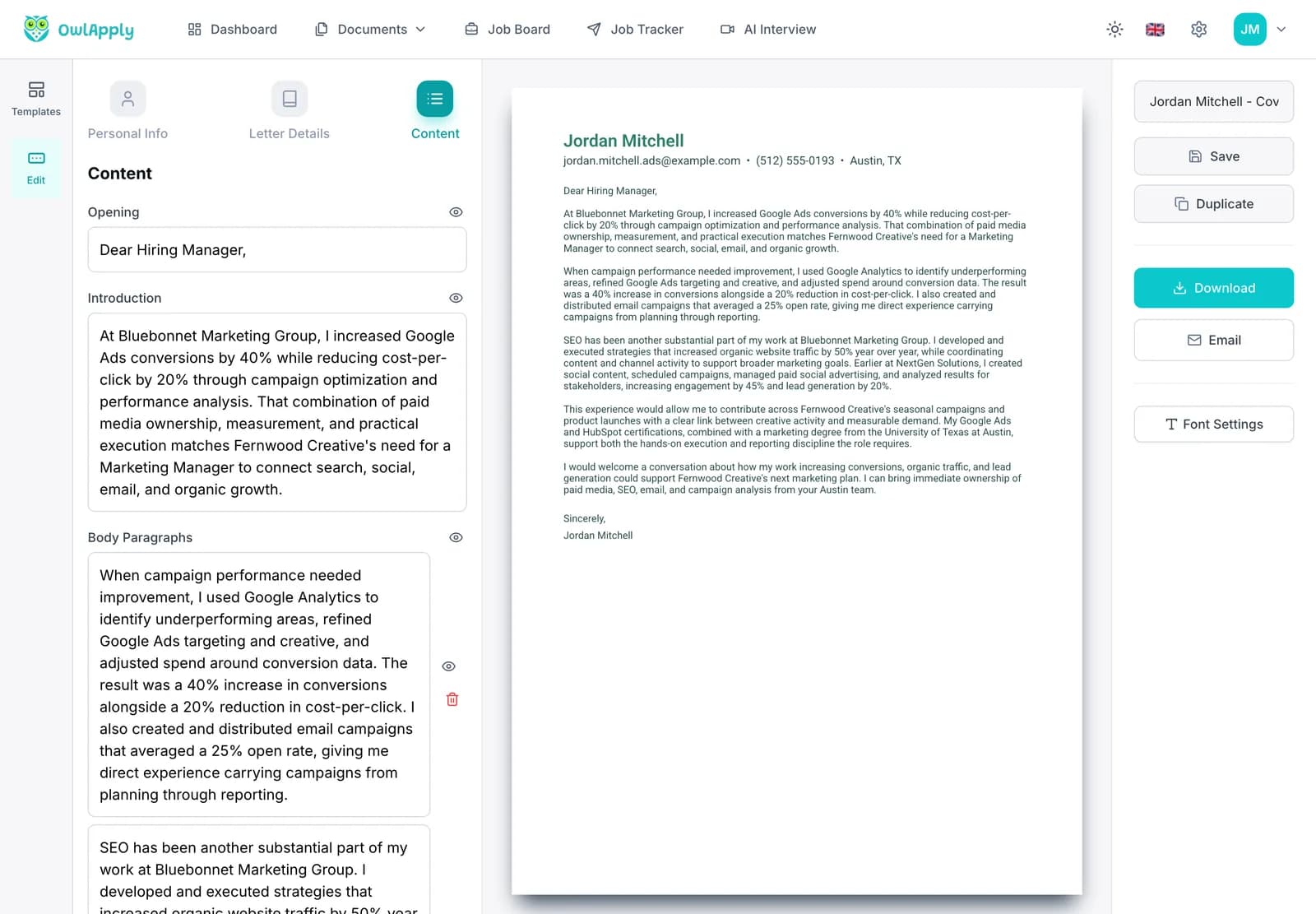
Edit, Restyle and Download
Edit the opening, introduction and body paragraphs in the Content tab, or select a sentence and ask the AI for three alternative versions. Switch templates and fonts, then download the PDF or email it to yourself.
AI cover letter generator vs. writing it yourself vs. a general chatbot
All three can produce a good letter. They differ in where the facts come from and how much checking the draft needs:
| OwlApply cover letter generator | Writing from a blank page | General AI chatbot | |
|---|---|---|---|
| Where the facts come from | Your saved resume, and only your resume | Your memory of your own work | Whatever you paste into the prompt; it can fill gaps with plausible numbers |
| Tailoring to the job | Built from the posting you paste, every time | As good as your time allows | Depends on your prompt |
| Length and structure | 300 to 350 words, opening result, one to two achievement stories, specific close | Up to you | Often long; varies run to run |
| Clichés and copied ad text | Checked automatically; failing drafts are rewritten | Up to you | Common unless you ask it to avoid them |
| Formatting | Lands in a cover letter template you can switch and download as PDF | Your own document | Plain text you still have to lay out |
| Time per letter | Seconds to generate, a few minutes to review | Often an hour or more | A few minutes, plus fact-checking |
Do cover letters still matter in 2026?
Usually, yes, and a tailored one matters most. In a field experiment that sent 7,287 fictitious applications to real job postings on ZipRecruiter, Glassdoor and Indeed between July 2019 and January 2020, ResumeGo found that applications with a cover letter tailored to the job got a 53% higher callback rate than applications with no cover letter at all. In the same study's survey of 236 recruiters and hiring managers, 87% said they read cover letters and 81% valued tailored letters significantly more than generic ones. That is the whole case for generating a new letter for each job instead of reusing one.
When a form marks the letter as optional, send one anyway if you can make it specific in a few minutes. When the posting says not to include one, don't.
Generate a Letter From the Job Page You Are On
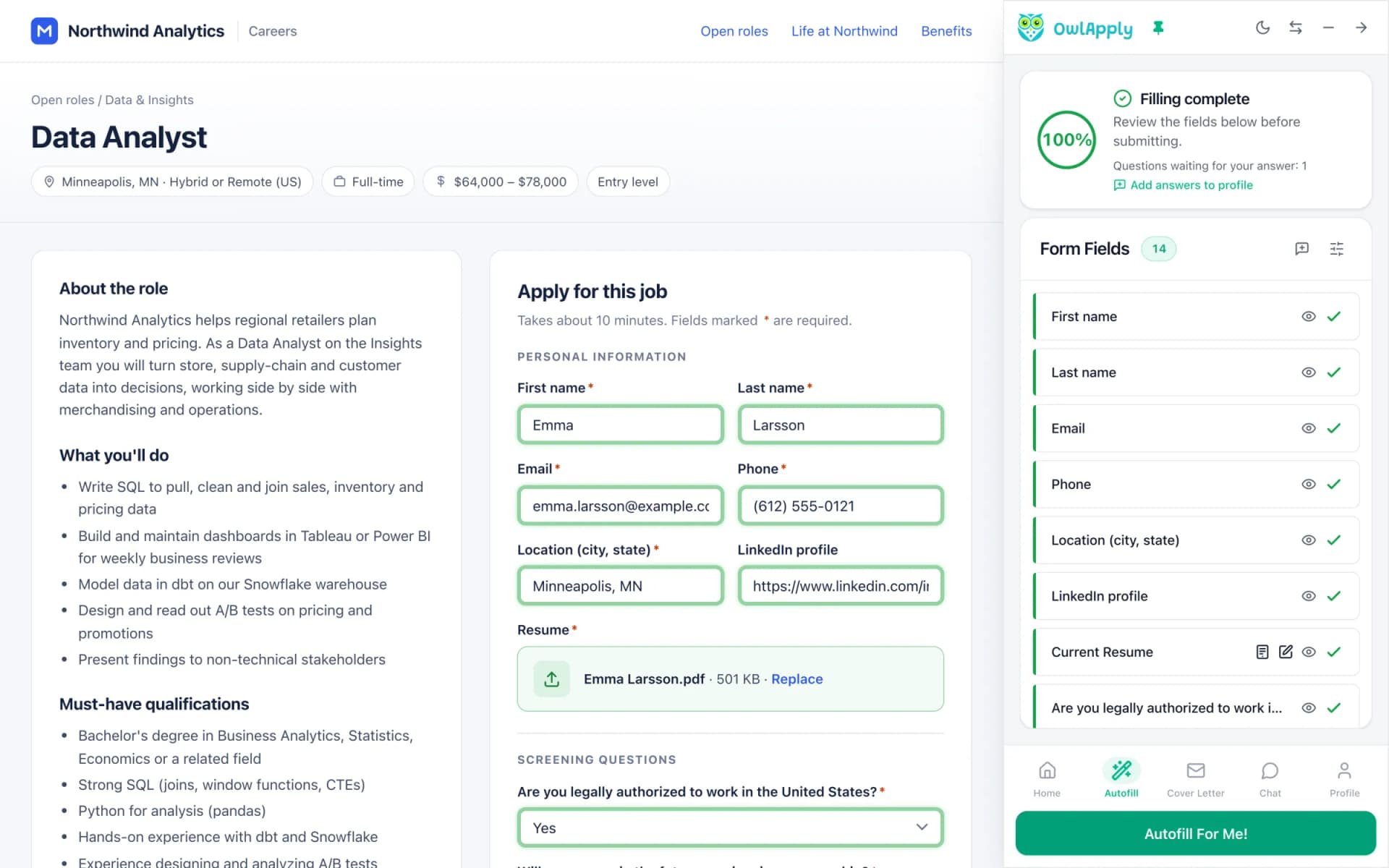
The OwlApply Chrome extension reads the job posting you have open on any site and can generate a cover letter for that job in one click, without copying and pasting the description. You can add instructions of up to 500 characters (for example "make it more formal" or "focus on my leadership experience") and regenerate.
When the application form has a cover letter upload, autofill can attach the generated letter as a PDF; when it has a text box, it pastes the letter as text. See job application autofill for the rest of what the extension fills in.
How to make an AI-written cover letter sound like you
Before you send it, check five things
- Every number is one you can explain in an interview. Delete any you cannot.
- The opening result is the one this employer cares about most. If the posting leads with budget ownership, lead with budget, not engagement.
- Nothing is said twice. AI drafts sometimes repeat the headline result in the next paragraph; cut the second mention.
- There is one sentence only you could write: why this company, a product you use, a person you spoke to.
- The greeting names a person when you know who is hiring; "Dear Hiring Manager" is the fallback, not the default.
For finished letters to compare against, see the 10 cover letter examples, the best cover letter openings and the internship cover letter examples. To choose a look before you generate, browse the cover letter templates.
Using a general AI chatbot instead? Copy this prompt
Any capable chatbot can write a decent letter if you give it the same rules our generator works under. Paste your full resume and the full posting where marked, then check every number in the reply against your resume before you use it.
How to choose an AI cover letter generator
Whichever tool you use, these six questions separate a letter you can send from one you have to rewrite:
- Does it read your actual resume? A tool that only asks for a job title and "key skills" writes from guesses.
- Does it take the full job description? Tailoring needs the posting, not just the company name.
- Is it allowed to invent? Look for an explicit rule against made-up numbers; otherwise check every figure.
- How long is the output? One page, roughly 250 to 400 words, is the range most hiring guides recommend.
- Can you edit and restyle it in place? Copying text into a separate document to format it costs more time than the generation saved.
- What does export and pricing look like? Check whether download, PDF and repeat generations are included before you write ten letters.
What the generator does not do
- It does not research the company beyond the posting you paste. Add your own reason for applying.
- It writes one letter per generation. For a different angle, generate again with the same posting or rewrite single sentences with the AI.
- There is no tone or length picker in the web app; the extension accepts free-text instructions instead.
- There is no Word export. Letters download as PDF or go out by email.
- It cannot make a thin resume specific. If your bullets have no results, strengthen the resume first and the letter improves with it.
AI Cover Letter Generator FAQ
Is the AI cover letter generator free?
How many cover letters does it generate at once?
Can it write a cover letter from my resume and a job description?
How long is the generated cover letter?
Will employers know an AI wrote my cover letter?
What languages can it write in?
Can I use it for LinkedIn Easy Apply and online application forms?
Can I change the template after the letter is generated?
Can I download the cover letter as a Word document?
Do I need a different cover letter for every job?
From blank page to submitted application
Build the resume, see the openings that actually match it, and send the application without filling the same form twice.
- 50+ ATS-ready templates
- Autofill on 50+ job platforms
- Resumes in 50+ languages
Build an ATS-ready resume
Start from a proven template or import the resume you already have, then sharpen every bullet point with AI.
Find jobs that match your resume
Live openings are scored against your resume, so the roles that fit your experience come to the top.
Apply without retyping
The Chrome extension fills applications on Workday, Lever, Greenhouse and 50+ other platforms and attaches your documents.