
Free Job Application Tracker
A job tracker that keeps your whole search in one dashboard: every application with company, position, date applied, current status and next step, plus follow-up reminders so nothing goes cold. Applications submitted through OwlApply's autofill are added automatically; add the rest from LinkedIn, Indeed or company sites in a few seconds. See the pipeline at a glance: applied, interviewing, offered, rejected.
Start Tracking
Your Job Search Command Center
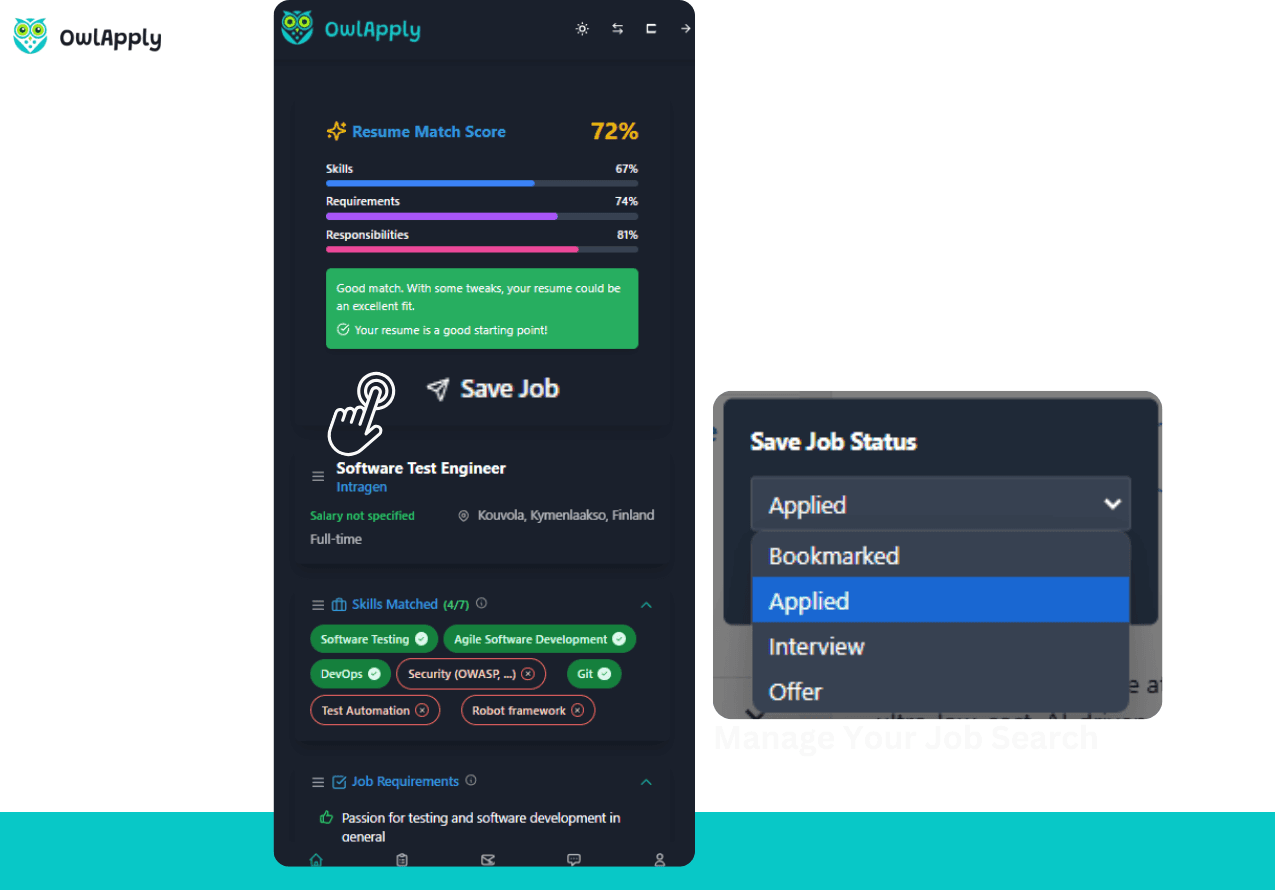
All Applications in One Place
No more spreadsheets or scattered notes. Every application — whether submitted through OwlApply or other platforms — is tracked in a single, organized dashboard with company, role, date, and status.
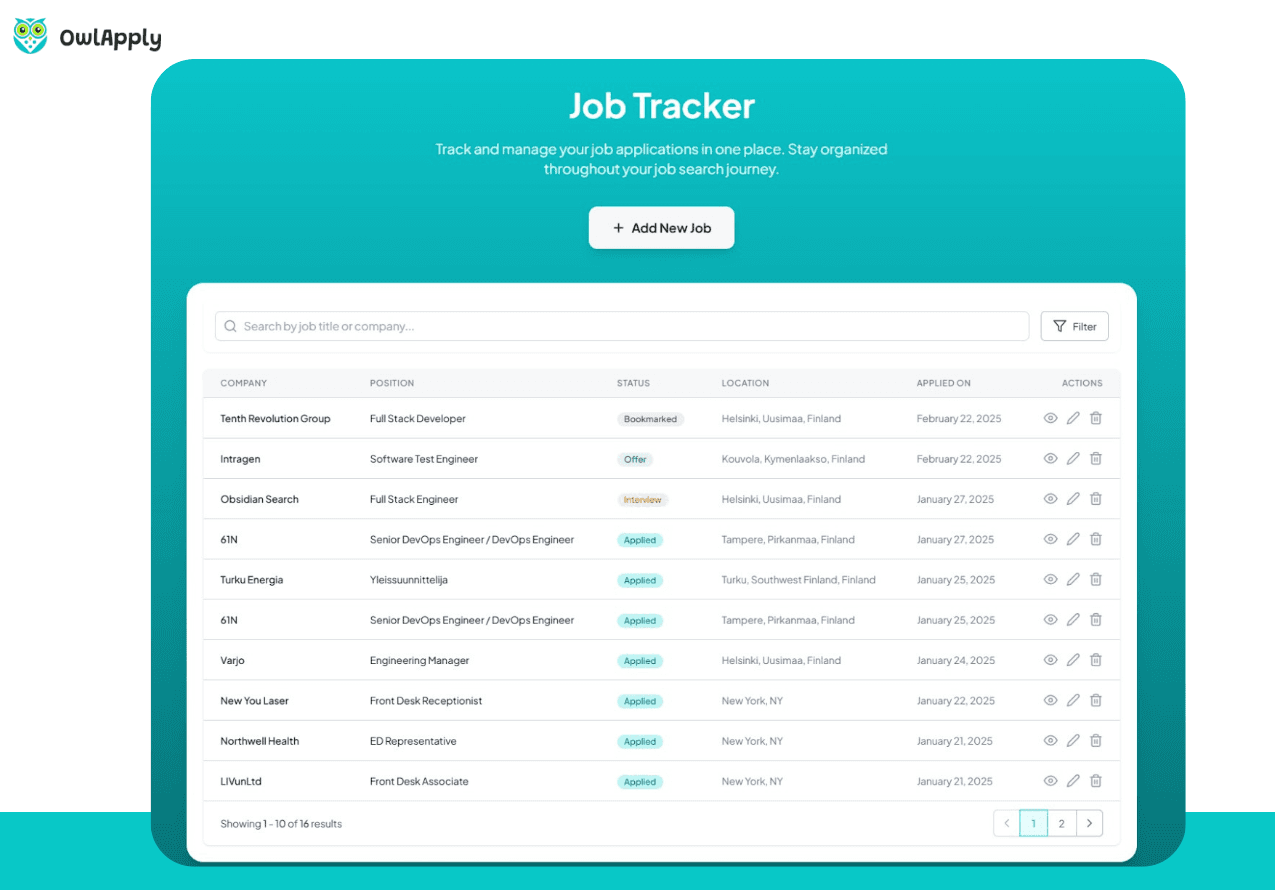
Visual Pipeline View
See your applications organized by stage: Applied, Phone Screen, Interview, Offer, Rejected. Instantly know where each application stands and which need attention.
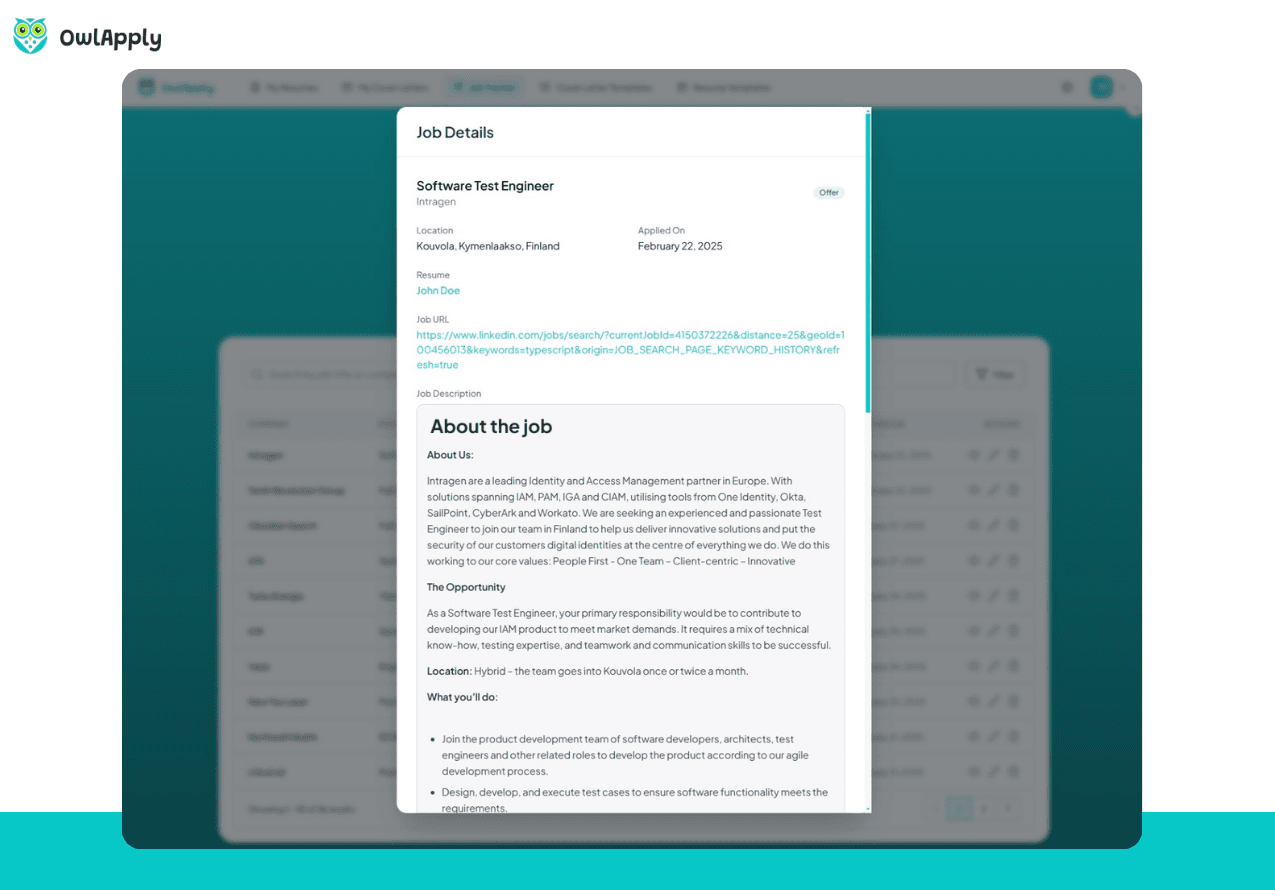
Never Miss a Follow-Up
Set reminders for follow-up emails, interview prep, and deadlines. The tracker keeps you proactive instead of reactive in your job search.
Job Searching Without Tracking Is Chaos
When you're applying to dozens of jobs, it's easy to lose track. Which companies have you applied to? Did you follow up after that interview? When is the deadline for that application?
OwlApply's Job Tracker eliminates the chaos. Every application is logged with company name, position, date, status, and notes. Applications submitted through OwlApply are automatically tracked — just add your external applications manually.
The pipeline view shows your entire job search at a glance. See how many applications are active, which ones have progressed to interviews, and where you need to follow up. Stay organized and never let an opportunity slip through the cracks.
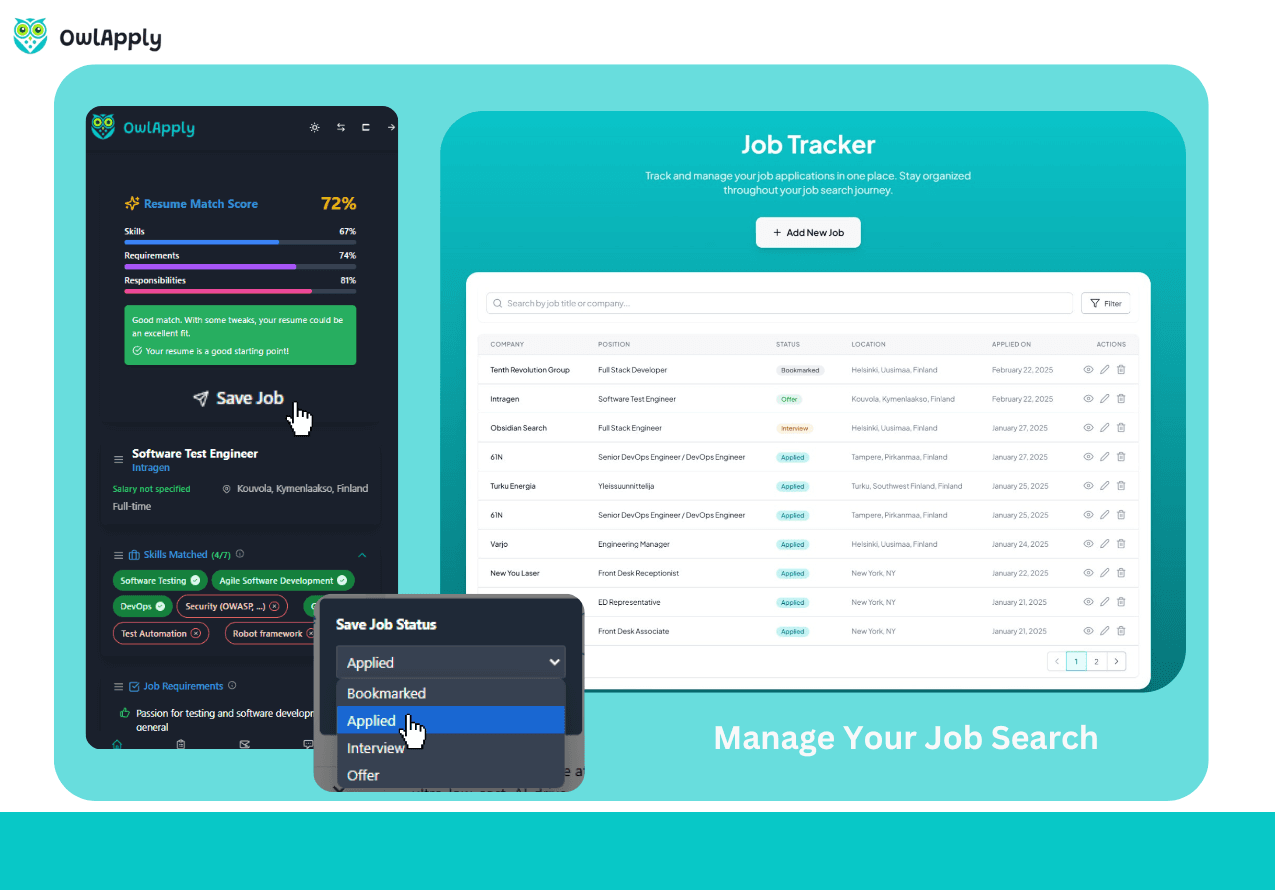
Start Tracking in 4 Steps
Create Your Account
Sign up for OwlApply to access the job tracker dashboard.
Add Applications
Applications through OwlApply are auto-tracked. Add external applications manually.
Update Status
Move applications through stages as you progress: Applied → Interview → Offer.
Follow Up
Set reminders and never miss a follow-up email or interview deadline.

Job application tracker vs a spreadsheet
A spreadsheet works until the third week of a search, when the rows pass fifty and the follow-ups start to slip. A job application tracker keeps the same columns (company, role, date, status, contact, next step) and adds the two things a sheet cannot do on its own: reminders that fire on the day a follow-up is due, and automatic entries for applications sent through the autofill extension, so the log stays complete without typing. If you prefer a sheet, the columns above are the ones to keep; if you want the reminders, the tracker is free with an account. Most of the rows come from the boards in the remote job boards list or from the AI job board; with the job application autofill extension installed, every form you submit lands in the tracker on its own, and the AI job assistant can answer questions about the listings you saved.
Job Tracker — FAQ
Does it auto-track OwlApply applications?
Can I add external applications?
What information is tracked?
Can I set reminders?
Is the tracker free?
Is there a job application tracker template I can copy?
From blank page to submitted application
Build the resume, see the openings that actually match it, and send the application without filling the same form twice.

Build an ATS-ready resume
Start from a proven template or import the resume you already have, then sharpen every bullet point with AI.

Find jobs that match your resume
Live openings are scored against your resume, so the roles that fit your experience come to the top.

Apply without retyping
The Chrome extension fills applications on Workday, Lever, Greenhouse and 50+ other platforms and attaches your documents.
- 50+ ATS-ready templates
- Autofill on 50+ job platforms
- Resumes in 50+ languages