

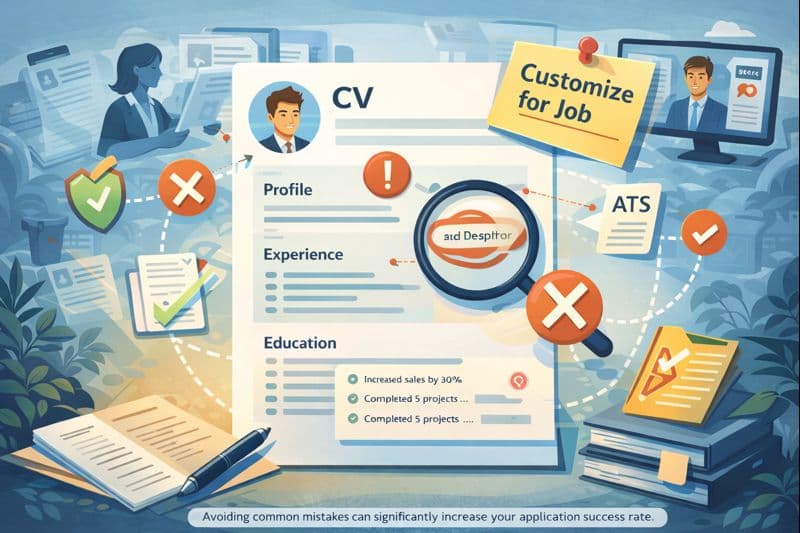
Your CV is often the first impression a potential employer has of you. Small mistakes can get an application rejected before you have a chance to present your qualifications. One Ladders study put the average resume scan time at 7.4 seconds. The 8 mistakes below are the most common reasons CVs lose that 7-second test, and each one is fixable in an afternoon.
CV Mistakes: The Hard Facts
Mistake 1: Spelling and Grammar Errors
Spelling and grammar errors are the most common reason CVs get cut early. They signal a lack of care and read as unprofessional, no matter how strong the underlying experience is.
A CareerBuilder survey of HR professionals found that 59% of recruiters immediately reject a CV when they find spelling errors. ATS systems (Applicant Tracking Systems) also score parsing artifacts and broken capitalization, so the cost is doubled.
How to Avoid Spelling Errors:
- Have your CV proofread by at least two people
- Use spell checkers, but don't rely exclusively on them
- Read your CV out loud to catch errors your eye skips
- Check proper names, company names, and technical terms specifically
- Let some time pass between writing and reviewing
- Use a professional proofreading service for high-stakes applications
Important Note
Mistake 2: Using a Generic CV for All Applications
Sending the same CV to every posting is the most common single mistake mid-career applicants make. Each role weights different skills, and a generic CV signals you have not read the job description carefully.
Industry surveys put the share of applicants reusing a single CV at roughly 47%. A targeted CV that adjusts the summary, the skills block, and 2-3 bullets in the most recent role outperforms a static CV across nearly every measurable metric: callback rate, interview rate, and offer rate.
Do this
- Thoroughly analyze the job posting and identify keywords
- Adapt your summary and skills section to the position
- Surface relevant achievements for the specific role
- Use industry-specific terminology when it applies
- Maintain a tailored version for each important application
Avoid this
- Don't reuse the same CV for every posting
- Don't ignore the explicit requirements in the job description
- Don't lean on generic phrases that fit every role
- Don't bury your most relevant experience under a generic summary
- Don't tweak only the cover letter while the CV stays unchanged
Mistake 3: Unstructured or Hard-to-Read CV
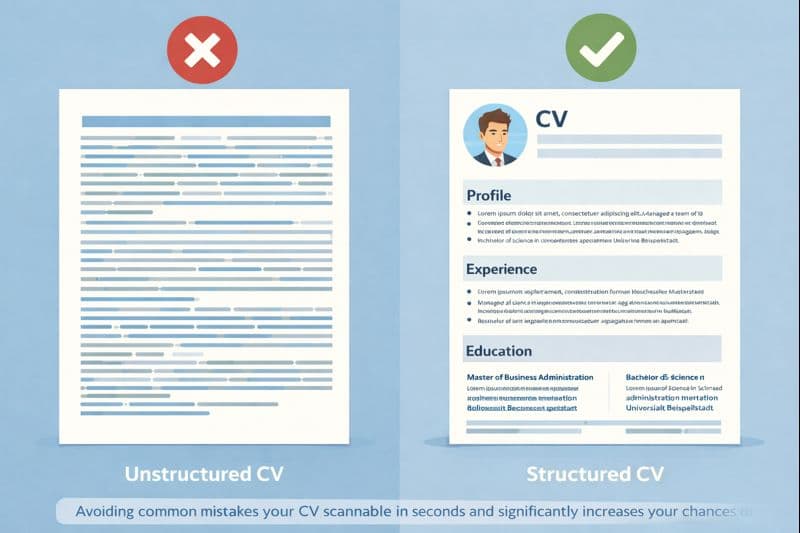
Even excellent qualifications can be missed when the CV is hard to read. Recruiters spend an average of 6-7 seconds on the initial pass. If they cannot locate your most recent role, your top skill, and your education in that window, the file gets set aside.
Elements of a Good CV Structure
- •Clear Headings: Use consistent, easily recognizable headings for each section
- •Reverse Chronological Order: Most recent role first
- •Adequate White Space: Leave enough room between sections for the eye to rest
- •Consistent Formatting: Same fonts, sizes, and bullet styles throughout
- •Bullet Points: Use bullets so the page reads as scannable
- •Length: One page for early career, two for mid-career and senior roles
Mistake 4: Exaggeration or Inaccurate Information
Presenting achievements positively is normal. Inventing them is not. Many companies run background checks on final candidates, and any discovered discrepancy almost always ends the process.
A 2022 ResumeLab survey put the share of CVs with inaccurate or exaggerated information at 63%. Misrepresentations range from inflated titles to invented degrees. Employers know this and now verify dates, titles, and credentials with more rigor than five years ago.
Critical Warning
- Be Honest: Present your experiences and achievements accurately but positively
- Quantify Your Achievements: Use concrete numbers and data to back up your record
- Avoid Vague Statements: Instead of 'increased sales' say 'increased sales 25% over 6 months'
- Verify Every Date: Confirm dates, titles, and company names match what HR will find in a background check
- Be Prepared: Expect to back up anything on the page in an interview or reference call
Mistake 5: Including Irrelevant Information
Including information that does not map to the role is a common mistake. It crowds the page and buries the parts of your background that actually fit the posting.
What You Should Omit
- •Personal information such as age, marital status, or religion (not legally required in many countries)
- •Very old experience (more than 10-15 years, unless directly relevant)
- •Hobbies and personal interests that do not relate to the role
- •Negative remarks about previous employers
- •Detailed descriptions of positions that do not apply to the target role
- •Photos (except in regions or industries where they are standard)
Mistake 6: Not ATS-Optimized
Most mid-size and larger employers run applications through an Applicant Tracking System before any human reads the file. If the CV does not parse cleanly, it gets rejected in the first phase regardless of how strong the content is.
| ATS Problem | Solution |
|---|---|
| Complex formatting (tables, columns, graphics) | Use simple, linear formatting |
| Images or graphics | Avoid embedded images (unless explicitly required) |
| Unusual fonts | Use standard fonts like Arial, Calibri, or Times New Roman |
| Missing keywords | Integrate relevant keywords from the job posting |
| PDF with images instead of text | Ensure your PDF contains searchable text |
Mistake 7: Missing or Unprofessional Contact Information
Your contact block is the first thing a recruiter reads. Missing, incomplete, or unprofessional contact details can stop an employer from reaching you or set a negative first impression before the rest of the CV gets read.
Professional Contact Information Should Include:
- Full name (as it appears on official documents)
- Professional email address (avoid personal or unprofessional addresses)
- Current phone number with area code
- LinkedIn profile (if available and up to date)
- Optional: Professional website or portfolio (when relevant to the role)
- City and country (full street address is rarely required)
An unprofessional email address like '[email protected]' can sink an otherwise solid CV before a recruiter reads the first bullet. Spend ten minutes setting up a clean firstname.lastname address for job applications.
Mistake 8: No Concrete Achievements or Results
Many applicants list tasks and responsibilities without surfacing measurable outcomes. That leaves recruiters guessing about what you actually delivered, which is the question the CV needs to answer.
Do this
- Use the STAR method (Situation, Task, Action, Result)
- Quantify your achievements with concrete numbers, percentages, or timeframes
- Show the impact of your work on the company
- Use action verbs (for example: increased, improved, implemented)
- Benchmark your outcomes against industry standards or your team's prior results
Avoid this
- Don't list tasks alone ('was responsible for...')
- Don't use vague statements without supporting evidence
- Don't omit the context that makes an achievement legible
- Don't exaggerate; stay honest and back up the numbers
- Don't drop smaller wins that could be relevant to a specific role
Examples of Strong Achievement Descriptions
- •Bad: 'Responsible for customer service'
- •Good: 'Lifted customer satisfaction 30% by rolling out new service processes across a 12-person team'
- •Bad: 'Worked in marketing team'
- •Good: 'Raised online marketing ROI 45% through data driven campaign optimization on a $1.2M annual spend'
- •Bad: 'Managed projects'
- •Good: 'Led 5 simultaneous projects with a $2M budget; all delivered on time and within budget'
Summary: How to Avoid the Most Common Mistakes
Avoiding these 8 mistakes raises your callback rate noticeably. The CV is the marketing artifact for your career; it should present your qualifications accurately and clearly while staying tailored to the specific role you are applying to.
Your CV Checklist:
- Spelling and grammar checked multiple times
- CV tailored to the specific position
- Clear, professional structure and formatting
- All information truthful and provable
- Only relevant information included
- ATS-optimized (simple formatting, keywords matched to the posting)
- Professional contact information complete
- Concrete achievements and results quantified
Create a Perfect CV
Avoid common mistakes and build a professional, ATS-optimized CV with OwlApply's builder. Our tools help you steer around every mistake on this list and produce a CV that actually converts.
Create CVConclusion: Investment in Your Career
Your CV is often the first and sometimes the only impression a potential employer has of you. Avoiding the 8 mistakes above is an investment in your career that pays off across every application cycle. Spend the time to write and review the CV carefully; it is the difference between a rejection and an interview invitation.
A strong CV is not a list of experiences. It is a deliberate presentation of your skills and outcomes, aimed at one specific role. With the right approach you can clear ATS screening, hold a recruiter's attention through the 7-second scan, and get to the interview round.

Interview Failure: 10 Critical Mistakes and Professional Solutions
Learn how to avoid common interview pitfalls with expert HR advice and proven strategies to significantly increase your chances of landing your dream job.

Get weekly job-winning tips
Practical resume, cover letter, and interview advice delivered every Tuesday.
By subscribing you agree to our Privacy Policy and allow us to email you career tips.