





CV Skills Generator
Install the OwlApply Chrome extension and browse job listings as usual. On any job posting page, the extension reads the requirements in real time, extracts every required skill and qualification, and compares them with the skills already on your resume. See which skills match, which are missing, and add any missing skill to your resume with one click — no manual editing needed.
Install Free Extension
Real-Time Skill Scanning While You Browse
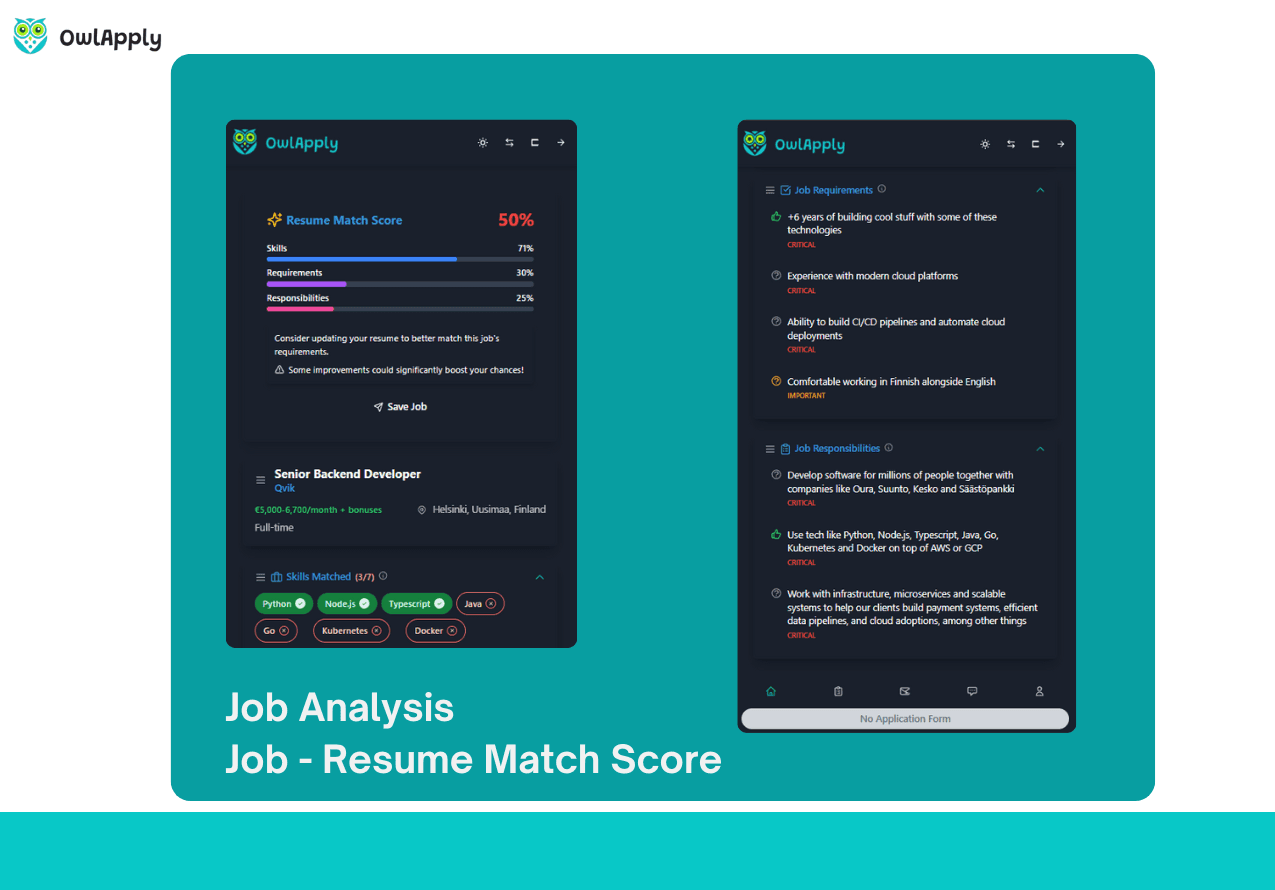
Instant Job Posting Analysis
Open any job posting page and the extension analyzes it in real time. Within seconds, you see every required skill, qualification, and competency extracted from the listing — organized so you can quickly identify what the employer prioritizes.
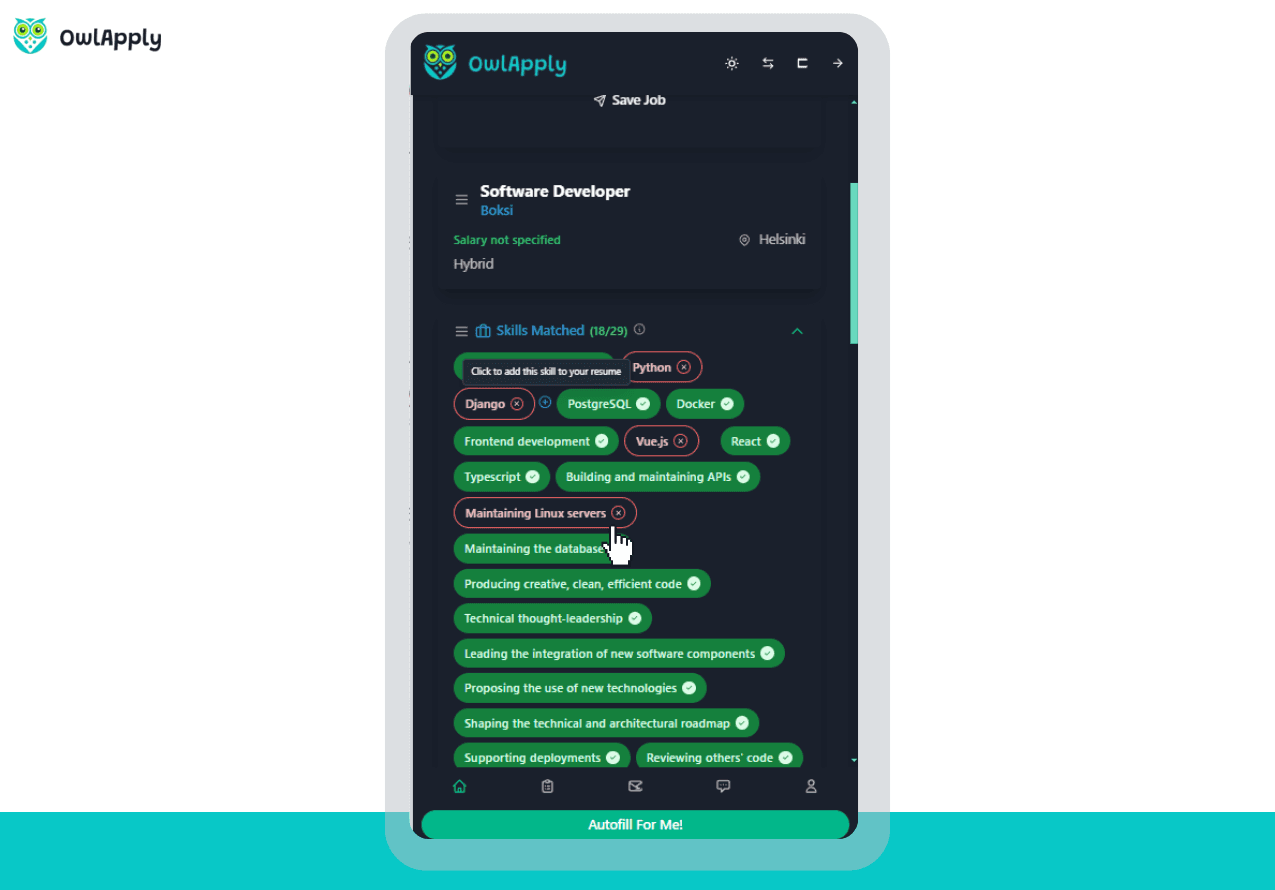
One-Click Skill Addition
Found a skill the employer wants that is not on your resume? Click once and it is added to your skills section instantly. Your resume structure, formatting, and existing content remain untouched — only the new skill is inserted.
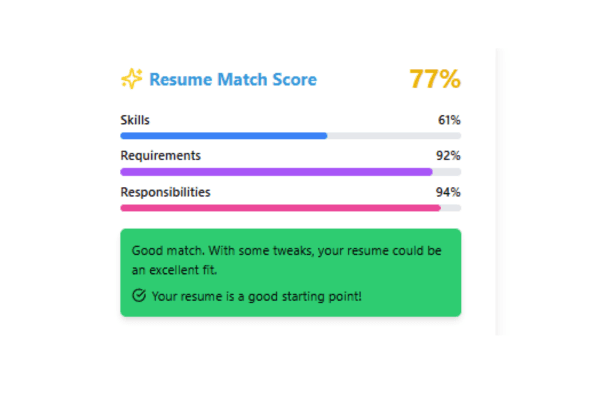
Resume Match Comparison
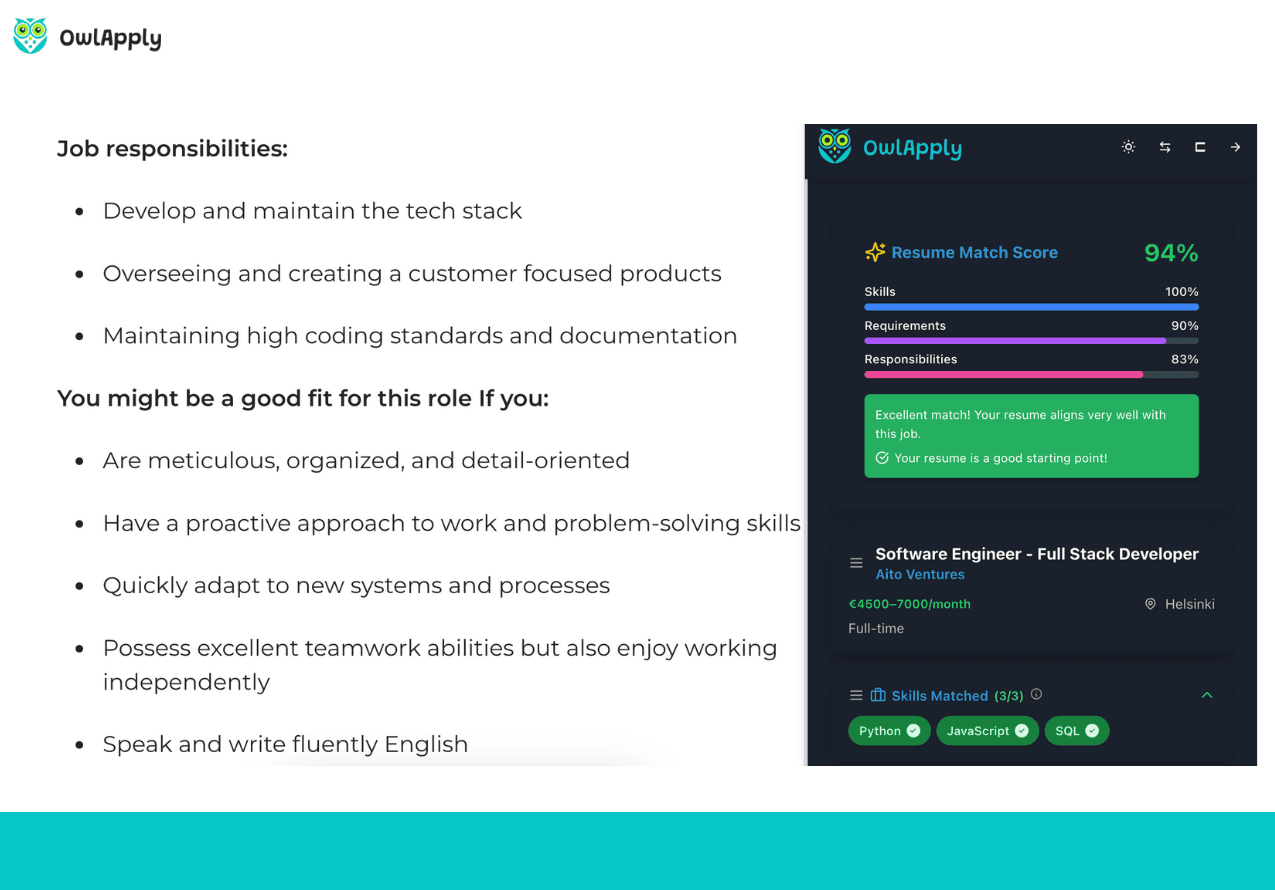
The extension runs a side-by-side comparison between the job requirements and your resume. Green indicators show skills you already have. Red indicators highlight missing skills that could strengthen your application if added.
Every Job Posting Tells You What to Add
Recruiters write exactly what they need in job descriptions. The problem is that most applicants do not read those requirements carefully enough or do not know which skills to prioritize on their resume.
OwlApply's CV Skills Generator solves this automatically. As you browse job listings on any supported job board, the Chrome extension reads the posting, identifies every skill and qualification the employer mentions, and compares them against your current resume.
The result is a clear, visual comparison: skills you already have (marked in green) and skills you are missing (marked in red). For every missing skill, you can add it to your resume with a single click. The extension inserts it into your skills section without disrupting your resume's layout or existing content.
This works in real time across all major job boards. No copy-pasting job descriptions, no switching between tabs, no manual keyword research. Just browse job listings and let the extension do the analysis.
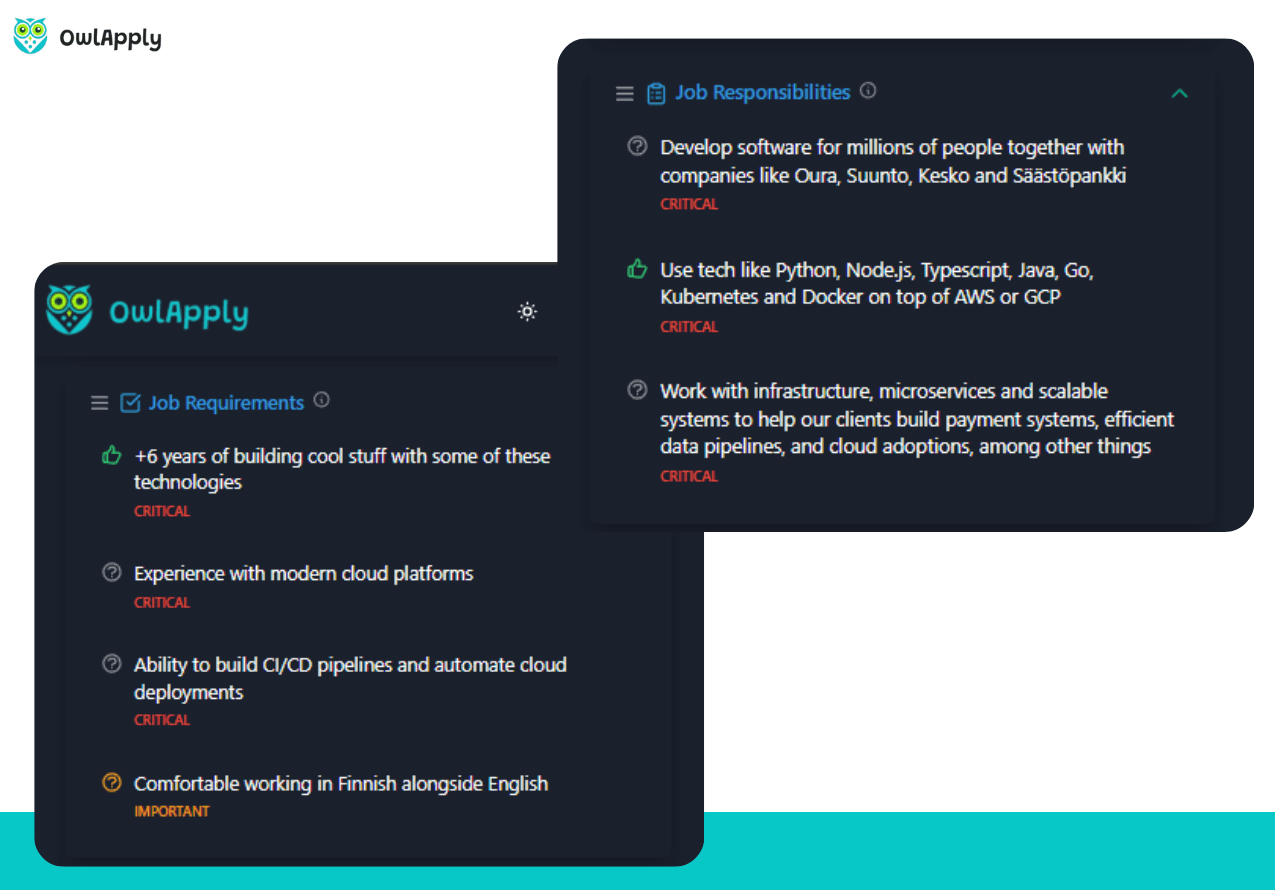
Use CV Skills Generator in 4 Steps
Install the Extension
Add the OwlApply Chrome extension from the Chrome Web Store. It integrates directly into your browser and activates on job posting pages.
Browse Job Listings
Browse job boards as usual. When you open a job posting page, the extension automatically analyzes the listing and extracts required skills and qualifications.
Review Skill Comparison
See which skills from the job posting match your resume and which are missing. The extension shows a clear comparison with green (matched) and red (missing) indicators.
Add Missing Skills
Click to add any missing skill directly to your resume. Review the updated resume and submit your application with confidence.
CV Skills Generator — FAQ
42% more recruiter replies
Tailor every resume, prove your fit with data-backed keywords, and track applications from one dashboard.

Drop in role-specific bullets and summaries vetted by certified resume writers.

Match any job posting and see your fit score update instantly.

Tweak colors, fonts, and spacing so every application feels on-brand.